Full Feature Overview
Everything You Need to Manage and Verify Certificates
From creating certificates to tracking expiry dates, CertLister has all the tools schools, companies, and training centers need to stay organized and compliant.
Certificate Verification
Public Certificate Verification System
Stop answering verification emails. CertLister is a complete credential verification platform that lets students, employers, and licensing boards verify certificates themselves—anytime, anywhere, without logging in.
Instant Public Verification
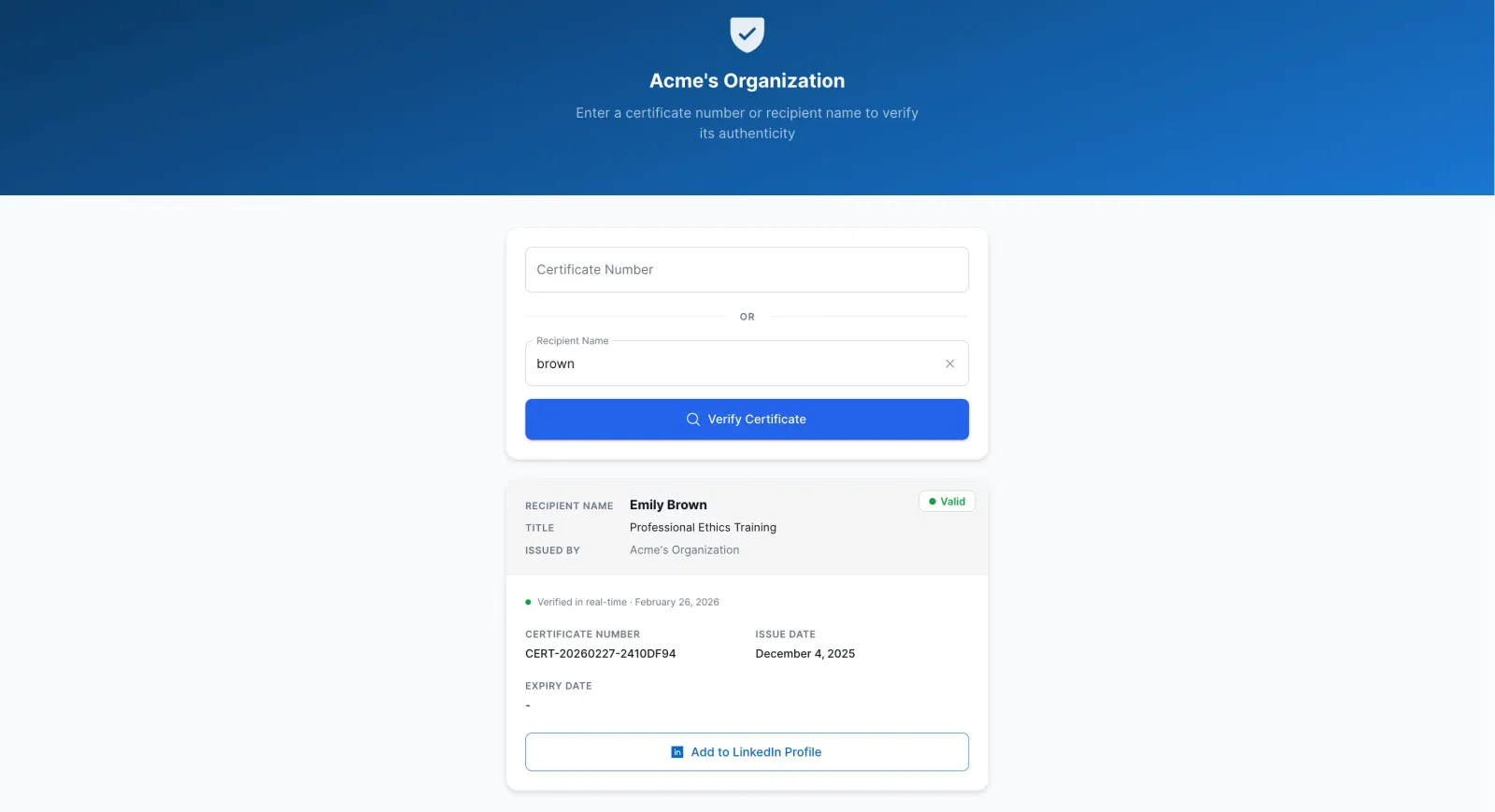
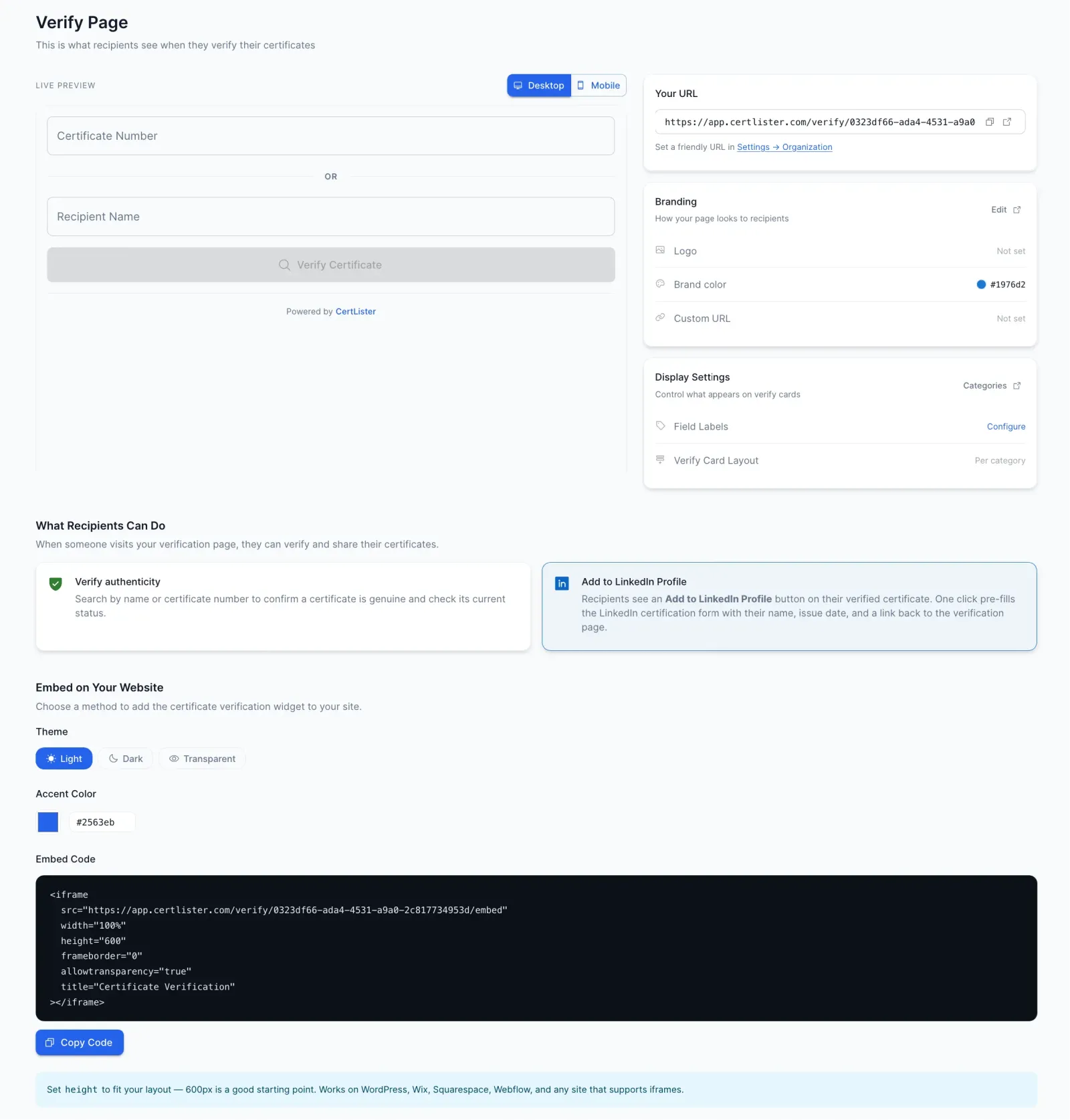
Anyone can verify a certificate by entering the certificate number or recipient name. Results appear instantly with all the details—no login or account required, 24/7.
- Search by certificate number or name
- Shows certificate details, issue date, and status
- Works round the clock, even when your office is closed
Embeddable Verification Widget
Add a verification box to your school's website. Visitors can verify certificates without leaving your page—build trust and show you stand behind your certifications.
- Copy a simple code snippet, paste anywhere
- Customizable to match your organization's branding
- Mobile-friendly and fast-loading
Verification Logging
Every verification gets recorded with the date, time, and who checked it. When auditors ask "How many times was this certificate verified?"—you'll have the answer instantly.
- Automatic logging of every verification attempt
- IP address tracking for security monitoring
- Export logs as CSV for compliance reports
Add Verification to Your Website in Minutes
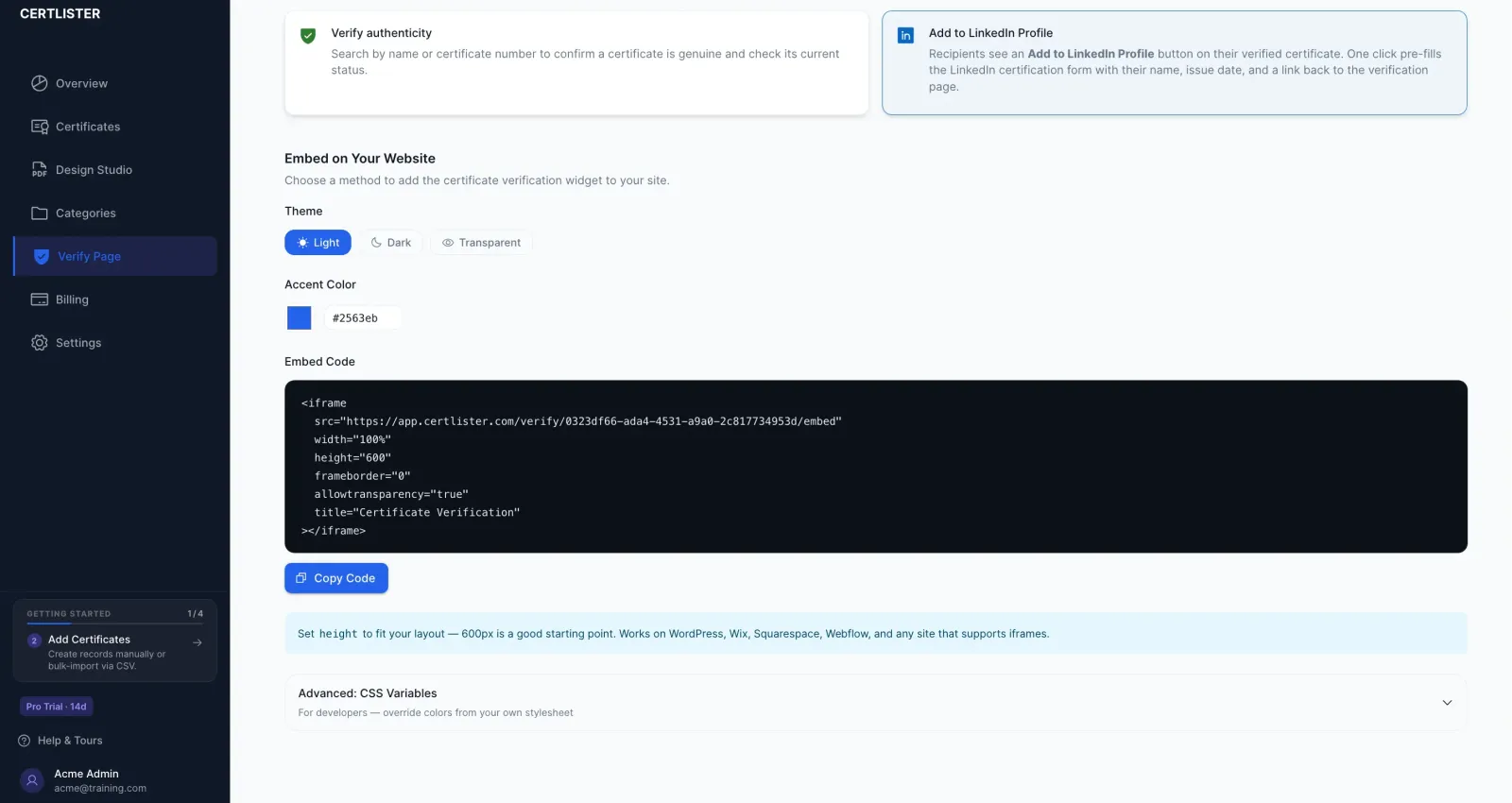
Copy a single code snippet and paste it into your school's website. Visitors verify certificates without ever leaving your page—building trust with every visit.
- Works with any website platform (WordPress, Wix, Webflow, etc.)
- No developer experience required
- Customizable colors to match your brand
Pro Feature
Make the Verify Page Truly Yours
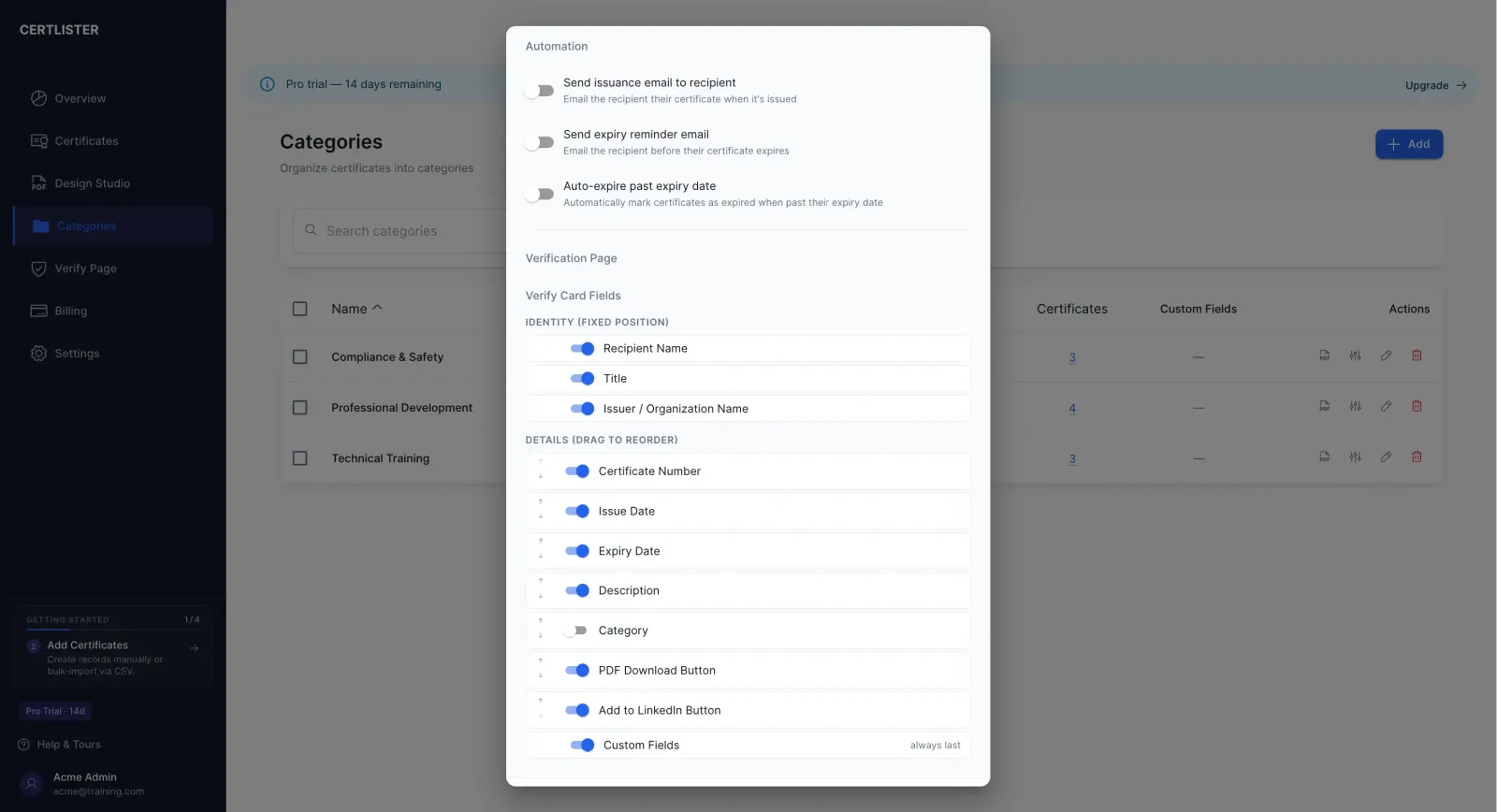
Pro organizations get full control over how their verification page looks and what it shows. Brand it, customize it, and tailor it per certificate category.
- Custom verify URL — share
certlister.com/verify/your-orginstead of a random ID - Organization branding — your logo and colors on every verify card
- Per-category field control — choose which fields appear on the verify card, and reorder them
- Custom field labels — rename "Recipient Name" to "Student", "Issue Date" to "Completion Date", and so on
- Remove "Powered by CertLister" footer from your verify page
Training Records
Training Records Management Made Easy
Keep all your training records organized in one place. Find any certificate in seconds. Upload hundreds at once. Finally, a system that grows with you.
Bulk CSV Import
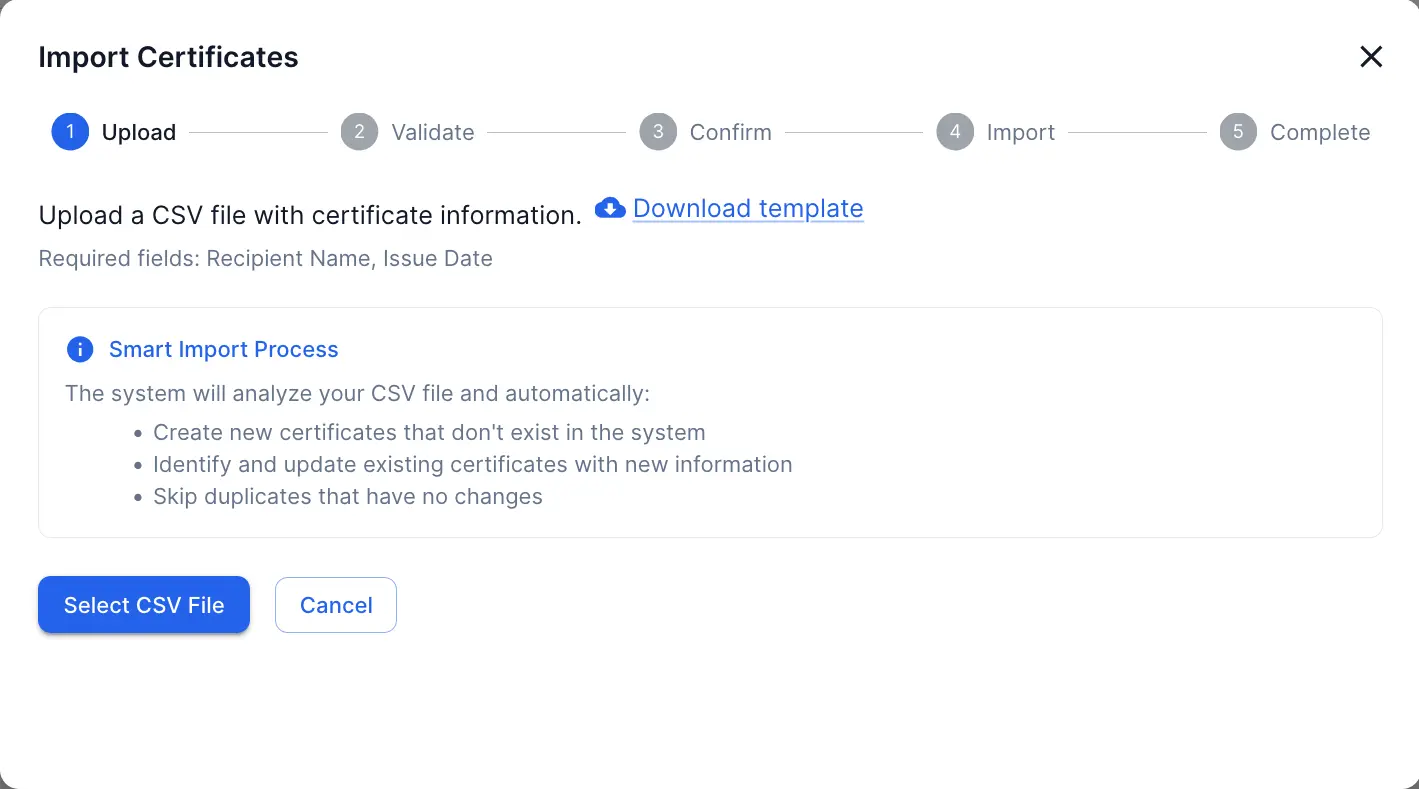
Upload a spreadsheet with hundreds or thousands of certificates. Moving from paper or old software? Migrate everything in an afternoon. Handles 1,000+ records without breaking a sweat.
- Validates dates and required fields automatically
- Detects duplicate certificates before importing
- Preview all changes before committing
Category Organization
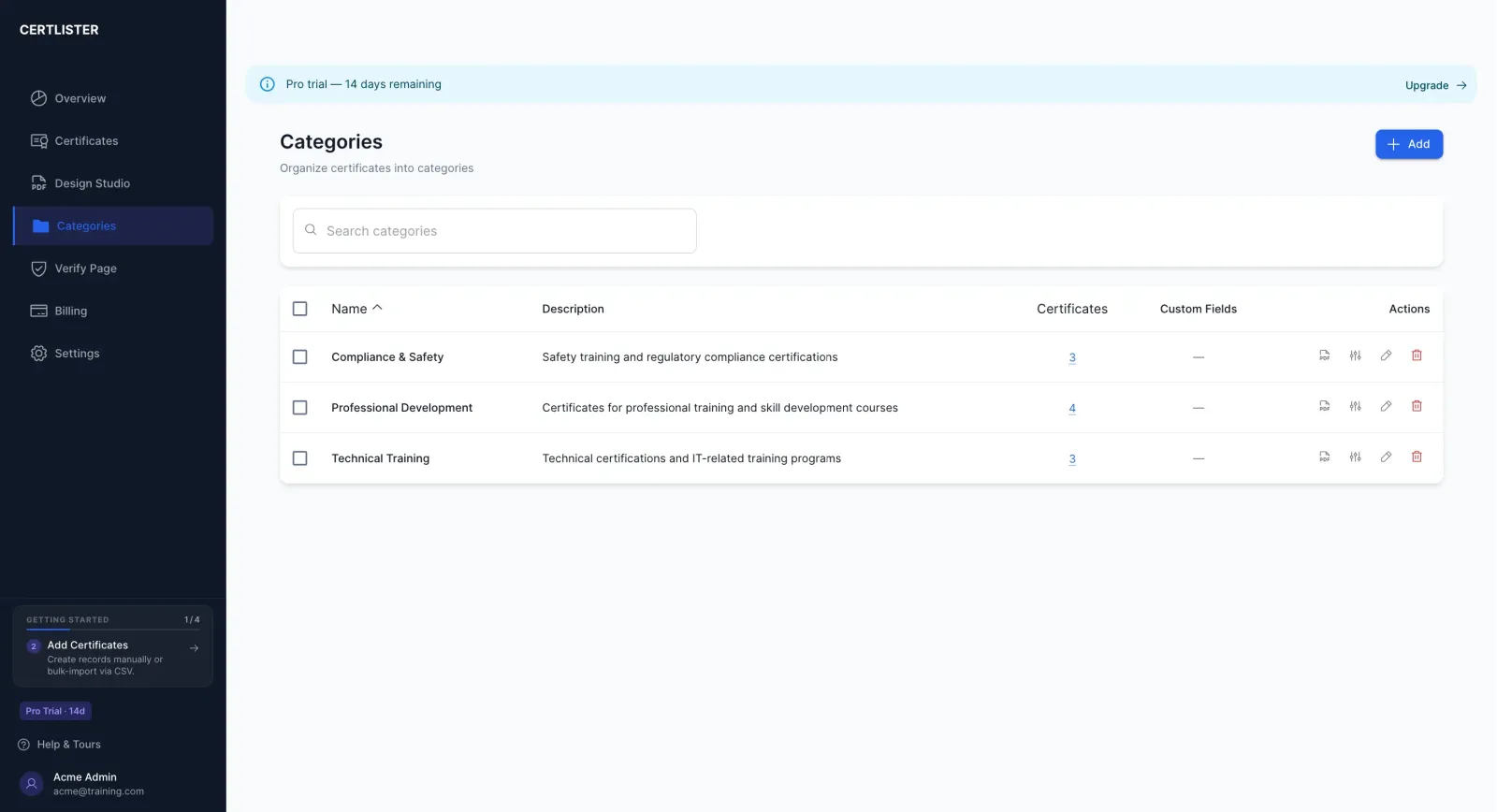
Sort certificates into categories like "CPR Training" or "2024 Graduates." Finding certificates shouldn't mean scrolling through everything—categories keep things tidy and make searches instant.
- Create unlimited categories
- Bulk assign certificates to categories at once
- Merge categories if you restructure
Powerful Search & Filters
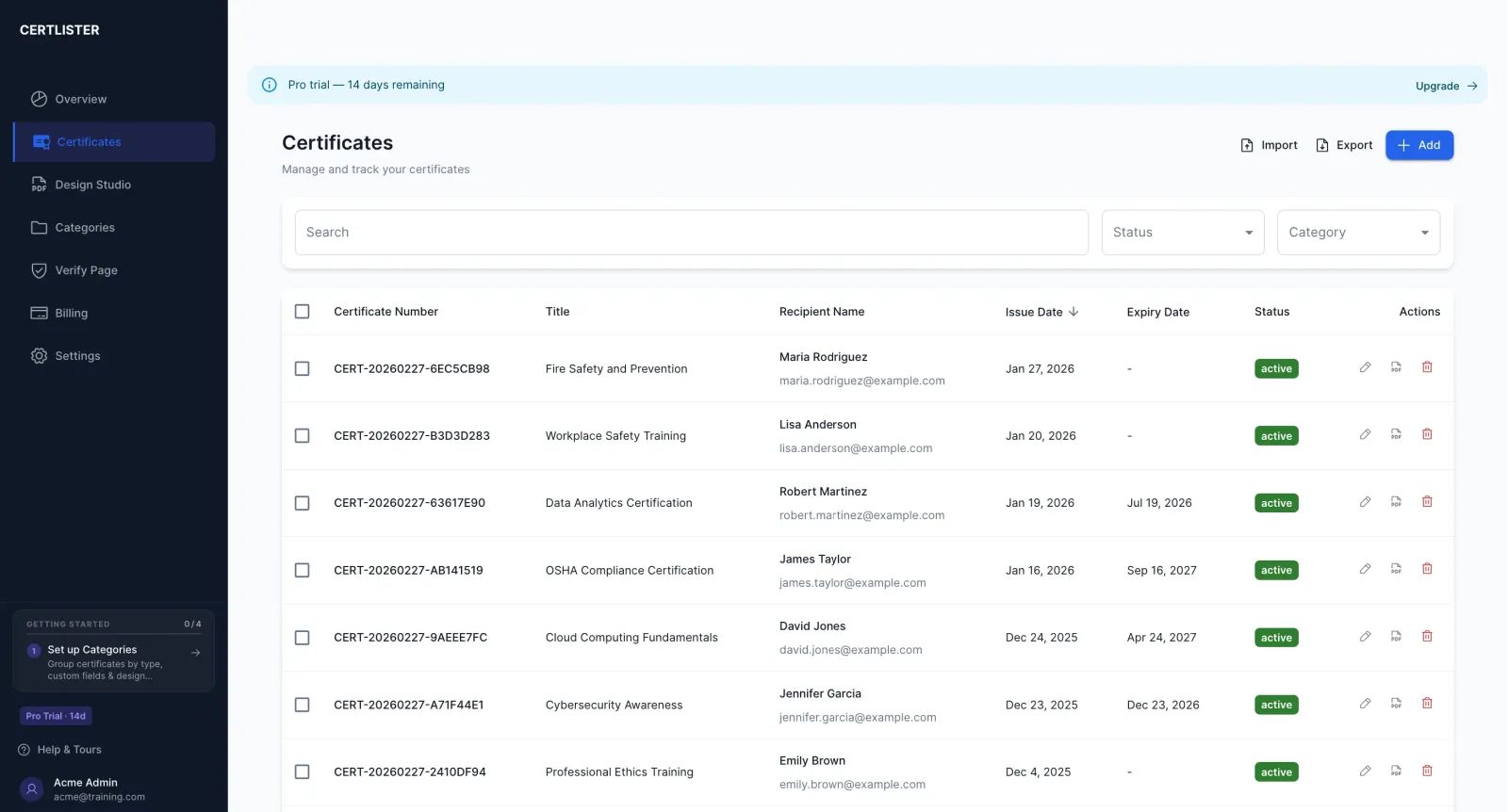
"Can you find Sarah's CPR certificate from last year?" With good search, that's a 5-second task instead of a 5-minute hunt. Search by name, certificate number, or course title.
- Filter by Active, Expired, or Revoked status
- Filter by category or date range
- Sort by date, name, or certificate number
Bulk Export to CSV
Your HR department needs a list of active certifications. Your auditor wants expired certificates from last year. Export exactly what you need in one click—no copy-pasting required.
- Export everything or just filtered results
- Opens in Excel or Google Sheets
- Perfect for reports, backups, or sharing
Certificate Database
Secure Certificate Database & Registry System
Store all your training certificates, professional credentials, and compliance records in one centralized certificate database. Secure, searchable, and always up to date.
Centralized Certificate Database
Cloud-based storage accessible from any device, with automatic daily backups. Organization-specific data isolation for security. Real-time sync across multiple users. No more digging through filing cabinets or spreadsheets.
Certificate Registry System
Every certificate gets a unique number and permanent record. Your certificate registry system acts as the single source of truth—anyone can verify against your official registry, building trust and preventing fraud.
Advanced Database Search
Find any record in under 2 seconds. Full-text search across all fields, filter by status or date range, and sort results by any column. Real-time results as you type.
Expiry Tracking
Certificate Expiration Tracking That Works
Never scramble to figure out whose certification is expiring. See everything at a glance. Update dates in bulk. Stay ahead of expiry deadlines without the stress.
Automatic Status Updates
Certificates automatically change from "Active" to "Expired" when they pass their expiry date. No manual work required. Visual indicators show expiry status at a glance.
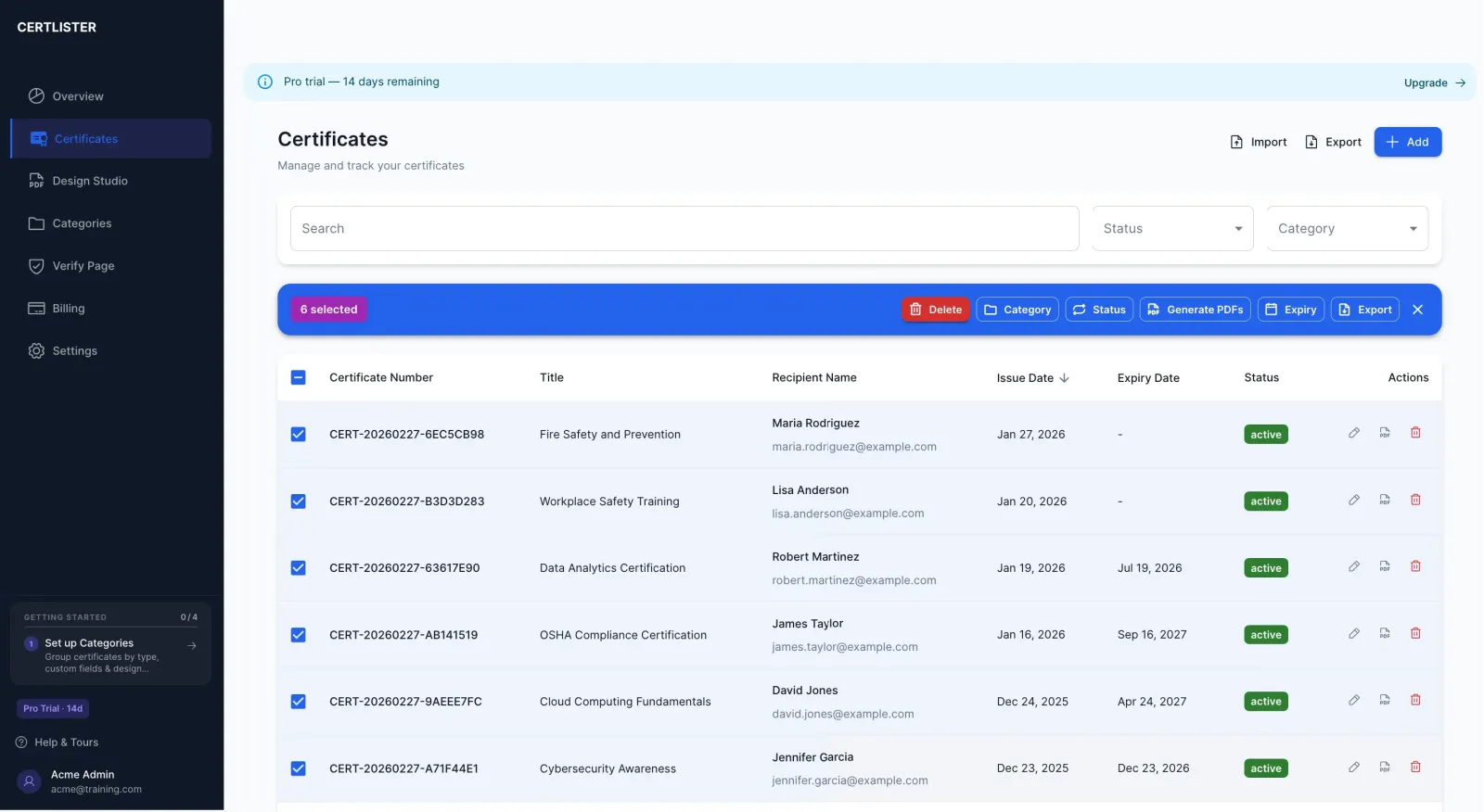
Bulk Expiry Updates
Your whole team just completed recertification. Select all 50 certificates and extend their expiry dates by one year—in 30 seconds instead of 30 minutes.
Dashboard Expiry Overview
Your dashboard shows how many certificates are expiring soon, this month, or have already expired. See the big picture the moment you log in. Click any number to see the actual certificates.
Expiry Date Filtering
Filter to show only certificates expiring in the next 30, 60, or 90 days. Plan renewal training sessions proactively. Sort by expiry date (soonest first) to prioritize urgent cases.
Email Automation
Certificates Delivered Automatically
Stop manually emailing certificates and chasing renewals. CertLister handles the routine communications so you don't have to.
Auto-Send Certificates to Recipients
When you create a certificate, CertLister can automatically email it to the recipient. They get their certificate PDF and a personal verification link — without you lifting a finger.
Configurable Expiry Reminder Emails
Set how many days before expiry recipients should be reminded — 30, 60, 90 days, whatever fits your workflow. Reminders go out automatically. Recipients know when to renew before anything lapses.
Weekly Expiry Digest for Admins
Every week, admins receive a summary of certificates expiring in the next 30 days. Stay on top of renewals across your entire organization without manually checking the dashboard.
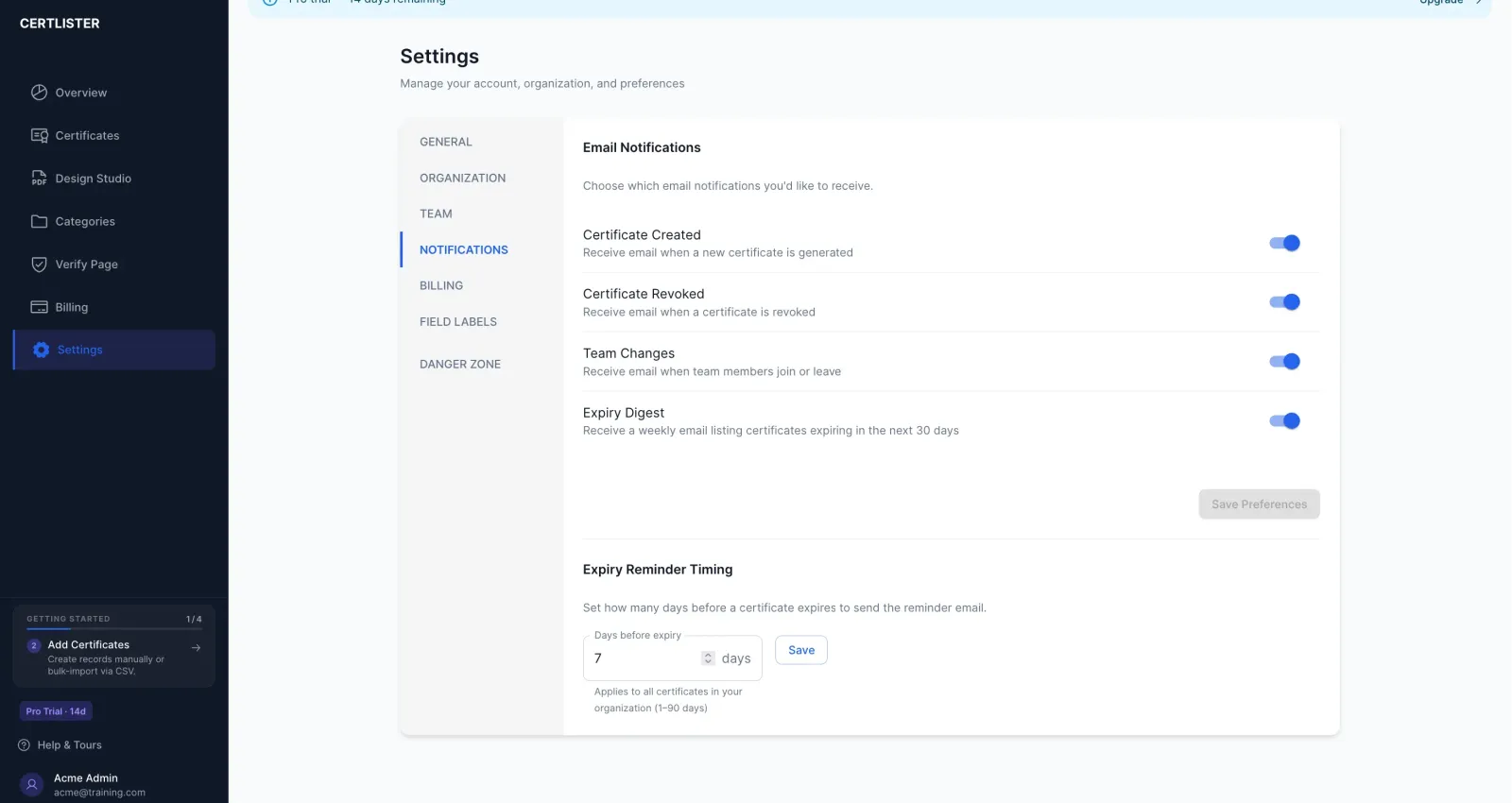
Toggle each automation on or off from your notification settings.
Professional Certifications
Professional Certification Tracking for Organizations
Track employee certifications, professional licenses, and mandatory training. Designed for corporate training departments, healthcare facilities, construction companies, and any organization managing professional credentials and compliance requirements.
Employee Certification Management
Track who has which certifications, when they expire, and who needs renewal. CPR, OSHA, safety training, professional licenses—all in one place.
Multi-Industry Support
Healthcare (CPR, BLS, ACLS), construction (OSHA), manufacturing, corporate training—our system adapts to any industry's specific certification requirements.
Compliance Reporting
Generate audit-ready reports showing who's certified, who's expired, and who needs renewal. Export to CSV or PDF for auditors in seconds.
Multi-Location Tracking
Organize certifications by location, department, or team. Filter by site to see compliance for each location independently—critical for multi-site organizations.
Compliance & Analytics
Stay Compliant With Our Compliance Tracking Platform
Meet audit requirements without breaking a sweat. See your certification data as charts and graphs. Your compliance tracking platform that actually makes compliance easier.
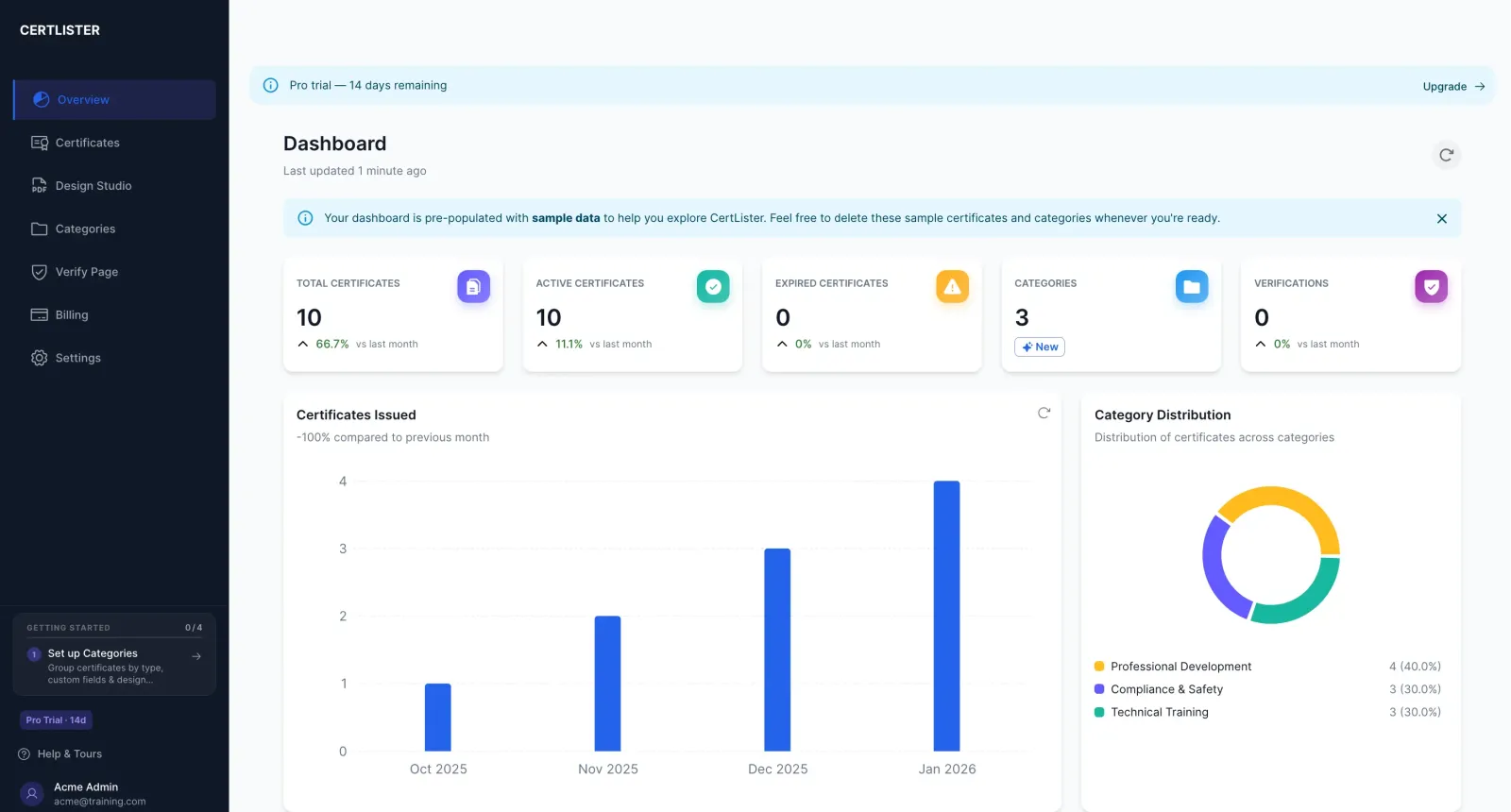
Total certificates, active vs expired counts, monthly trend charts—all on one screen the moment you log in. Your director asks about last quarter? You have the answer instantly.
Mark certificates as Active, Expired, or Revoked. Revoked certificates show that status during verification—protecting your reputation and preventing fraud.
Every verification automatically logged with timestamp and IP. Export as CSV for auditors. "Prove employers verify your certificates"—done. Here's the full report.
Visual line chart showing how many certificates were issued each month. Spot trends, plan capacity, and show growth to stakeholders.
Lifecycle Management
Complete Certificate Lifecycle Management
Manage certificates from creation to expiration and beyond. Every stage of the certification process, tracked automatically—so nothing falls through the cracks.
Issuance
Generate & distribute
Active
Verify & manage
Expiring Soon
30-day alerts
Expired
Auto-flagged
Renewal
Re-issue seamlessly
Archive
Permanent records
Healthcare
CPR certifications expire every 2 years. Track the full lifecycle to ensure medical staff maintain current certifications without gaps in compliance.
Construction
OSHA safety certifications require annual renewal. Automated expiry tracking ensures every worker has current safety training before stepping on-site.
Education
Manage hundreds of certificates at different lifecycle stages. No more tracking spreadsheets—the system handles everything automatically.
Design Studio
Create Professional Certificates in Seconds
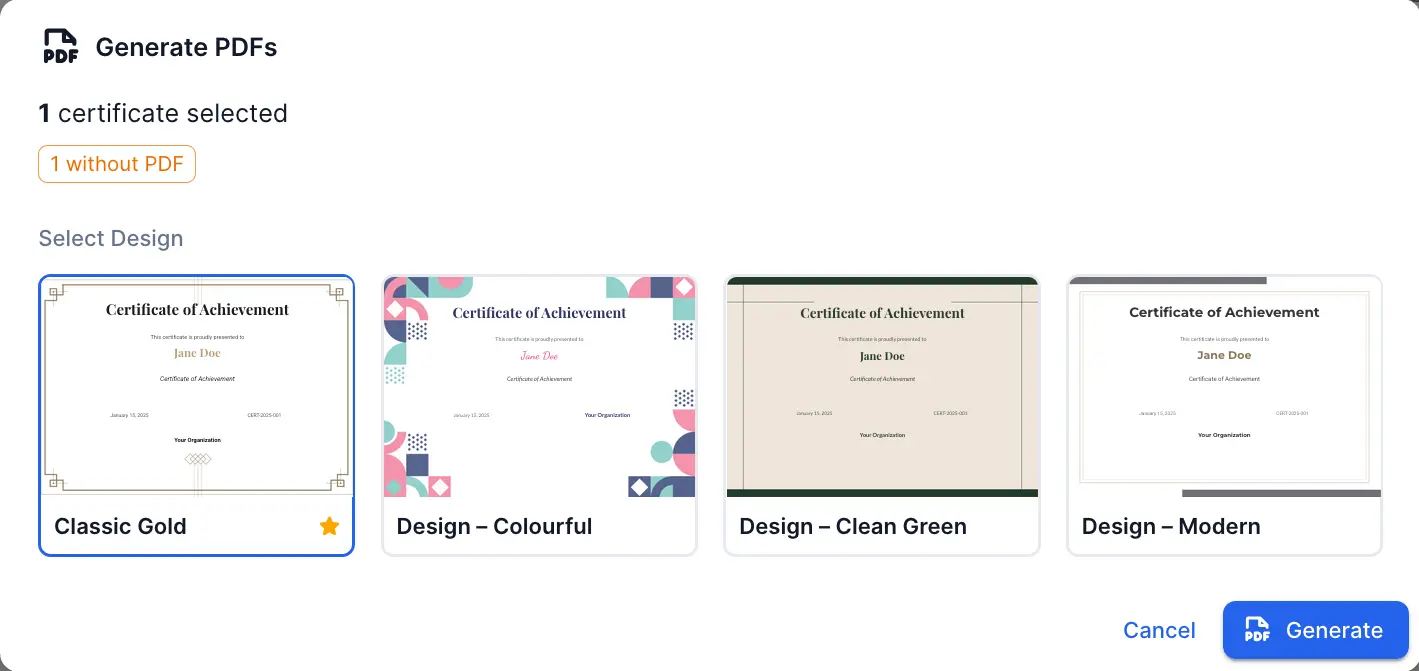
Choose from beautiful templates. Fill in the details. Generate a PDF. No design skills needed—it's that simple.
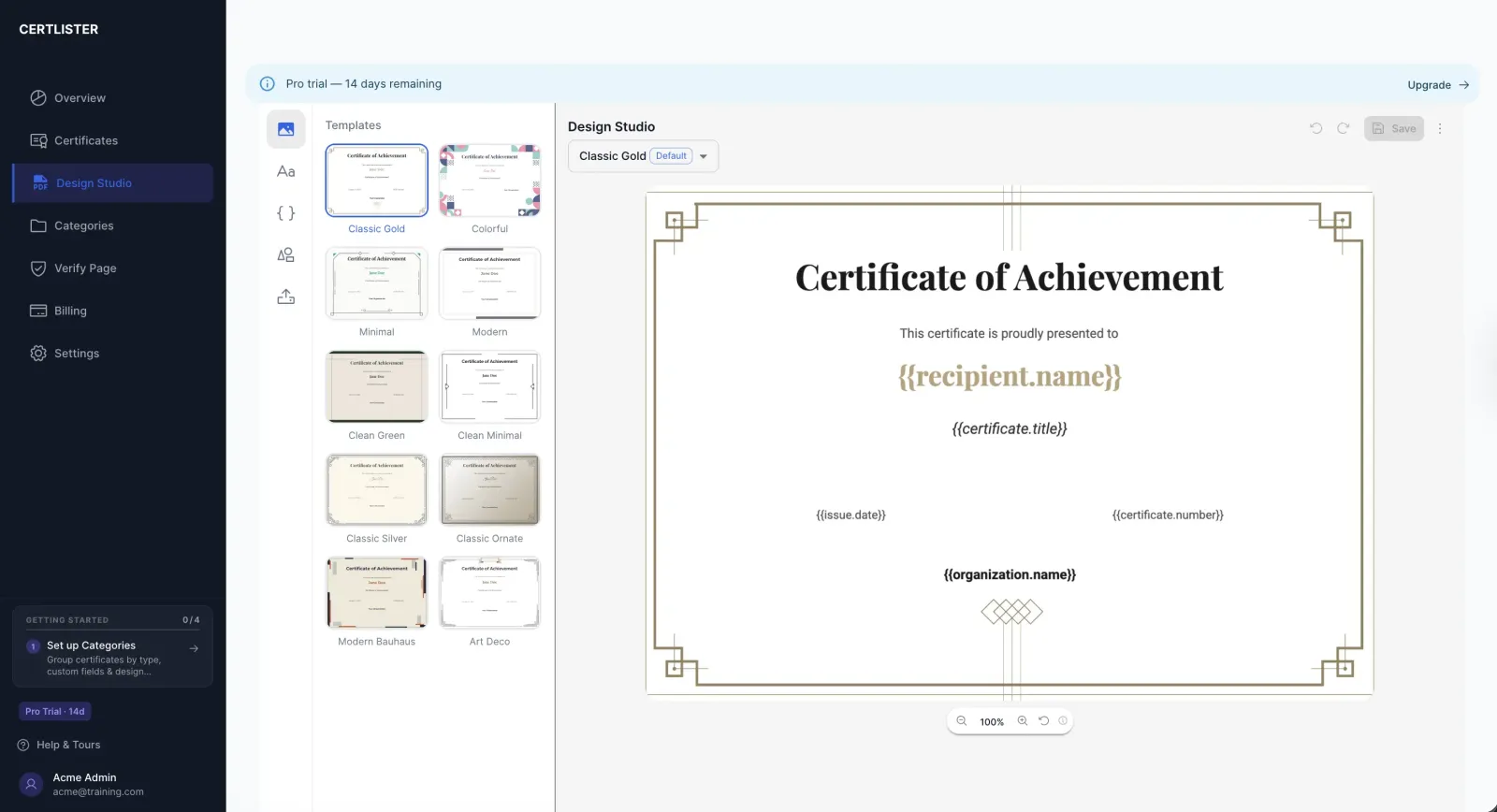
Multiple gorgeous certificate designs (Classic, Modern, Elegant). Pick one and you're ready to go.
Select a template, add recipient details, click generate. Your professional PDF is ready to download in seconds.
Import via CSV and generate all PDFs at once. Perfect for graduating classes or training cohorts.
Every PDF stored securely in the cloud. Download anytime, from anywhere. Never lose a certificate again.
Customize layouts, fonts, colors, and add your logo with our visual design editor. Make it uniquely yours.
Security & Reliability
Your Data Is Safe With Us
We take security seriously so you can focus on what matters—managing your certificates.
Bank-Level Security
Your data is encrypted at rest and in transit using the same security standards as banks and financial institutions.
Complete Data Isolation
Your organization's data is completely separate from everyone else's. Database-level isolation for maximum security.
Google Cloud Infrastructure
Hosted on Google Cloud Platform with 99.9% uptime. Your certificates are available whenever you need them.
Automatic Backups
Daily backups mean your data is always safe. Even if something goes wrong, everything can be fully restored.
Role-Based Access Control
Multiple users with different permission levels. Admins get full access, staff get limited access. You control who sees what.
Your Data, Always
Export your complete dataset anytime in CSV or PDF format. You're never locked in—it's your data to take wherever you want.
Pro Feature
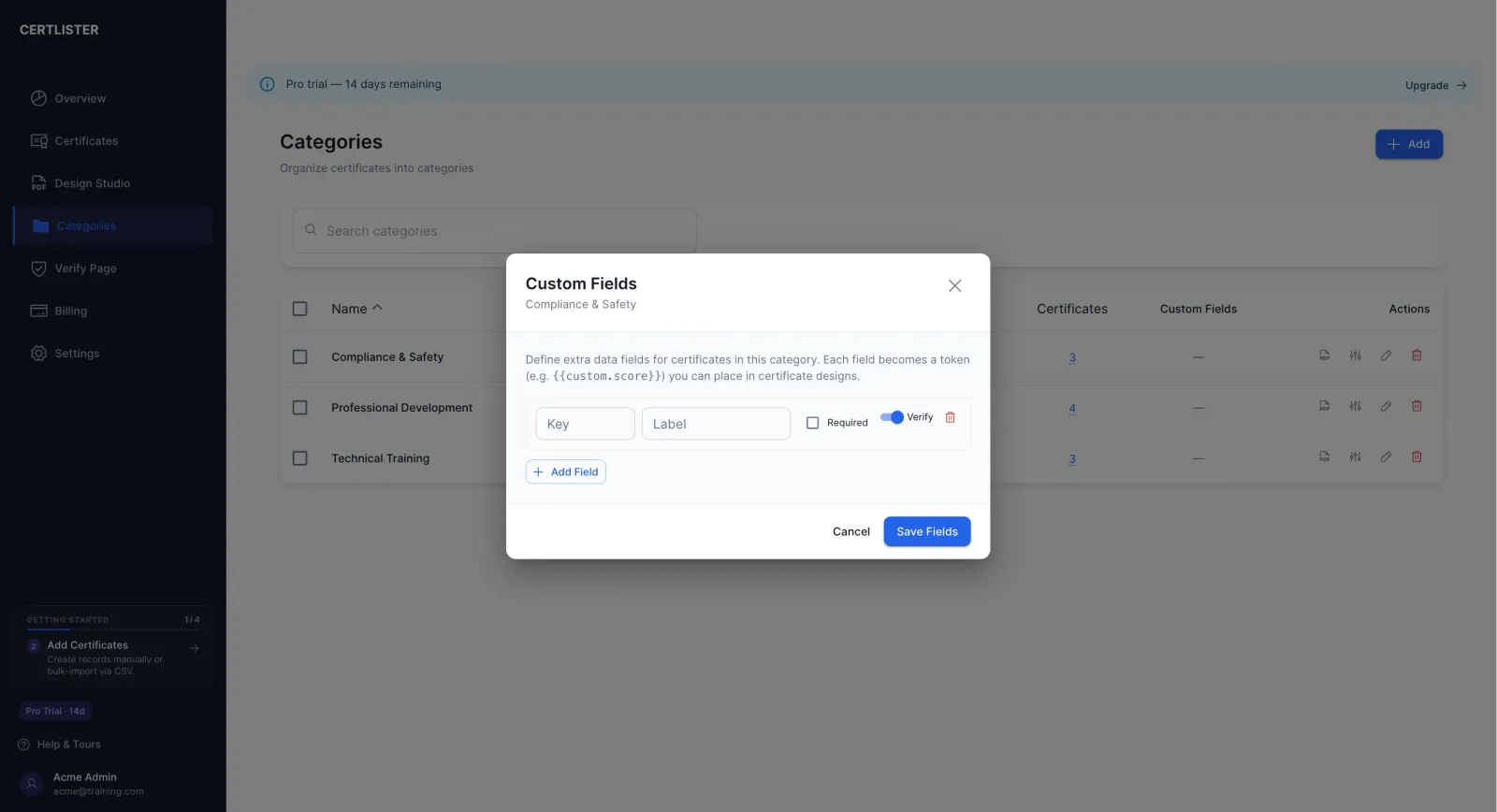
Custom Certificate Attributes
Every organization tracks different information. Custom attributes let you add domain-specific data fields to any certificate category — and they show up everywhere: in your certificate table, on generated PDFs, and on the public verify page.
Define fields per category
Add fields like Score, Trainer Name, Training Hours, Pass/Fail, or Notes to any category. Each category can have its own set of attributes.
Printed on generated PDFs
Attribute values are automatically included in certificate PDFs when you generate them — no manual editing required.
Visible on the public verify page
Employers and licensing boards see custom attribute values when they verify a certificate — giving them the context they need to confirm compliance.
Example use cases
And There's More
Everything you need, nothing you don't.
Multi-User Support
Add team members with different roles. Admins can do everything, managers can create, users can view only.
Mobile Friendly
Manage certificates from your phone or tablet. The entire system works beautifully on any device.
Import from Anywhere
Moving from paper, Excel, or old software? Our CSV import makes migration painless.
Export Everything
Export your data anytime. You're never locked in. It's your data—take it wherever you want.
Fast Search
Find any certificate in under 2 seconds, even with thousands of records in the system.
Dark Mode
Prefer dark backgrounds? We've got you covered with automatic light/dark theme switching.
Google Sign-In
Sign in with your Google account — no separate password to remember. Available on Basic and Pro plans.
Ready to Get Organized?
Join schools, companies, and training centers using CertLister to save hours every week and stay compliant effortlessly.
No credit card required. Set up in 5 minutes.