Employee Training Certificate
Tracking That Actually Works
Retire the spreadsheet. CertLister's employee training certificate tracking gives HR teams a central registry for every certification — with expiry monitoring, compliance-ready records, and instant audit responses.
Set up in 5 minutes · No IT required · Cancel anytime
The Problem
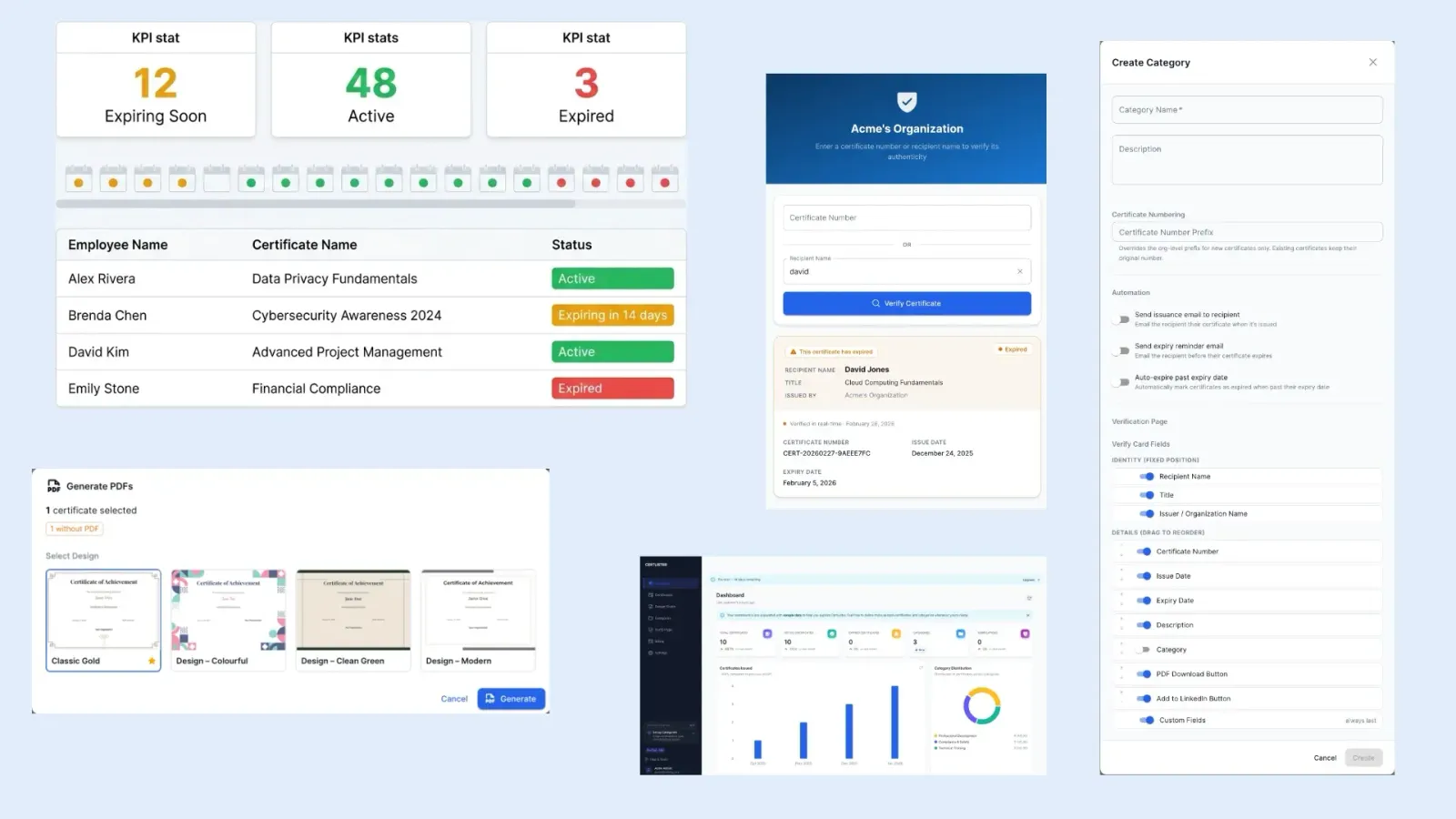
Spreadsheets Are Not a Compliance System
HR teams managing employee certifications in Excel are one expired record away from a compliance failure.
Certifications Expire Silently
Without automated expiry tracking, you only discover a lapsed certification during an audit — by which point the compliance breach has already happened.
Audit Prep Takes Days
When auditors request proof of employee training, pulling records from scattered spreadsheets, email threads, and shared drives becomes an emergency project.
No Single Source of Truth
Records live across the LMS, email attachments, and multiple spreadsheet versions. Nobody is sure which file is current, and discrepancies surface at the worst moments.
Certificates Are Easy to Fake
A PDF on its own proves nothing. With no verification system, you can't confirm that a certificate submitted by a candidate or new hire is genuine.
How CertLister Helps
One System for Every Employee Certificate Your Team Manages
Expiry Tracking That Stays Current Automatically
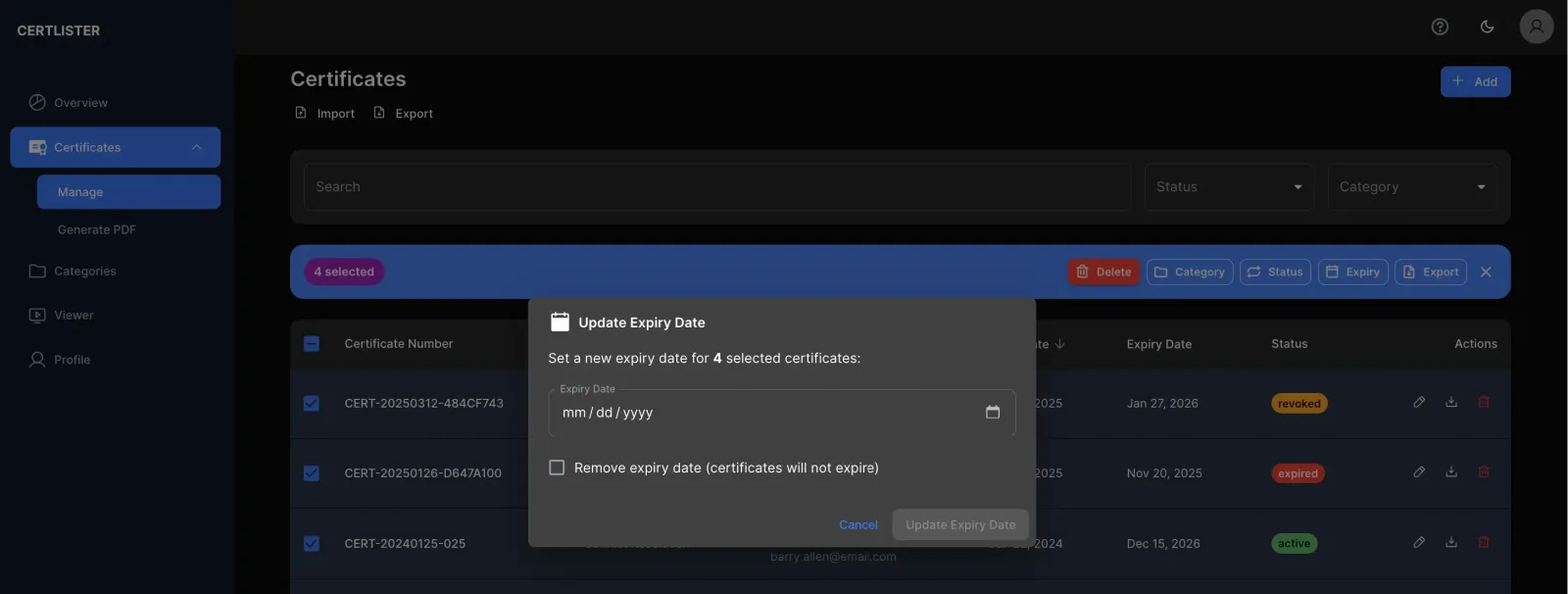
Set an expiry date on any certificate and CertLister handles the rest. Status updates automatically when the date passes — no manual review cycle required. Filter your entire certificate list by Active, Expiring Soon, or Expired to see exactly where your compliance gaps are at a glance.
- Per-certificate expiry date with automatic status changes
- Filter registry by Active, Expired, or Revoked
- Bulk expiry updates across multiple records
- Full audit trail of status changes
Organise by Training Program, Department, or Role
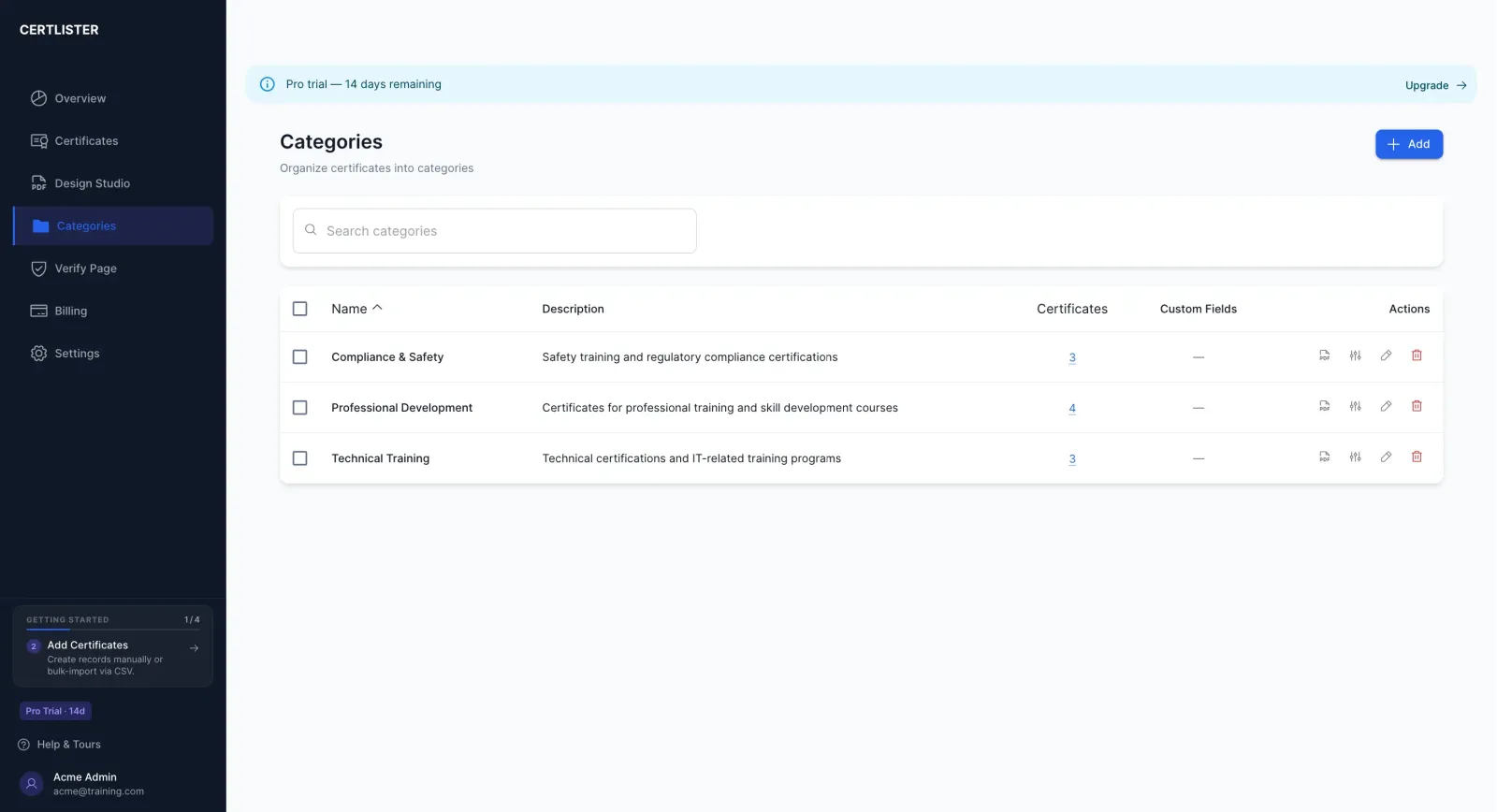
Categories let you structure your certificate registry to match how your organisation actually works. Group by training type — Health & Safety, GDPR, First Aid, Manual Handling — or by department or job role. Each category is independently managed, making it easy to see compliance status for any slice of your workforce.
- Unlimited categories per organisation
- Category-level custom fields for training-specific data
- Filter and search across categories
- Per-category verification display settings
Capture Every Data Point Your Compliance Team Needs
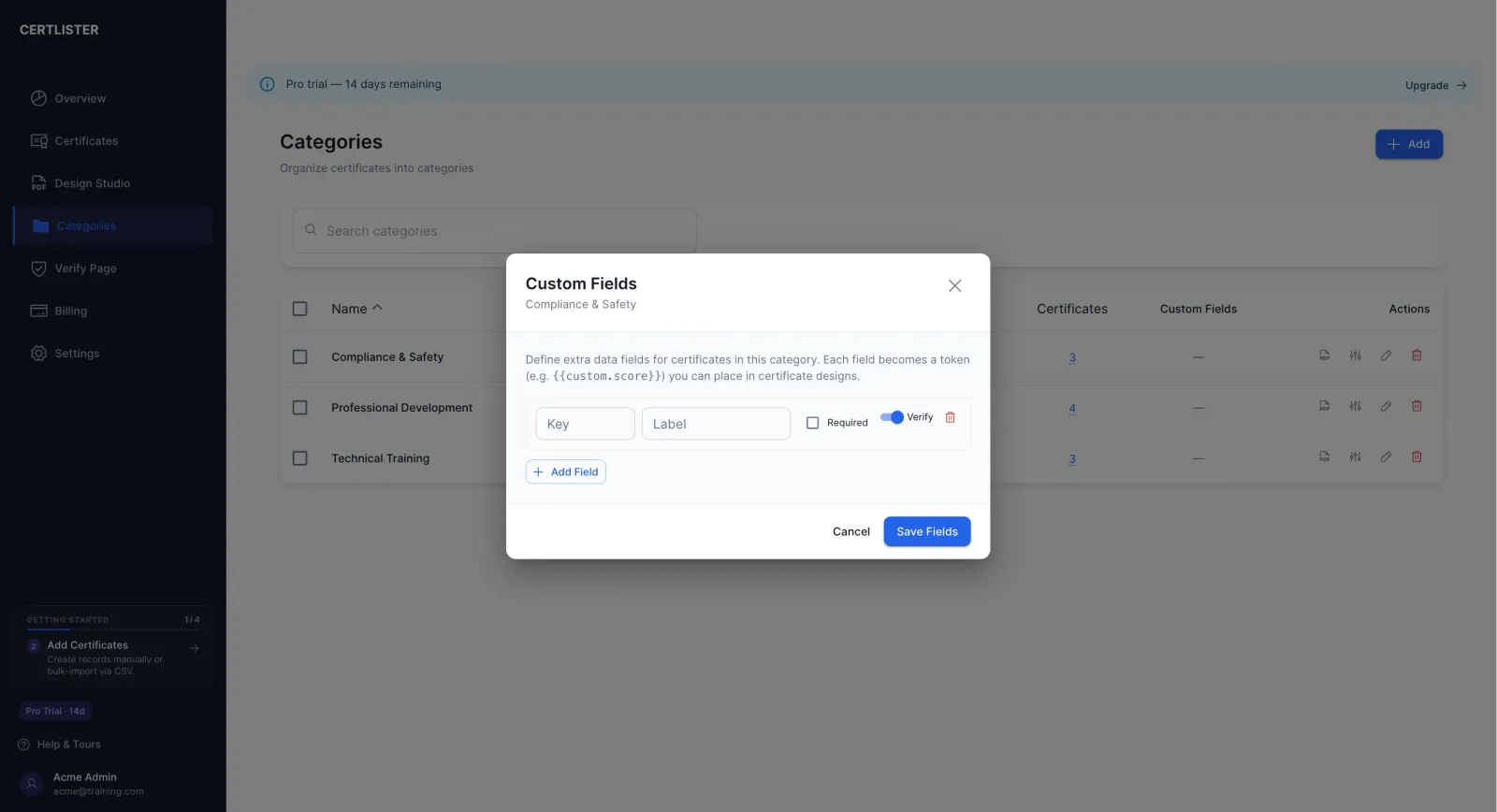
Standard certificate fields rarely cover everything HR needs. Custom attributes let you record training scores, assessor names, training locations, or any other field your compliance framework requires. Attributes are defined per category so each training program captures exactly the right data — nothing more, nothing less.
- Text, number, date, and dropdown field types
- Per-category attribute schemas
- Custom fields appear on the certificate record and verify page
- Included in certificate PDF output
Simple Setup
Replace Your Spreadsheet in an Afternoon
No data migration project. No IT involvement. No weeks of onboarding.
Create Your Training Categories
Set up a category for each training program you manage — Health & Safety, GDPR, First Aid, role-specific compliance. Add the custom fields each program needs to capture.
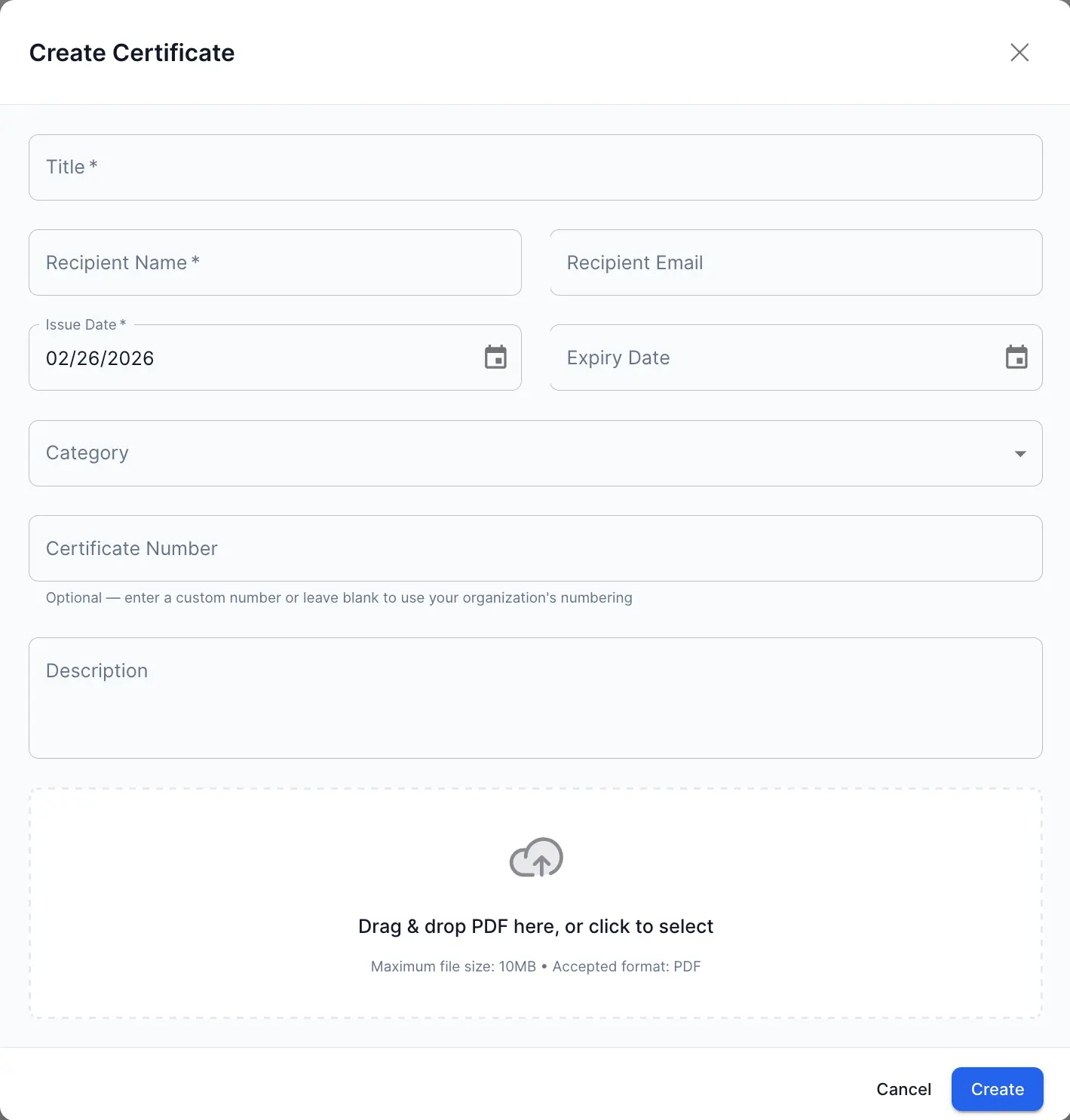
Issue Certificates with Expiry Dates
Add employees individually or import a CSV for bulk entry. Set an issue date, expiry date, and any custom fields. CertLister generates the certificate record and PDF instantly.
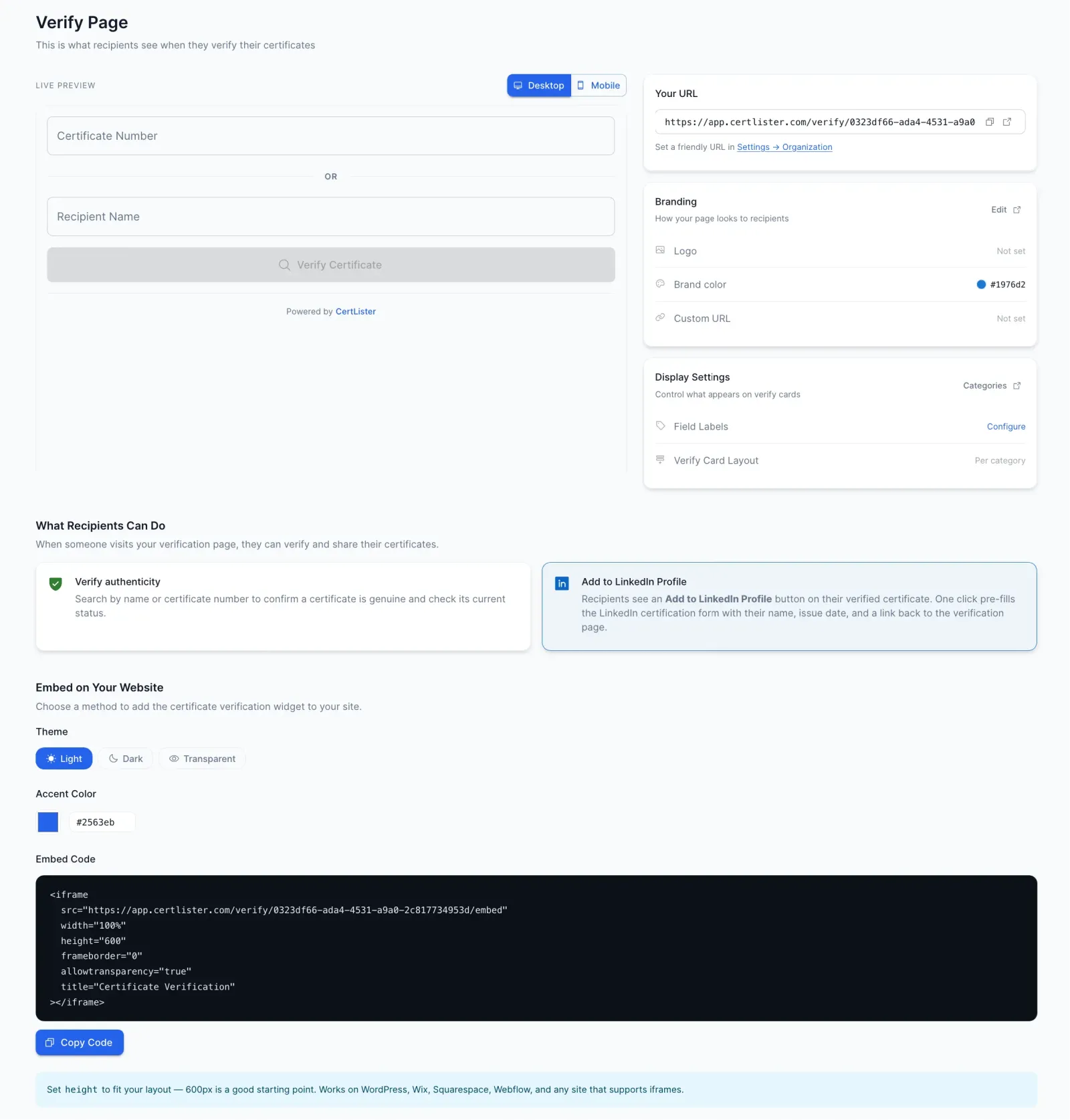
Monitor Status and Respond to Audits
Filter by status to see which certifications are current, which have lapsed, and which are coming up for renewal. When an auditor asks for proof, share a verification link in seconds.
Why CertLister
Designed Around How HR Compliance Actually Works
Not a generic document manager. A system built specifically for training records.
Always Audit-Ready
Every certificate has a timestamped record, a PDF, and a public verification URL. When auditors ask for evidence, share a link rather than scrambling through files.
No Expired Cert Goes Unnoticed
Status updates automatically when an expiry date passes. Filter your registry by Expired at any time to see exactly which records need attention.
Team Access with Role Control
Invite HR colleagues, line managers, or compliance officers with the right permission level. Everyone works from the same record — no conflicting spreadsheet versions.
Tamper-Proof by Design
Certificates live in your CertLister registry, not on someone's desktop. The public verification URL always reflects the current record state — including revocations.
FAQ
Questions from HR Teams
Can I track expiry dates and see when certifications are about to lapse?
Yes. Every certificate can have an expiry date. CertLister automatically marks certificates as expired when the date passes, so your records are always accurate. You can filter the certificate list by status — active, expiring soon, or expired — to see exactly where your compliance gaps are.
Can I organize certificates by department, role, or training type?
Yes. Categories let you group certificates however your organisation is structured — by department (Finance, Operations), by training type (Health & Safety, GDPR, First Aid), or by role. Each category can have its own settings, custom fields, and verification display.
Can I add custom fields like training scores, trainer names, or locations?
Yes. Custom attributes let you capture any data point alongside each certificate — numeric scores, text notes, dates, or dropdown selections. These fields appear on the certificate record and can be included in exports.
Can multiple HR team members access and manage certificates?
Yes. You can invite team members with different permission levels. Admins can issue and delete certificates; Managers can add and edit; standard Users can view records. Roles can be adjusted at any time from the Team settings.
How do I handle a compliance audit? Can I export records quickly?
Every certificate has a unique public verification URL you can share directly with auditors — no system access required. For bulk evidence, you can filter and view all certificates for a given training type, and each PDF is available on demand.
We have employees across multiple training programs. Can CertLister handle that?
Yes. There's no limit on the number of categories or certificates. An employee can hold certificates across as many training programs as needed, each tracked independently with its own status, expiry date, and custom fields.
Retire the Compliance Spreadsheet
Give your HR team a system built for training records — with expiry tracking, tamper-proof verification, and audit-ready evidence on demand.
No credit card required · Set up in 5 minutes · Cancel anytime