Certificate Management
Built for Training Companies
Stop spending hours on Canva and manual emails. CertLister is certificate management software built for training companies — generating branded, verifiable certificates for every participant in your program in seconds, not hours.
Set up in 5 minutes · No IT required · Cancel anytime
The Problem
Issuing Certificates Shouldn't Take All Day
Most training companies are stuck in a painful manual loop — and it gets worse as they grow.
Hours of Manual Work
Copying names into a template, exporting PDFs one by one, attaching them to individual emails — it's a full day's work for a single cohort.
No Way to Verify
A PDF is just a file — anyone can edit it. When an employer asks if a certificate is real, you have no system to confirm it.
No Expiry Tracking
Certifications expire. Without a system, there's no way to track renewals, notify participants, or know which records are still valid.
Inconsistent Branding
Every instructor uses a different template. Certificates look different each time — undermining the credibility of your program.
How CertLister Helps
Everything a Training Company Needs, Nothing It Doesn't
Generate Hundreds of Certificates from a Single CSV
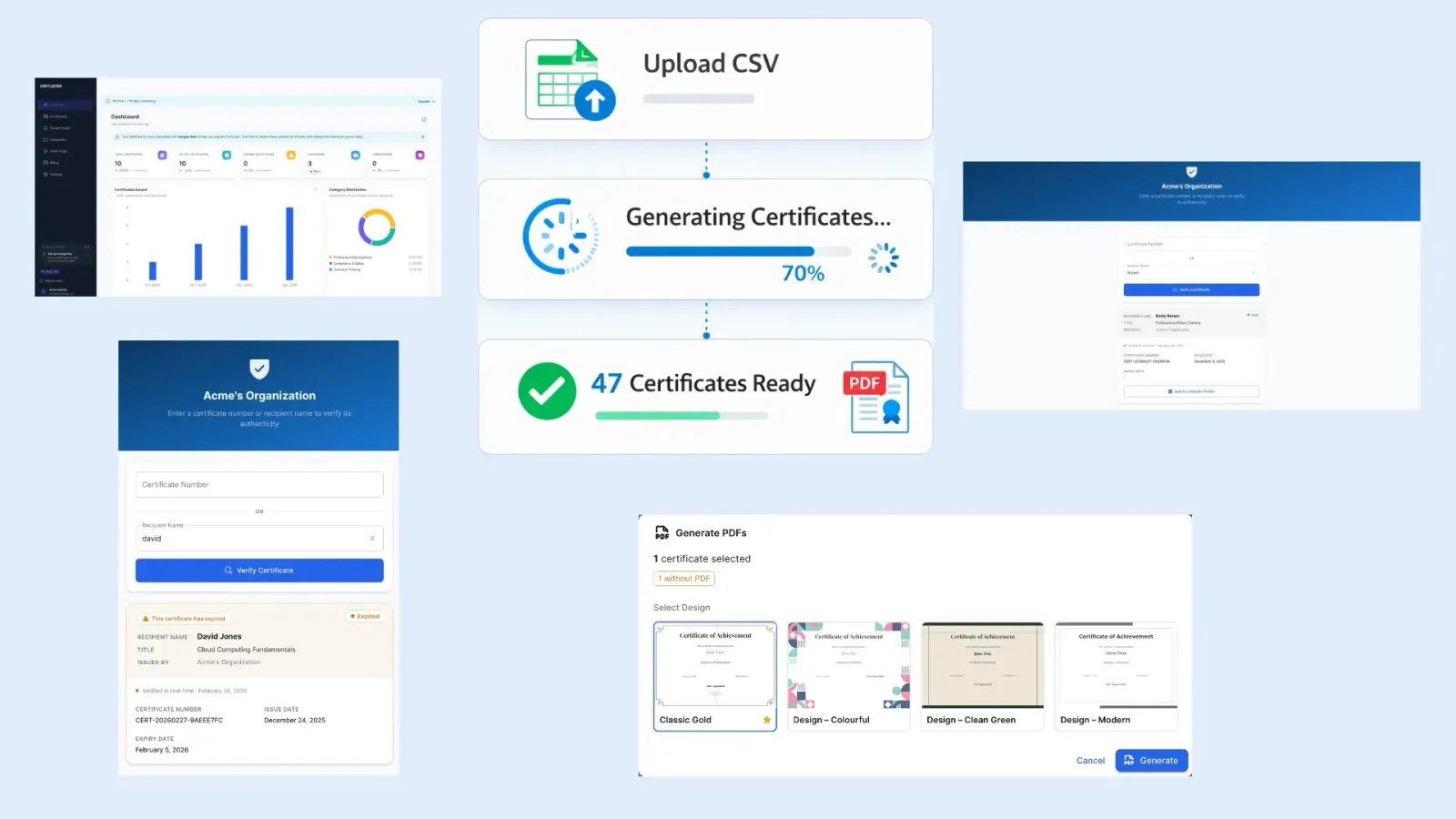
Import a spreadsheet with participant names, completion dates, scores, or any custom field. CertLister generates a fully branded, individually named PDF for every row — instantly. What used to take a full day now takes seconds.
- CSV import with custom field mapping
- Batch generation with one click
- Automatic PDF creation per participant
- Bulk download or per-participant access links
Design Templates That Look Like Your Brand
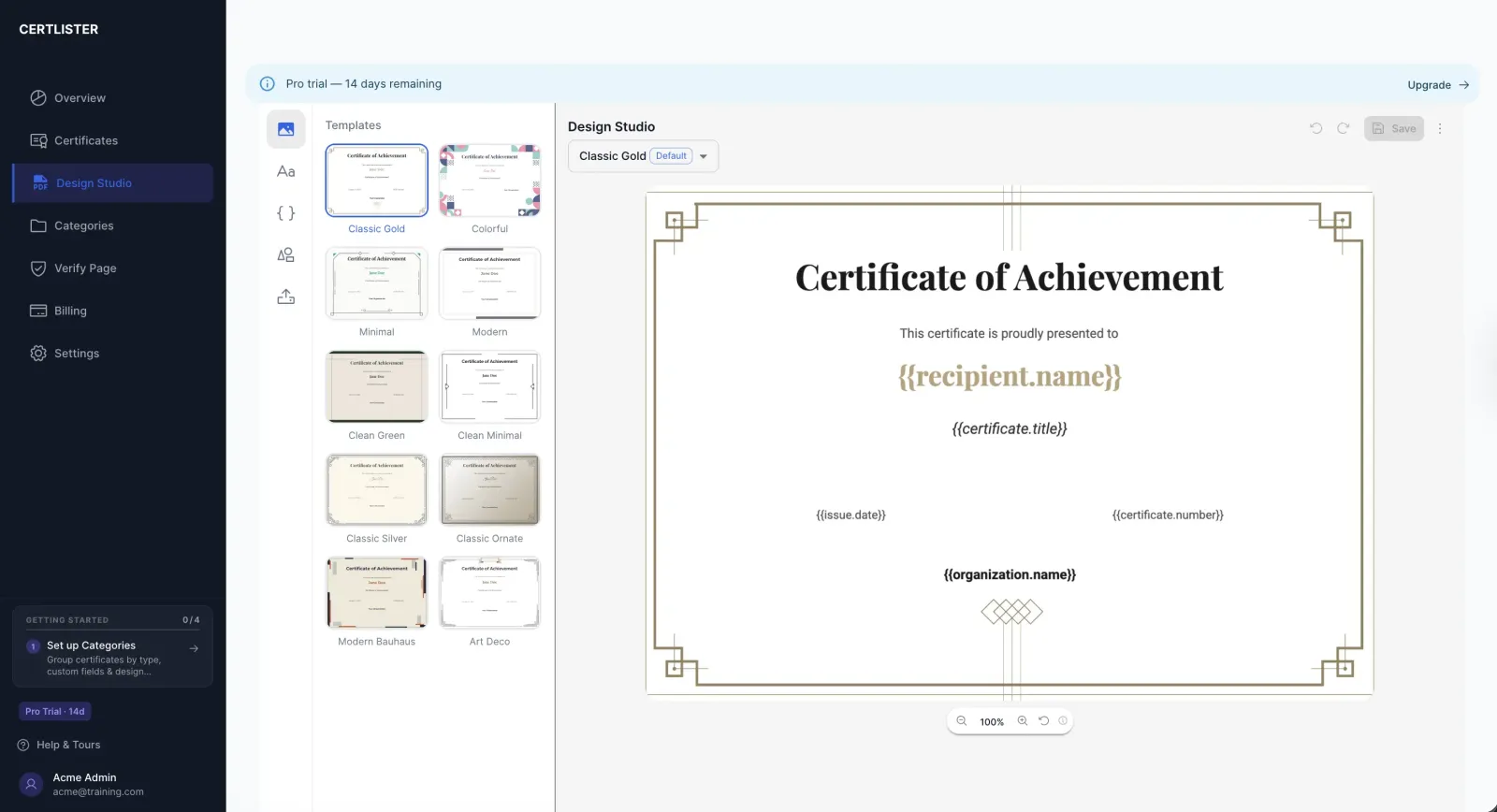
The Design Studio gives you a visual canvas to create certificate templates with your logo, brand colors, and chosen typography. Drag elements to position them exactly where you want. No design experience needed — and every certificate generated from the template will look identical.
- Visual drag-and-drop canvas editor
- Upload your logo and brand assets
- Professional background templates included
- Save multiple designs for different programs
Every Certificate Is Publicly Verifiable
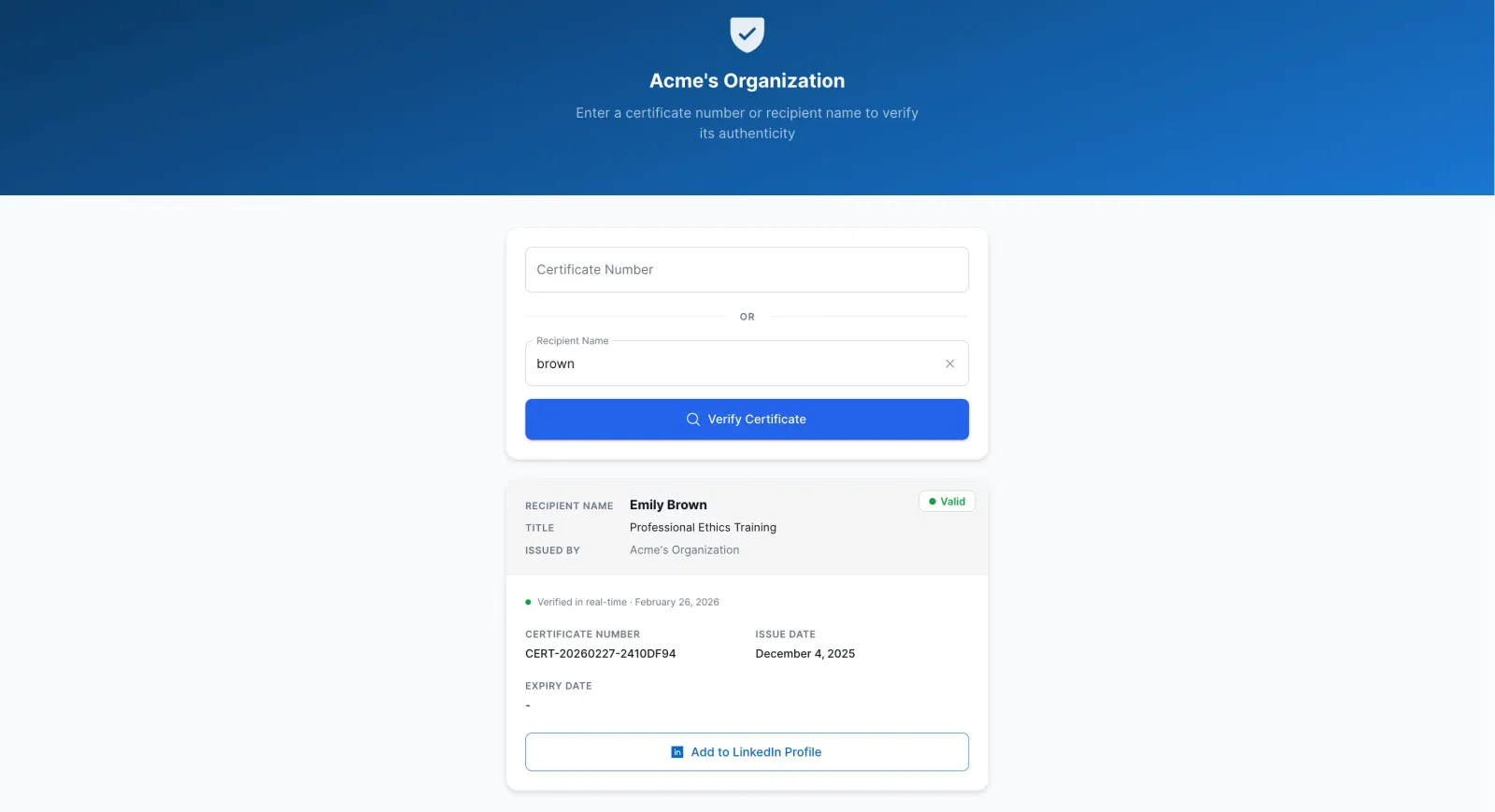
Each certificate gets a unique public URL. Participants can share it on LinkedIn, attach it to job applications, or send it to an employer. Anyone who visits the link sees the verified record — no login, no friction. Your training credentials become credentials people can actually use.
- Unique verification URL per certificate
- Tamper-proof — hosted records can't be faked
- Mobile-friendly public verify page
- Custom verification URL with your organization name
Simple Setup
From Sign-Up to First Certificate in Under 10 Minutes
No onboarding calls. No IT setup. No waiting for approvals.
Design Your Template
Open the Design Studio. Choose a background, upload your logo, set your fonts and colors. Add dynamic fields for names, dates, and course titles. Save as your organization's default template.
Import Your Participants
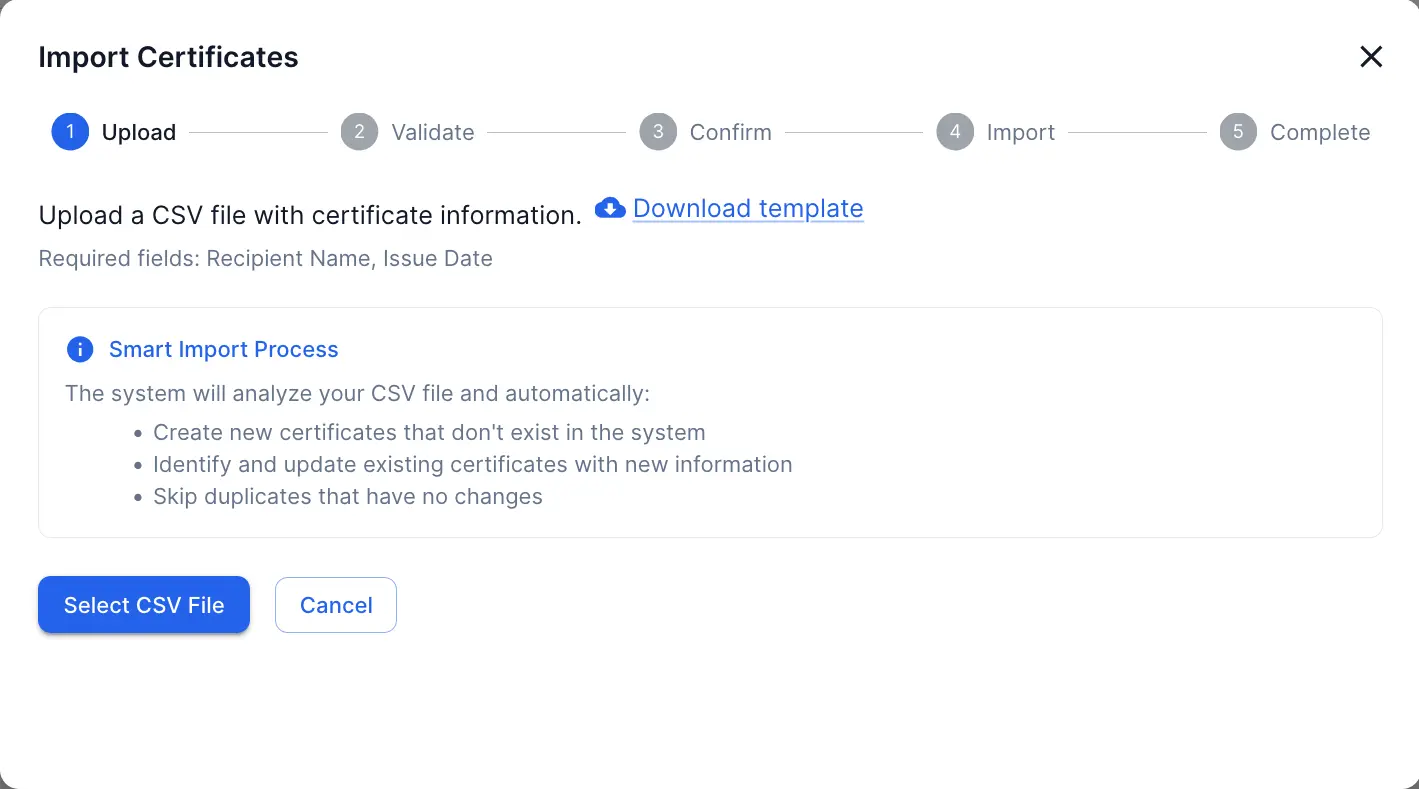
Upload a CSV with your completions list — names, emails, completion dates, scores, or any custom field your program tracks. CertLister maps the columns to your template automatically.
Generate & Share Instantly
Click generate. Every participant gets a branded PDF and a unique public verification link. Share links directly or let participants access their certificate from the registry.
Why CertLister
Built for the Way Training Teams Actually Work
Designed to handle real-world training operations — not just to look good in a demo.
No IT Setup Required
Sign up, design your template, and issue your first certificate — all in one browser session. No server configuration, no software to install.
Scales as You Grow
Whether you issue 50 certificates a month or 5,000, CertLister handles the load. Bulk operations keep the process fast regardless of cohort size.
Tamper-Proof Records
Certificates live on your CertLister registry, not just as files on someone's desktop. Every verification check hits the source of truth — not a PDF that could be edited.
Always On Brand
Every certificate issued from your account uses your saved design — same fonts, same colors, same logo. Consistent quality across every instructor and every cohort.
FAQ
Questions from Training Teams
Can I generate certificates for an entire cohort at once?
Yes. Import a CSV with participant names, emails, and any custom fields. CertLister generates a branded, individually named PDF for every row and makes each one instantly accessible — no manual work required.
Can participants verify their certificate online?
Every certificate gets a unique public verification URL. Participants can share the link on LinkedIn or with employers, and anyone can confirm the certificate is authentic without contacting you.
Can I set expiry dates so certifications auto-expire?
Yes. Assign an expiry date to any certificate or category. The status updates automatically when the date passes, so your records are always accurate without manual intervention.
Do I need a graphic designer to create my certificate template?
No. The Design Studio gives you a visual canvas where you can choose a background, add your logo, pick fonts and colors, and position text elements by dragging them. What you see is exactly what gets generated.
Can I use my own branding — logo, colors, fonts?
Fully. Upload your logo, choose your brand colors, and select from a curated set of professional fonts including serif, sans-serif, and script styles. Your certificates will look like they came from your design team.
Can I try CertLister before committing to a paid plan?
Yes. The free plan lets you issue certificates and explore the platform with no time limit and no credit card required.
Stop Building Certificates One by One
Join training companies that have replaced manual certificate workflows with CertLister. Issue professional, verifiable certificates at scale — starting today.
No credit card required · Set up in 5 minutes · Cancel anytime