Certificate Management for
Professional Associations
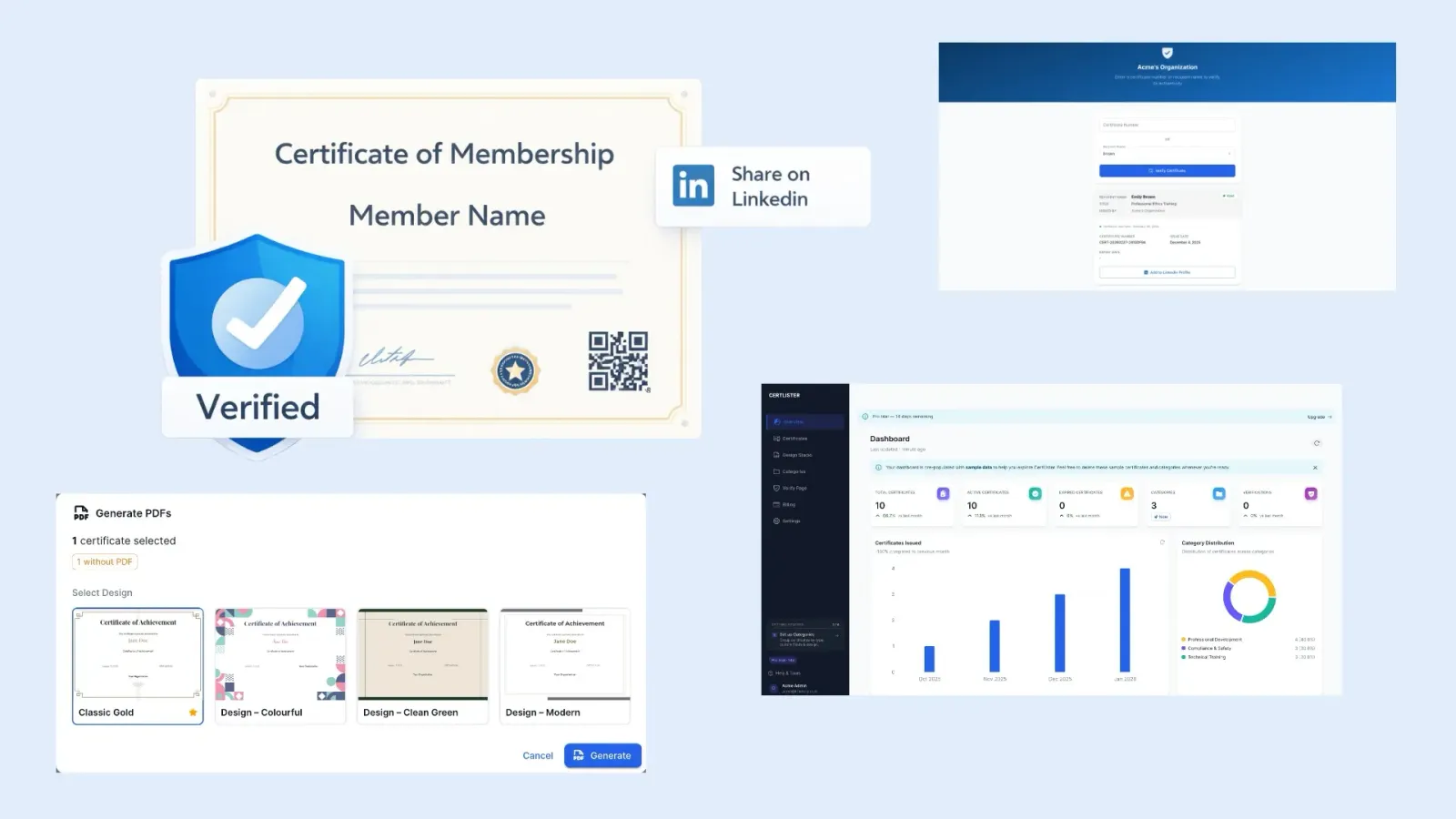
Issue tamper-proof credentials that carry real weight. CertLister is professional association certificate management software — giving your members a shareable verification link and anyone the ability to confirm authenticity instantly.
Set up in 5 minutes · No IT required · Cancel anytime
The Problem
A PDF Certificate Is Not a Credential
Without a verification system, the credentials your association issues are only as credible as the member who holds them.
Credentials Can Be Faked
Anyone can edit a PDF. Without a central registry that employers and the public can check, your credentials offer no real protection against fraud — and your members who earned them are undercut by those who didn't.
Renewal Cycles Are Painful
Annual CPD renewals mean reissuing credentials to hundreds of members at once. Without bulk tools, renewal season becomes an all-hands scramble of manual PDF creation and individual emails.
Members Can't Showcase Their Standing
Members want to display credentials on LinkedIn and professional profiles. A PDF attachment doesn't do that. Without a shareable verification link, your credentials go unseen — and membership feels less valuable.
No Way to Revoke Lapsed Members
When a member lets their membership lapse or is removed, their certificate PDF lives on unchanged. There is no way to withdraw credentials that have already been distributed.
How CertLister Helps
Credentials That Work as Hard as Your Members Do
A Public Registry That Makes Your Credentials Verifiable
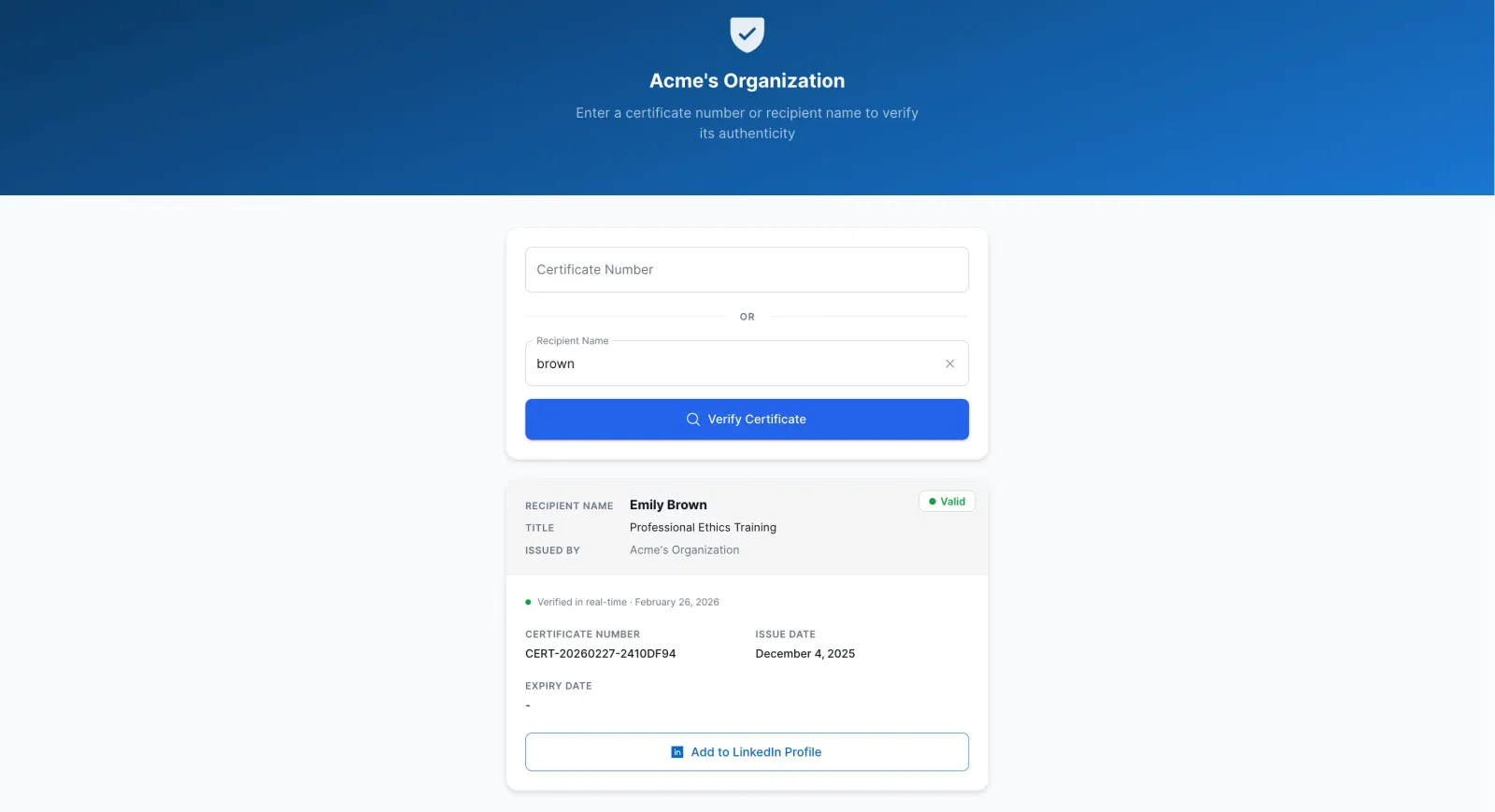
Every credential issued through CertLister gets a unique public verification URL. Members share the link — on LinkedIn, in email signatures, on CVs. Employers, clients, and the public follow it and see the verified record: holder name, credential type, your association's name, issue date, and current standing. If a credential has been revoked, the page reflects that instantly.
- Unique verification URL per credential
- Custom verification URL slug with your association name
- Live status — revocations reflected immediately
- Mobile-friendly public verify page
Issue Credentials Across Every Membership Tier
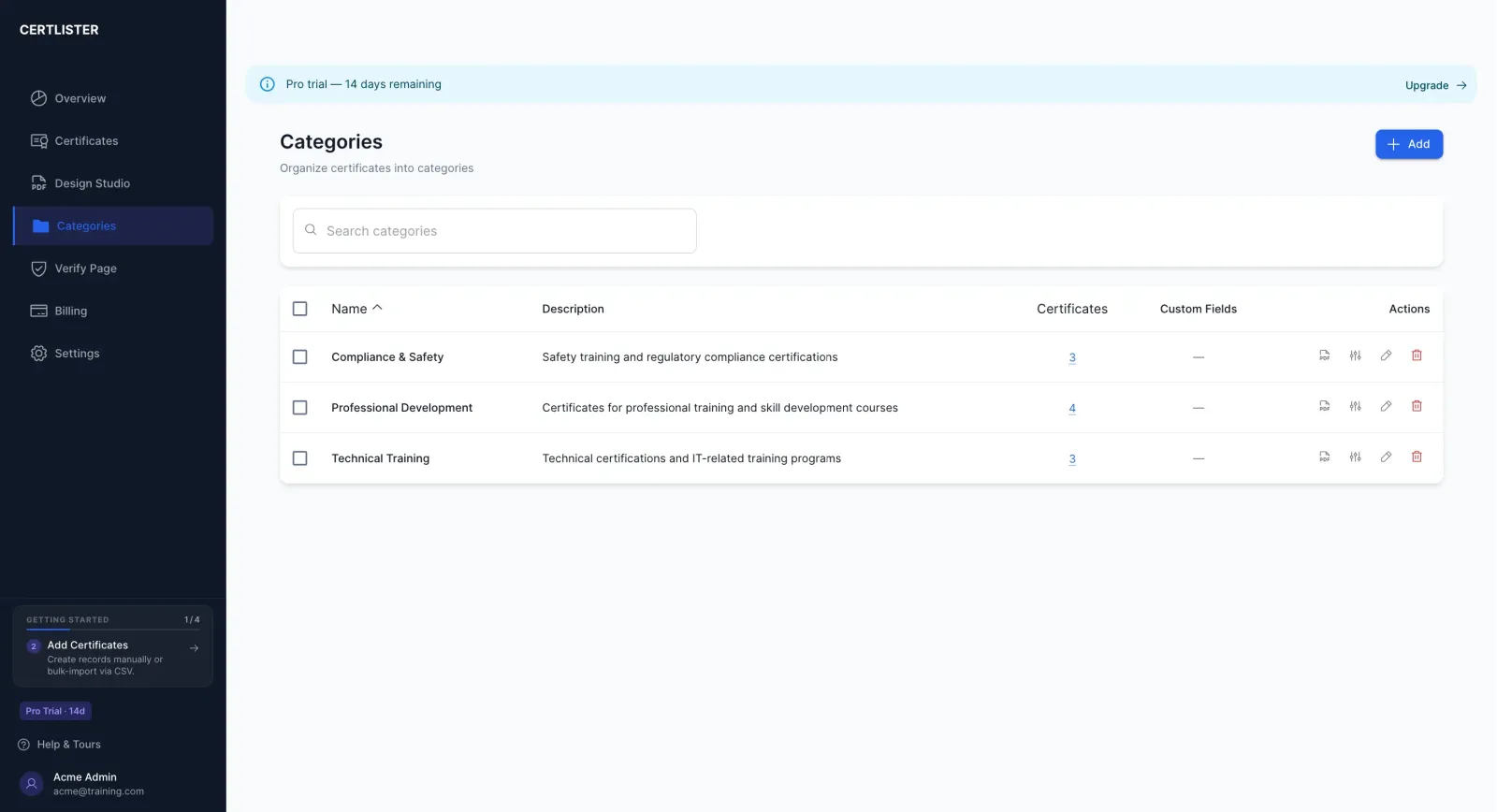
Use categories to represent each credential level — Associate, Member, Fellow, Honorary — each with its own certificate design, custom fields, and verification display. Add fields like membership number, CPD hours completed, or specialisation area so each credential carries the information your members and their employers actually need.
- Separate category per credential tier or designation
- Distinct certificate design per category
- Custom fields: membership number, CPD hours, specialisation
- Per-category verification display configuration
Bulk Issuance That Turns Renewal Season into an Afternoon
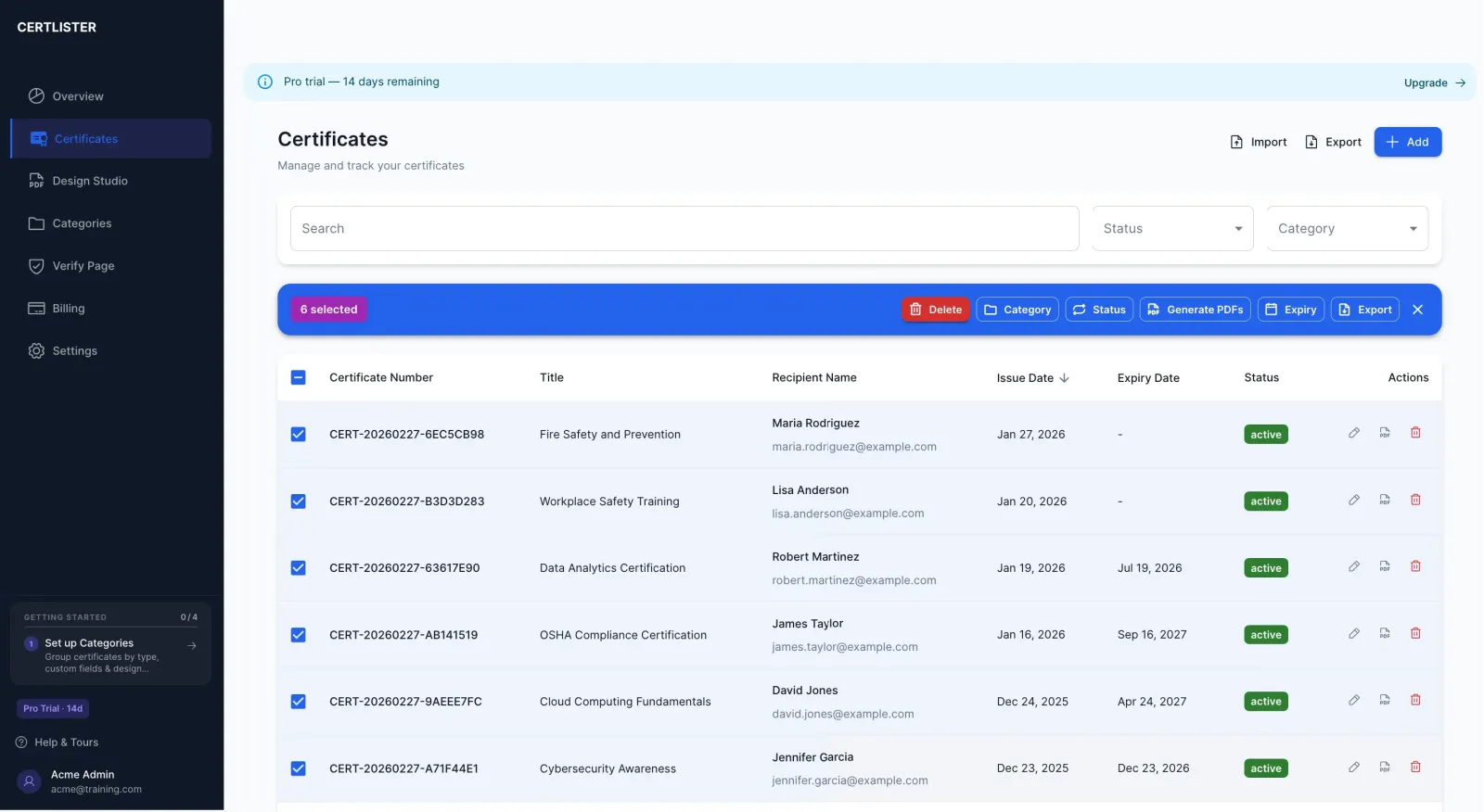
When renewal season arrives, import your member list as a CSV and generate every renewed credential in one batch. Each member gets a fresh certificate with an updated issue date and expiry — no copy-pasting, no individual emails, no week-long project. The same workflow handles new cohorts, award cycles, and conference completions.
- CSV import with automatic field mapping
- Batch generation for entire membership cohorts
- Bulk expiry date updates for renewal cycles
- Individual PDF and verification link per member
Simple Setup
From Sign-Up to Verified Member Credentials in One Session
No consultants, no data migration, no lengthy onboarding.
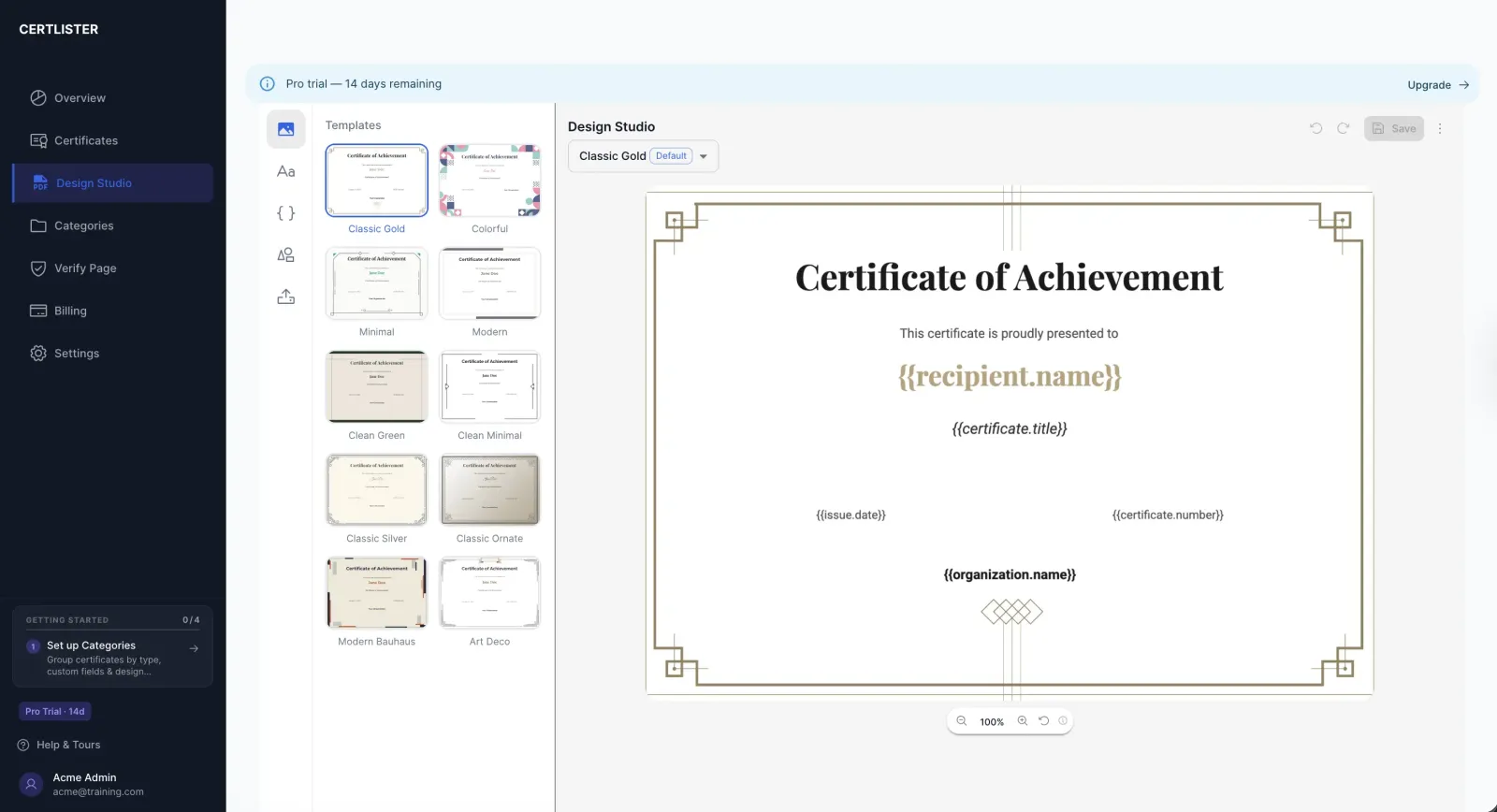
Design Your Credential Template
Open the Design Studio. Upload your association logo, choose a professional background, and set your fonts and colours. Add dynamic fields for member names, credential levels, and issue dates. Save it as your organisation's standard.
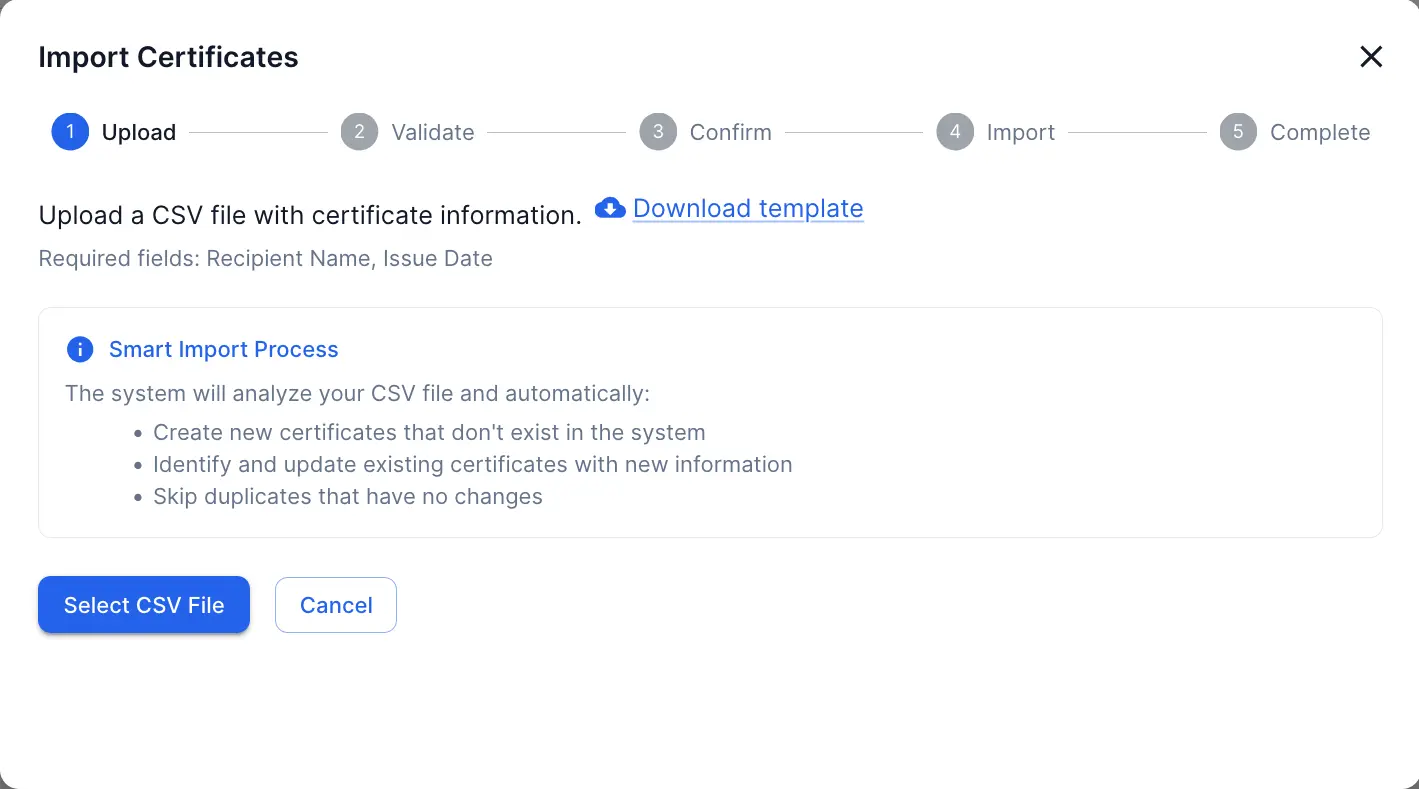
Issue Credentials to Your Members
Add members individually or import a CSV for bulk issuance. Set membership tier, expiry date, membership number, and any other custom fields. CertLister generates the credential record and PDF immediately.
Members Share — Anyone Can Verify
Each member receives a unique verification link. They share it on LinkedIn, in proposals, or with employers. Anyone who follows the link sees the live, verified record — backed by your association's name.
Why CertLister
Your Association Remains the Authority
Every verification check traces back to your registry — not to a PDF that could be anywhere.
Fraud-Proof Credentials
The verification URL always reflects the live record. A revoked or expired credential cannot be presented as valid — the public page says otherwise, regardless of what the PDF shows.
Members Showcase Their Standing
A shareable link that works on LinkedIn, in email signatures, and on CVs makes membership more tangible and visible — increasing perceived value for every member.
Instant Revocation
When a member's standing changes, revoke the credential in one click. The public verification page updates immediately — no need to chase down shared PDFs or post announcements.
Scales for Renewal Season
Bulk generation and expiry tools mean annual renewal cycles are a single afternoon of work — not a week of manual exports, edits, and emails.
FAQ
Questions from Professional Associations
Can members access and share their own credentials?
Yes. Every credential has a unique public URL. Members can share the link on LinkedIn, attach it to job applications, or include it in an email signature. Anyone who follows the link sees the verified record — no login required, no PDF that can be altered.
How does verification work for employers or the public checking a member's standing?
The verification page shows the credential holder's name, your association's name, the credential type, issue date, expiry date (if applicable), and any custom fields you've configured. If a credential has been revoked, the page reflects that immediately — so the public record is always accurate.
Can I track CPD requirements and credential renewal cycles?
Yes. Set an expiry date on each credential and the status updates automatically when it lapses. You can filter your member registry by Expired to see who needs renewal, and use bulk operations to reissue credentials for an entire cohort at once.
Can I issue credentials across different membership levels — Associate, Member, Fellow?
Yes. Use categories to represent each credential tier. Each category can have its own certificate design, custom fields, and verification display — so an Associate credential looks and reads differently from a Fellow credential, even within the same association.
Can I revoke a credential if a member's standing changes?
Yes. Any credential can be revoked at any time from the certificate record. The public verification page updates immediately to reflect the revoked status — so you don't need to chase down shared links or PDFs.
We issue hundreds of credentials at annual renewal. Can CertLister handle that volume?
Yes. Import a CSV of renewing members and CertLister generates every credential in one batch. Bulk operations mean renewal season is an afternoon of work, not a week.
Give Your Members Credentials That Mean Something
Build a verification registry your members can share with confidence — and that employers and the public can trust. Start today with no credit card required.
No credit card required · Set up in 5 minutes · Cancel anytime