How to Verify Certificates Online: A Complete Guide
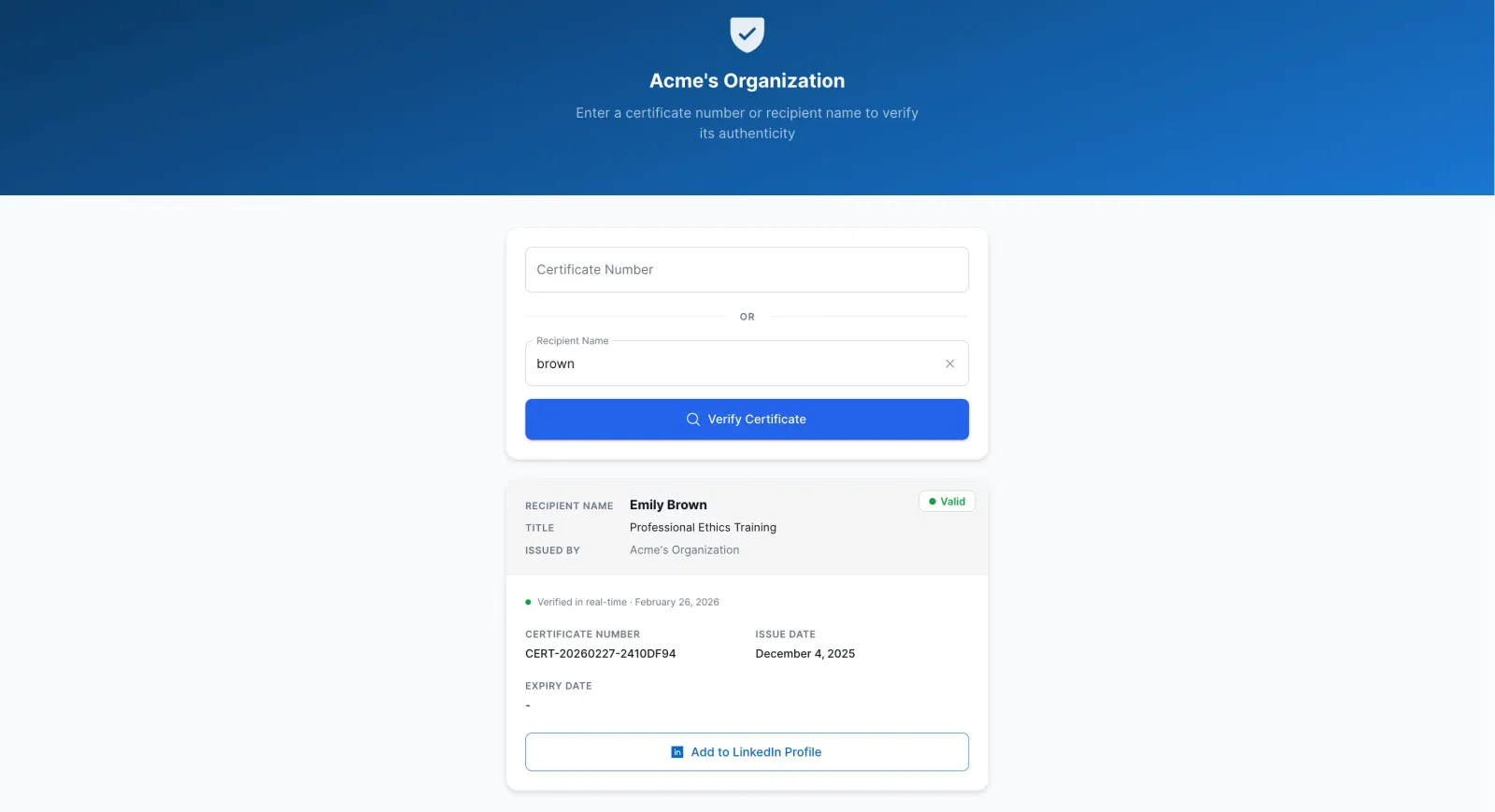
Certificate fraud is on the rise. Fake credentials cost companies millions every year in bad hires and compliance violations. If you're an employer, school administrator, or HR professional, you need to know how to verify certificates online quickly and accurately.
This guide shows you exactly how to verify digital certificates, what to look for, and how to spot fakes.
Why Certificate Verification Matters
Every year, thousands of job applicants submit fake certificates. Studies show that up to 30% of resumes contain false information about credentials.
The risks are real:
- Hiring unqualified candidates who can't do the job
- Compliance violations if employees lack required certifications
- Safety issues when certifications involve technical or medical skills
- Legal liability if something goes wrong
- Damage to your organization's reputation
That's why knowing how to verify certificates online is critical.
What Is Online Certificate Verification?
Online certificate verification is the process of checking if a certificate is real, current, and issued by a legitimate organization. Instead of calling or emailing the issuing school or training center, you verify it instantly through a digital system.
Here's how it works:
- The organization that issued the certificate creates a digital record
- They provide a unique certificate number or verification link
- You enter the certificate number into their verification system
- The system instantly confirms if the certificate is valid
It's faster than phone calls, more reliable than visual inspection, and available 24/7.
Method 1: Direct Verification Through Issuing Organization
The most reliable way to verify a certificate online is through the organization that issued it.
Step 1: Find the Issuing Organization's Website
Look at the certificate. It should list the organization that issued it. Search for their official website.
Step 2: Look for a Verification Portal
Many organizations now have a "Verify Certificate" or "Certificate Verification" link on their website.
Step 3: Enter Certificate Details
You'll typically need the certificate number, recipient's name, and sometimes the issue date.
Step 4: Review the Results
A legitimate verification system will show: certificate holder's name, course name, issue date, expiry date, and current status (active, expired, or revoked).
Method 2: Using a Certificate Verification System
Many modern organizations use dedicated certificate verification systems that make the process even easier.
A certificate verification system is software that manages digital certificates and provides instant verification. Organizations upload their certificates to the system, which creates a public verification portal.
Benefits:
- Available 24/7 — no waiting for business hours
- Instant results — no phone tag
- Shows current status — catches revoked certificates
- No login required — open to anyone
- Works from anywhere in the world
For example, organizations using CertLister's certificate verification system can let employers verify any certificate in seconds without calling or emailing.
Red Flags: How to Spot Fake Certificates
Watch for these warning signs:
- No verification system: Legitimate organizations increasingly offer online verification
- Generic design: Fake certificates often use generic templates lacking logos, seals, and unique formatting
- Spelling or grammar errors: Professional organizations proofread carefully
- Verification details don't match: If details on the portal don't match the physical certificate, something's wrong
- Pressure to skip verification: If a candidate discourages verification, that's suspicious
- Free email addresses: Legitimate organizations use professional email domains, not Gmail or Yahoo
Best Practices for Certificate Verification
For Employers:
- Verify before hiring — Make it part of your standard process
- Verify everything — Don't skip verification even for trusted candidates
- Use direct sources — Always verify through the issuing organization
- Document results — Keep records for compliance
- Check expiry dates — Some certifications expire and need renewal. For organizations managing renewals, see our guide on certificate expiration tracking best practices
For Schools and Organizations:
- Offer online verification — Make it easy for employers to verify your certificates
- Use unique certificate numbers — Every certificate should be uniquely identifiable
- Keep records accessible — Maintain a searchable database
- Update status in real-time — Revoked certificates should be updated immediately
Summary
Certificate verification doesn't have to be complicated. Online verification systems make it instant, reliable, and available 24/7.
If you issue certificates, set up a verification system today. If you hire people with certificates, make verification a standard part of your process.
See how CertLister's verification works → — or compare plans and pricing. Free plan available.
Ready to simplify certificate management?
Join schools, companies, and training centers using CertLister. Free plan available, no credit card required.
Get Started Free