Member Certificates Anyone Can Verify in Seconds
Give every member a credential with its own public record. Employers and clients check a member's standing on your page, and the record changes the moment you revoke.
Professional designations, membership certificates, continuing professional development, fellow and chartered status, annual renewals.
Free plan · No credit card
Transcript
A member's standing lapses, but the certificate on their wall looks exactly the same.
So employers, clients and insurers call to ask who's still a member, and every answer takes staff time.
And at renewal time, hundreds of new dates and documents go out one at a time.
CertLister gives every member a public record that stays current.
Import your member list and issue a credential for each designation, with details like a member ID.
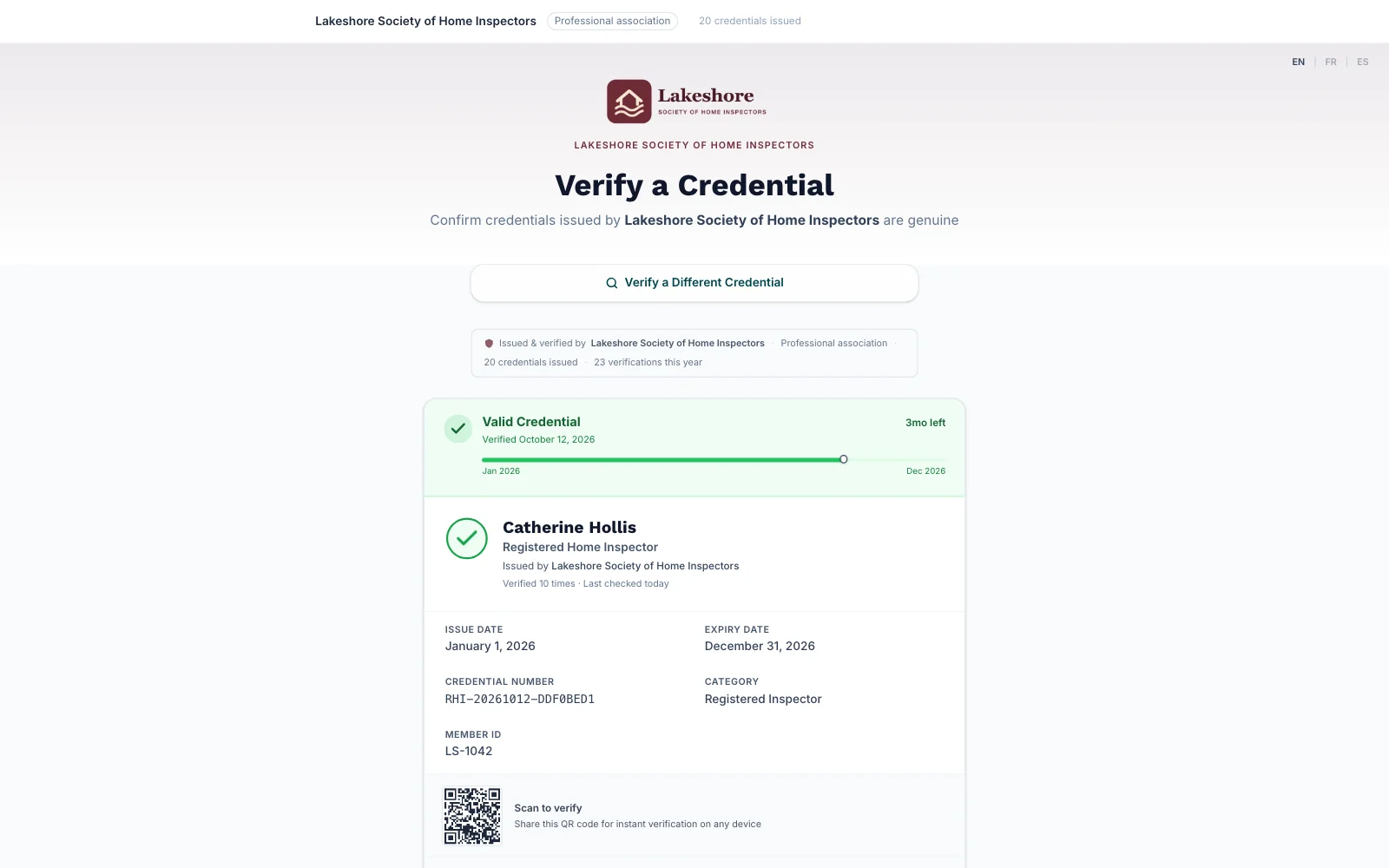
Anyone can search your verify page by name and see the designation, the dates, and whether it's valid.
You can put the same search on your own website.
When a member's standing changes, revoke their credential.
Its public record shows Revoked straight away.
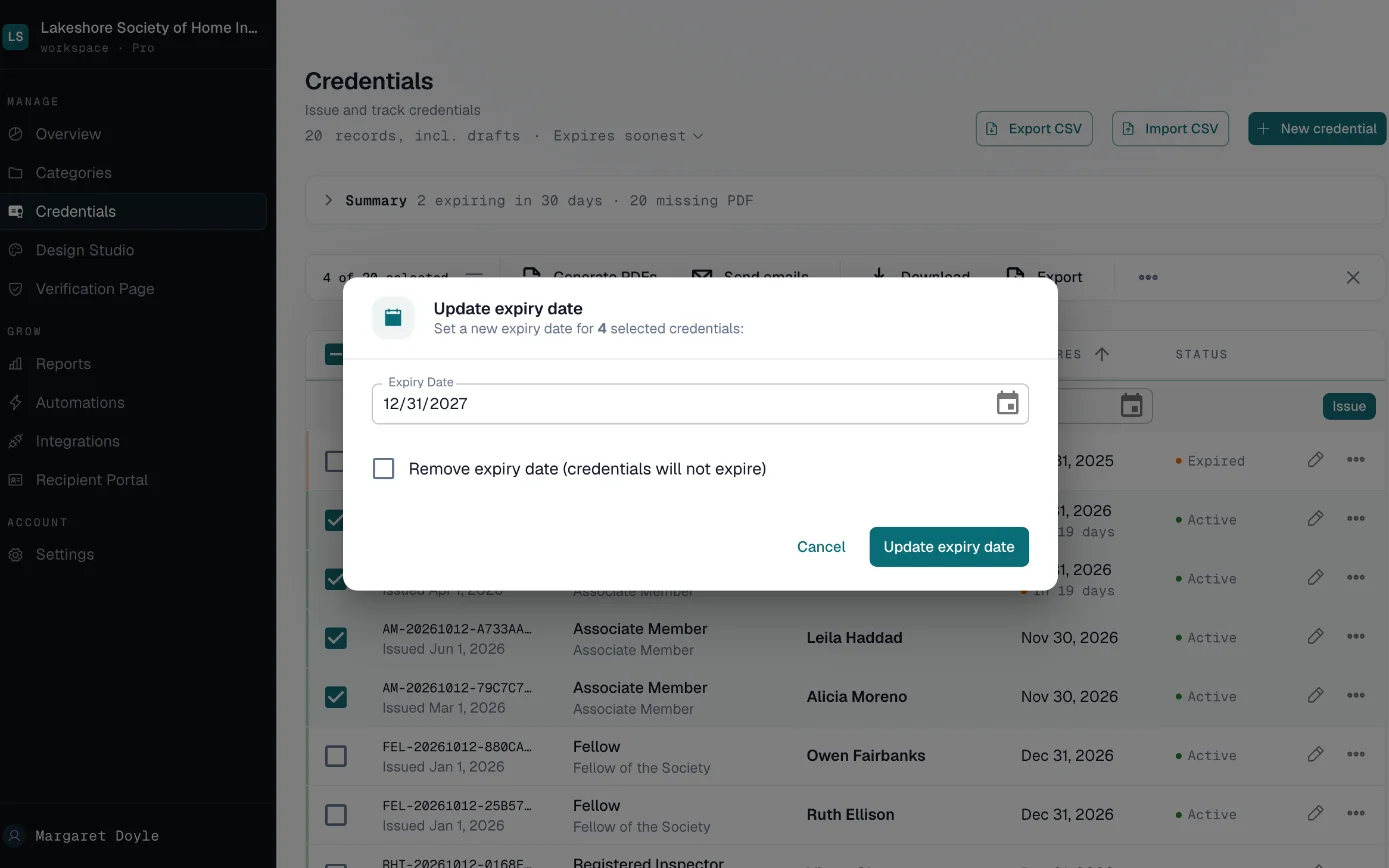
When dues are paid, select the members and extend their expiry dates in one step.
Up to five hundred members at a time.
Start free at certlister.com.
"Is This Person Still a Member?"
Standing changes, the PDF doesn't
A member lapses or is suspended, but the PDF in their inbox and the frame on their wall still look exactly the same.
Verification requests by phone
Employers, clients and insurers call or email to ask whether someone is a member in good standing. Every answer takes staff time.
Renewal season by hand
Each year, hundreds of renewals mean new dates, new documents and a stack of emails, prepared one at a time.
How an Association Runs Member Credentials
-
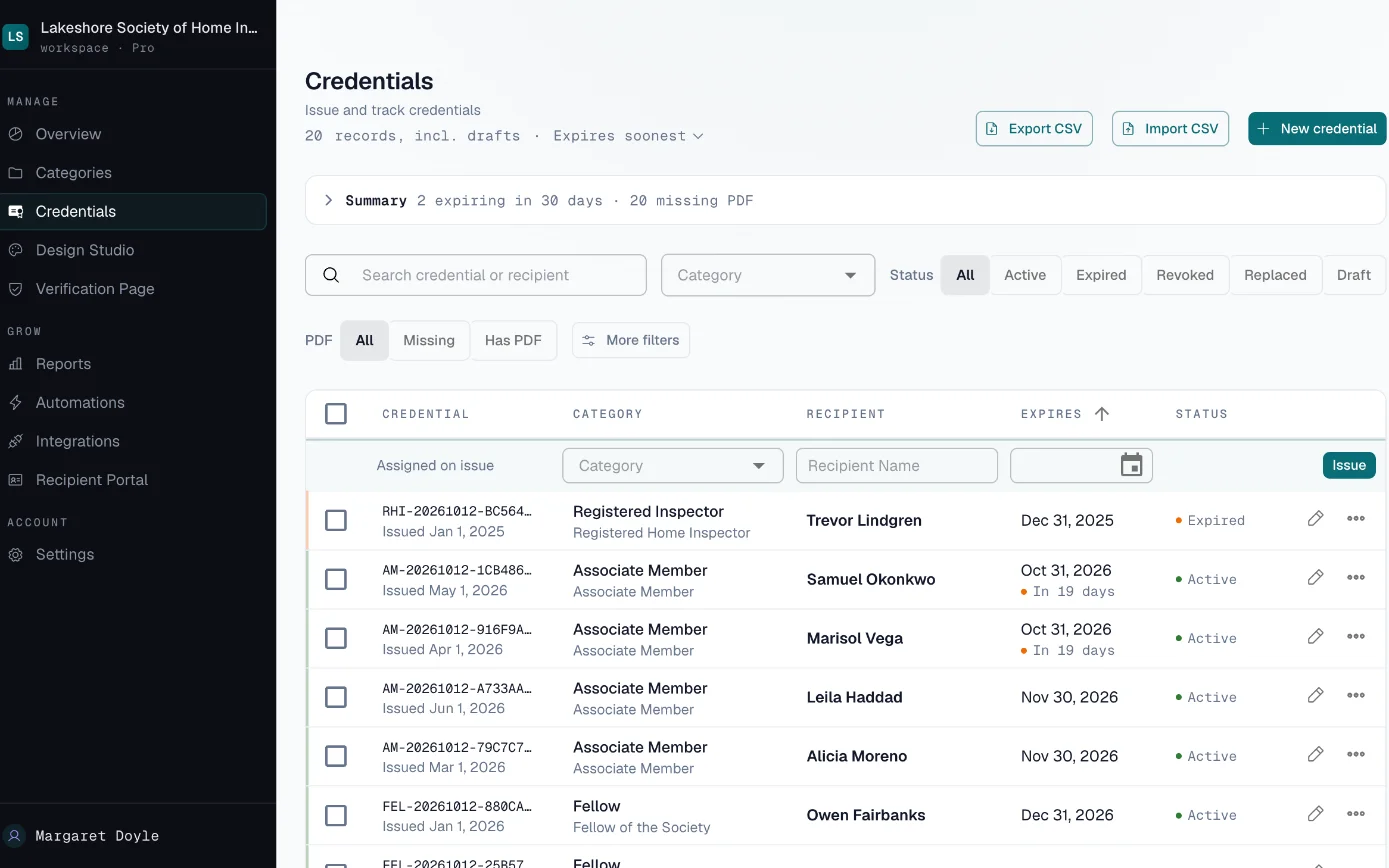
Issue each member a credential
Import your member list and issue a credential for each designation, with its number, dates and any detail you add, such as a member ID.
-
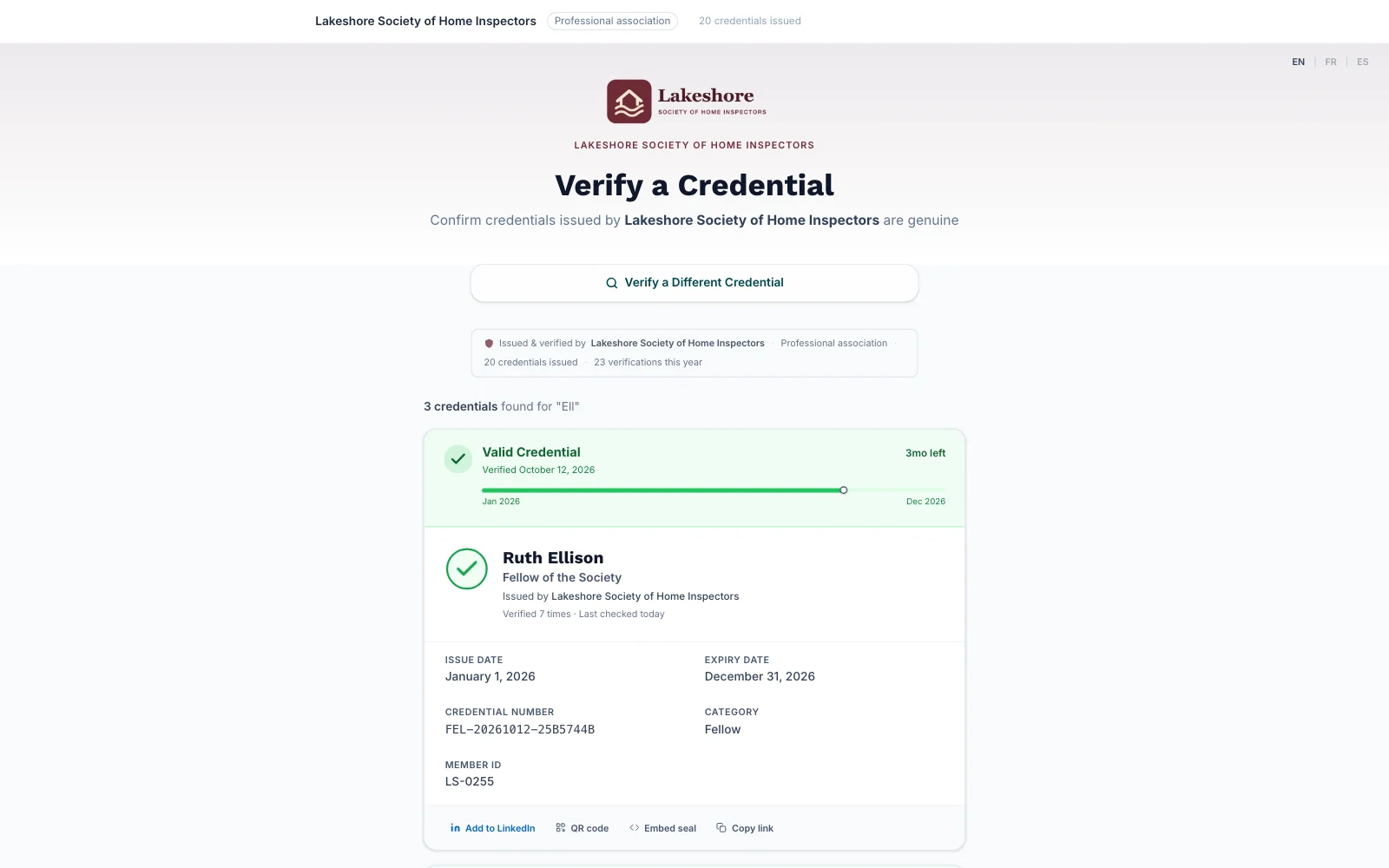
Let anyone check standing
Employers search your verify page by name or credential number, or follow the member's link or QR code. Put the same search on your own website with the embed widget.
-
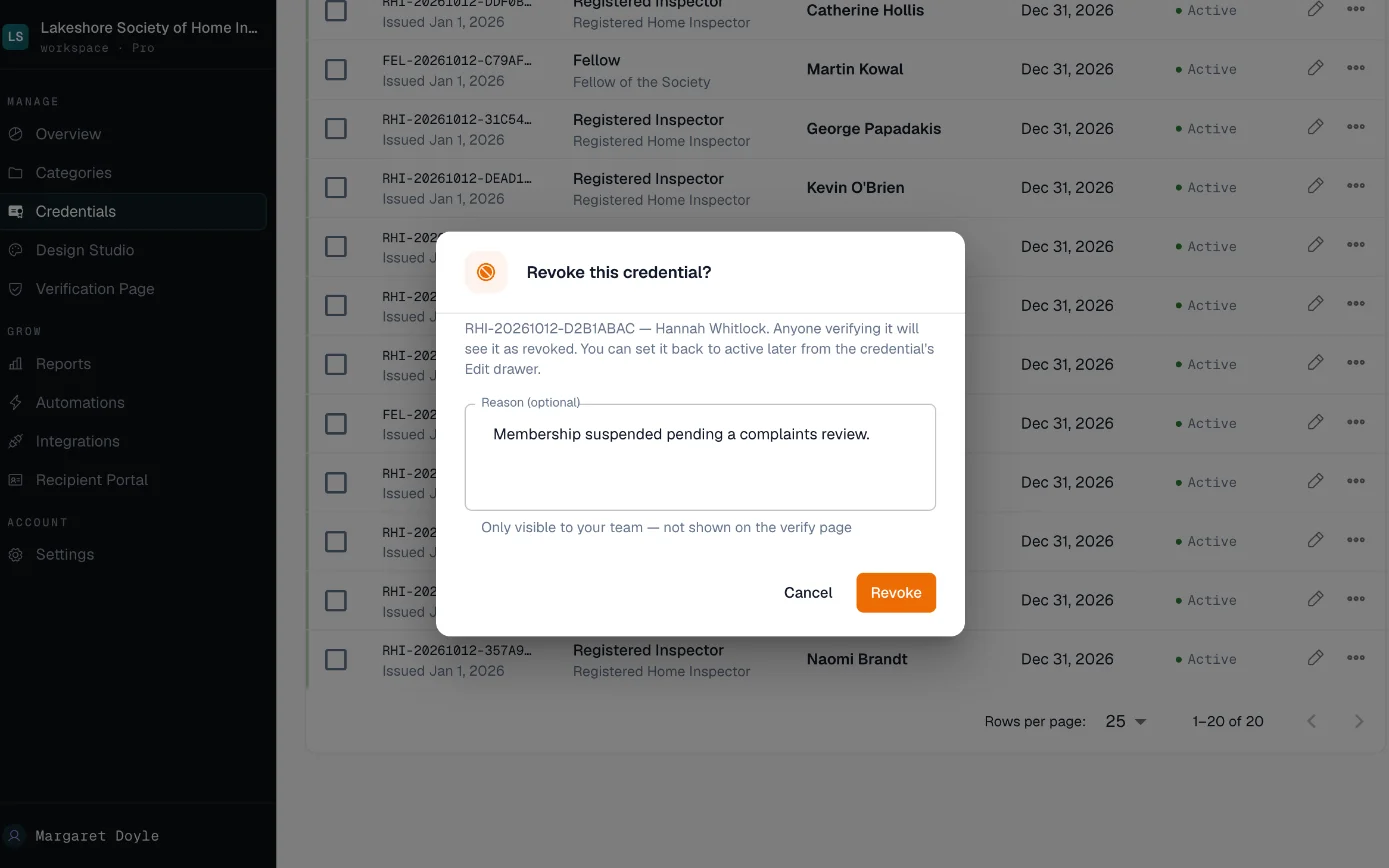
Revoke when standing changes
Revoke a credential and its public record shows Revoked straight away. Select several members to change their status in one action.
-
Extend for the new year
When dues are paid, select the members and extend their expiry dates in one action, or re-import your list with each credential number and its new date.
Built for Membership Bodies
- Public Member Register
- Anyone can check a member's standing on your page.
- Your verify page finds a member by name or credential number and shows the designation, the dates and whether it is valid, expired or revoked.
- Revocation
- A revoked member's record says so at once.
- Revoking updates the public record immediately. Select a group of members to revoke or change status together.
- Bulk Updates
- Renewal season without the stack of emails.
- Extend expiry dates, regenerate PDFs or re-send emails for up to 500 members in one action.
- Embed Widget and Your Own Domain
- Member checks happen on your website.
- Add the verification search to your own site with a short code snippet. On Pro, the verify page can run on your own domain.
- Member Portal
- Members find their own credentials without asking you.
- Members sign in with a one-time email code to see and download their credentials. On Pro they can also send you requests, such as a name correction.
- Open Badges 3.0
- A signed badge file members can keep.
- Turn on Open Badges 3.0 and members can download a signed badge file from your verify page. Revoking a credential does not cancel a badge file someone has already downloaded.
Who Sees What
- Members
- An email with their credential and link, a button that adds it to their LinkedIn profile, and the member portal if you turn it on.
- Employers and clients
- Your verify page with the member's name, designation, dates and whether it is valid, expired or revoked. No account needed.
- Your staff
- One list of every member credential, filtered by designation, status or upcoming expiry.
Bringing Your Member List In
Start from your membership database's export. Import it once and keep it current in CertLister.
- CSV import with column matching, up to 2,000 rows at a time
- Each row needs the member's name and the issue date; the designation title can come from the category
- Add custom fields for a member ID or region, and choose whether each one shows publicly
- Re-import with credential numbers to update expiry dates across the roster
Who Can See What
A revoked or expired credential keeps its public record with its status, so anyone checking can see it is no longer current.
Inside your account, Admins and Managers can issue, edit and delete credentials. Pay As You Go includes one team member, Basic five, and Pro has no limit.
Your public verify page shows a credential to anyone who has its number. You can hide any custom field from that page, and you can turn off search by name.
How we handle data: Privacy Policy, Security, Data Processing Addendum.
What It Would Cost
An association with 1,500 members fits Pro: issuing every member's credential takes 1,500 credits, more than Basic's 1,000 a month, and Pro has no limit. The member register can run on your own domain with no CertLister footer. Members can ask for a name correction or a reissue in their portal, and you answer from one inbox.
Several departments or sites, or a security review to pass? Look at Enterprise. See full pricing →
Who uses CertLister for this
- Membership directors
- Issue, extend and revoke member credentials in bulk, and send reminders with a button to your dues page.
- Standards and accreditation teams
- Run each tier, such as member, fellow and chartered, as its own category with its own design, fields and choice of what shows on the public record.
- Member services
- Answer verification requests with a link to your verify page instead of a phone call.