Digital Credentials That Survive the Job Site
Safety tickets on a phone instead of paper. Instant crew verification before work starts. Automated alerts when working-at-heights tickets are about to expire.
No credit card · Free plan · 5-minute setup
Sound familiar?
Paper Credentials Don't Survive the Job Site
Certificates get destroyed, lost, or left in a truck
Paper credentials that survive rain, mud, and 6 months in a glove box are the exception. When the inspector shows up, too many workers can't produce proof of certification.
Verifying 30 subcontractors takes all morning
A general contractor needs to verify every worker's safety tickets before work starts. Calling and emailing each sub takes hours, and nobody's confident the information is current.
Expired tickets go unnoticed until an inspector arrives
Working-at-heights and confined space certifications expire quietly. Without automated tracking, the first sign of a lapsed ticket is often a site shutdown, or worse.
How CertLister helps
Digital Safety Credentials. Verified in Seconds.
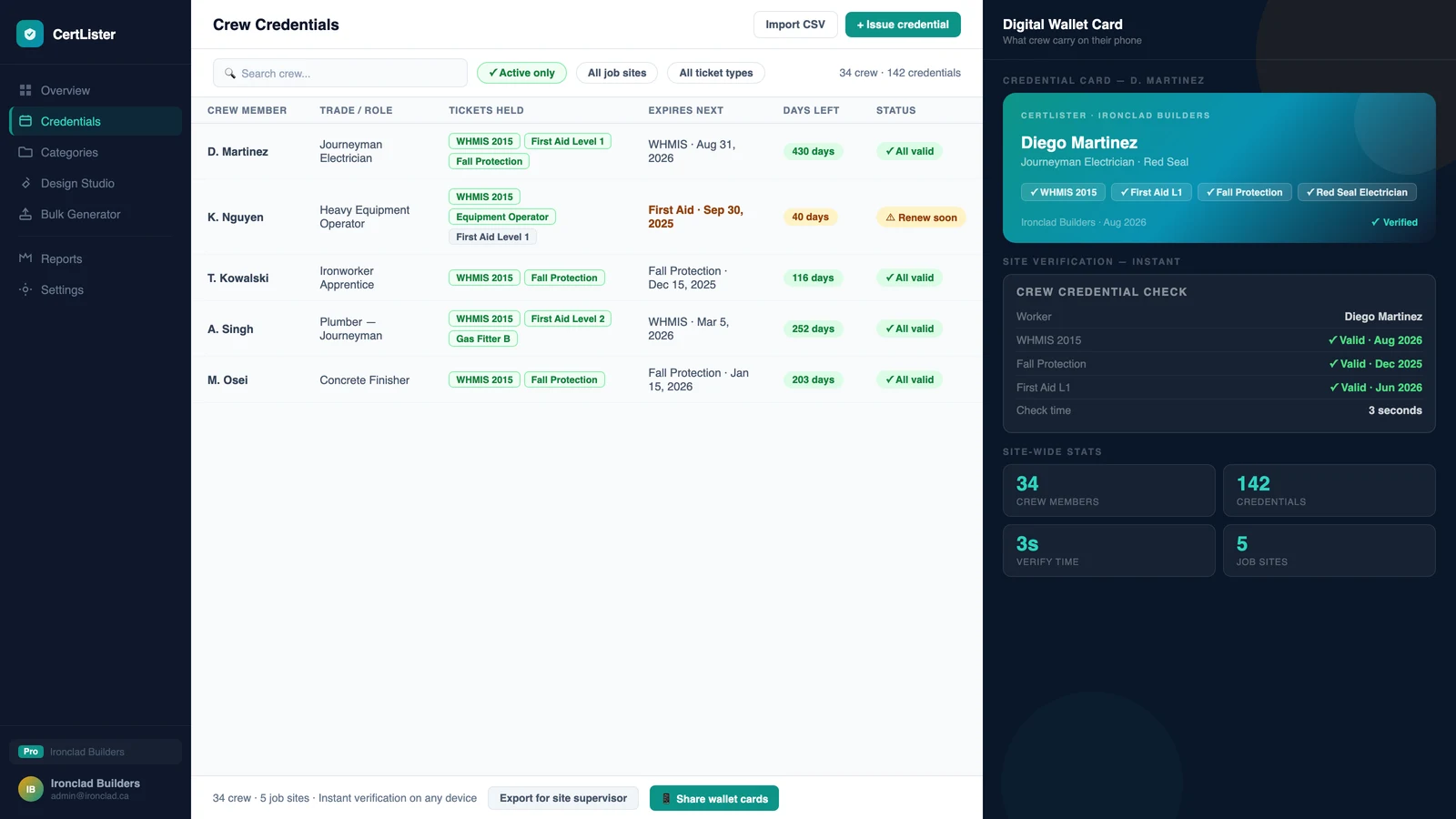
Digital Wallet Cards
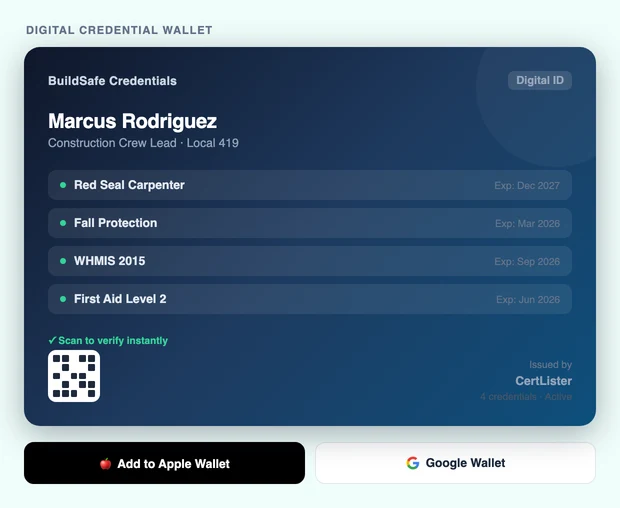
A credential card on their phone, with a QR code anyone can scan to verify.
Each safety ticket becomes a wallet-sized card: a two-sided PDF with a verification QR code. Workers keep it on their phone or print it. No more 'I left it in the truck.'
Instant Crew Verification
Verify workers' tickets in seconds — no phone calls, no faxes.
Each credential has a unique verification URL and QR code. General contractors scan a QR code or click a link to confirm any worker's credentials, directly from their phone on site.
Expiry Reminders
Workers get reminded. Managers see what expires next. Sites stay compliant.
Set expiry dates on any ticket and CertLister emails reminders before they lapse, once reminders are on for that ticket type. Admins and managers can get a weekly digest of tickets expiring in the next 30 days.
Bulk Crew Import
Issue safety tickets for an entire crew from a single spreadsheet.
Upload a CSV with your full crew roster. CertLister generates credentials for everyone at once: bulk issuance for 50-person crews in seconds, not hours.
Digital Wallet Cards
A credential card on their phone, with a QR code anyone can scan to verify.
Each safety ticket becomes a wallet-sized card: a two-sided PDF with a verification QR code. Workers keep it on their phone or print it. No more 'I left it in the truck.'
- Instant Crew Verification
- Expiry Reminders
- Bulk Crew Import
What trades & construction teams issue
Common credentials on CertLister
…and any custom credential type your organization defines.
See the difference
Before and after CertLister
- 1 Issue paper certificates workers lose or damage in the field
- 2 Call and email subs to verify their tickets before a job starts
- 3 Manually check expiry dates in a spreadsheet every few weeks
- 4 Site shutdown when an inspector finds an expired ticket nobody noticed
- 1 Issue digital wallet cards workers carry on their phones
- 2 General contractors scan a QR code or click a link to verify any crew member
- 3 Automated reminders email workers before any ticket expires
- 4 Every credential verifiable in seconds: no calls, no paperwork
Pre-job verification goes from a full morning of calls to 30 seconds per worker.
Why paper safety tickets fall short
Why Paper Safety Tickets Put Sites at Risk
Paper doesn't survive field conditions
Rain, mud, and physical wear destroy paper credentials fast. Workers show up to inspections without proof, causing delays and creating compliance liability for the general contractor.
No live verification possible
A paper ticket can be photocopied, altered, or belong to a different person. Without a verification link, there's no way to confirm a credential is genuine and current on the day it's presented.
Expiry tracking is entirely manual
Without automated alerts, expired working-at-heights or confined space tickets go unnoticed until an inspector finds them, triggering a site shutdown that costs far more than the certification would have.
CertLister replaces all of this with one platform.
What it costs
Enterprise features. Startup pricing.
A safety training company issuing 500 tickets per year pays CA$49/month on the Pro plan, covering unlimited credentials, unlimited team members, and white-label emails. That's CA$588/year. One prevented site shutdown pays for a decade.