Send Every Attendee a Certificate When the Event Ends
Upload the list of who attended, record the session and the hours, and send every attendee a credential they can share and anyone can check.
Conference attendance, workshop completion, CPD and CEU hours, speaker and panelist recognition, volunteer recognition.
Free plan · No credit card
Transcript
The summit ended on Friday.
Now someone checks the sign-in sheets, makes two hundred certificates one by one, and emails them for weeks.
Attendees need proof of the session and the hours for their continuing education, not a thank-you email.
And one misspelled name means finding the file, fixing it, and sending it again.
CertLister sends every attendee their credential when the event ends.
Make a category for the event, and others for speakers and volunteers.
Import the list of who attended, with the session, the hours and the accrediting body.
Generate every PDF in one batch, then email each attendee their credential and link.
Two hundred attendees take a few minutes of background work.
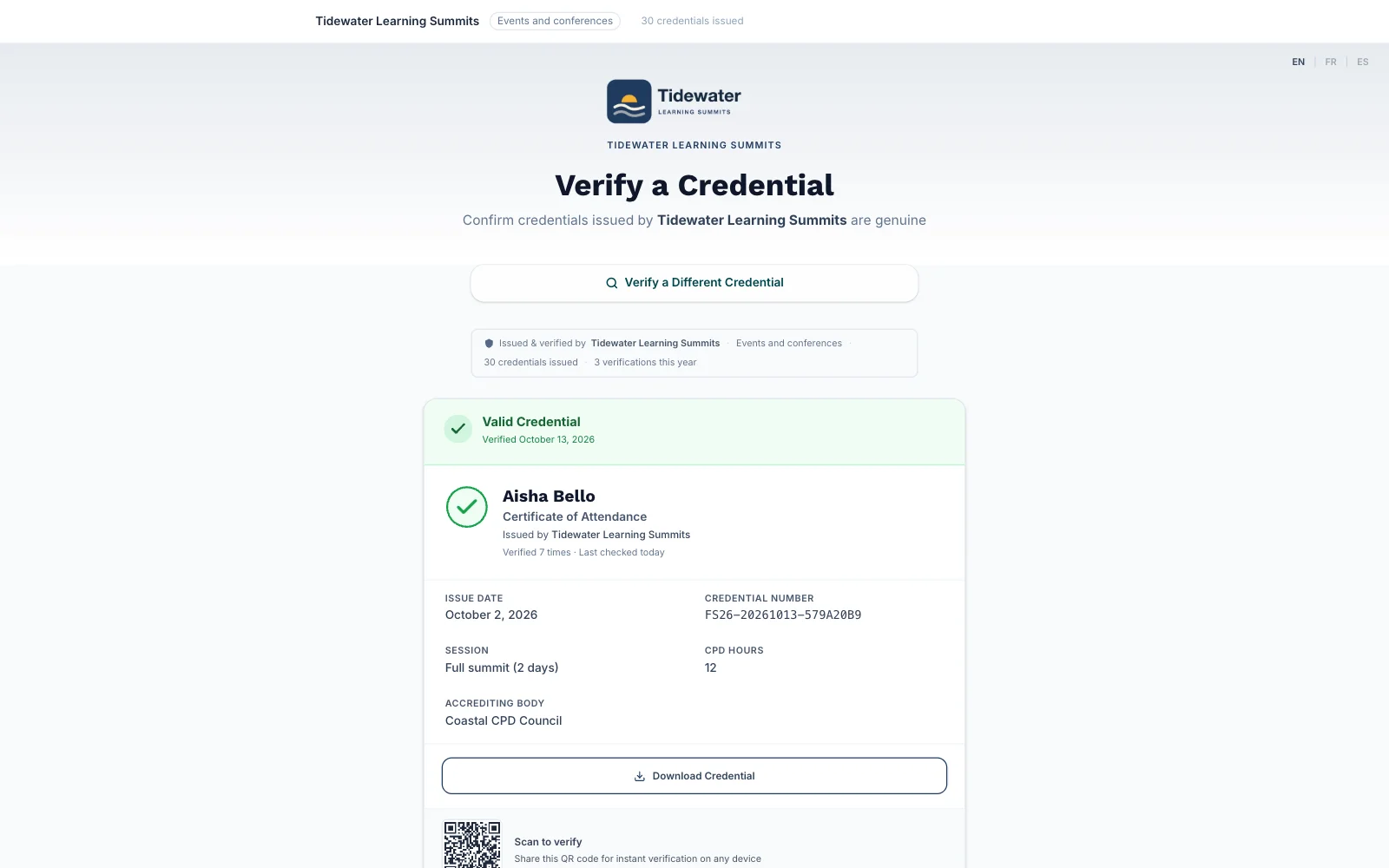
Each certificate shows the session and the hours they earned.
Anyone can check it on your verify page, with the hours you recorded.
Spot a typo? Fix that one record, regenerate its PDF, and send it again.
Start free at certlister.com.
The Event Ends. The Paperwork Doesn't.
Weeks of follow-up
Attendance has to be checked, documents made one by one and emails sent in batches, often weeks after everyone has gone home.
Attendees need proof of hours
Professionals need a record of the session and the hours they attended for their continuing education. A thank-you email doesn't do it.
Mistakes mean re-sending
A misspelled name or the wrong session means finding the file, fixing it and sending it again, one person at a time.
From Attendee List to Credentials
-
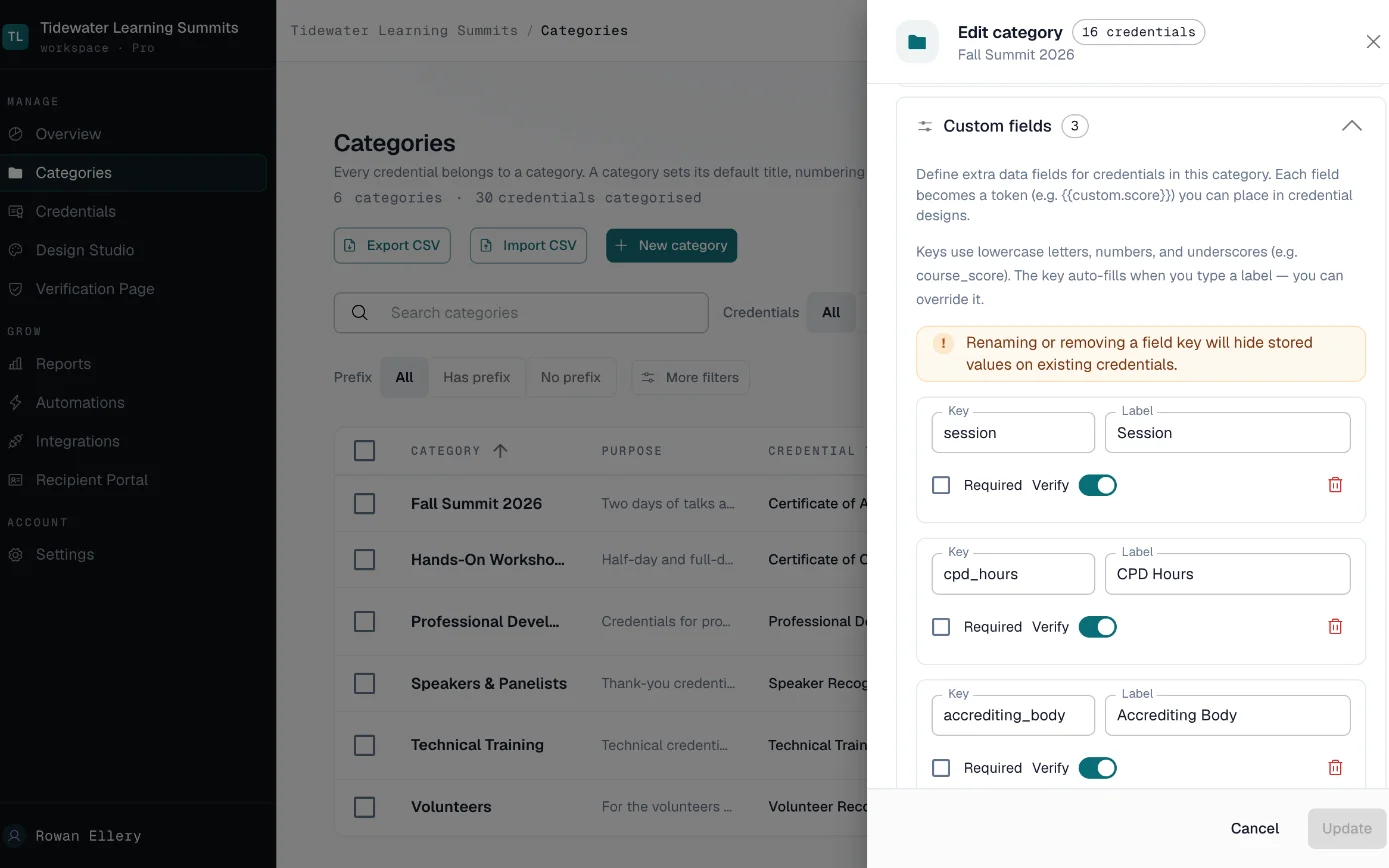
Set up the event
Make a category for the event, with its design and custom fields for the session, the hours and the accrediting body.
-
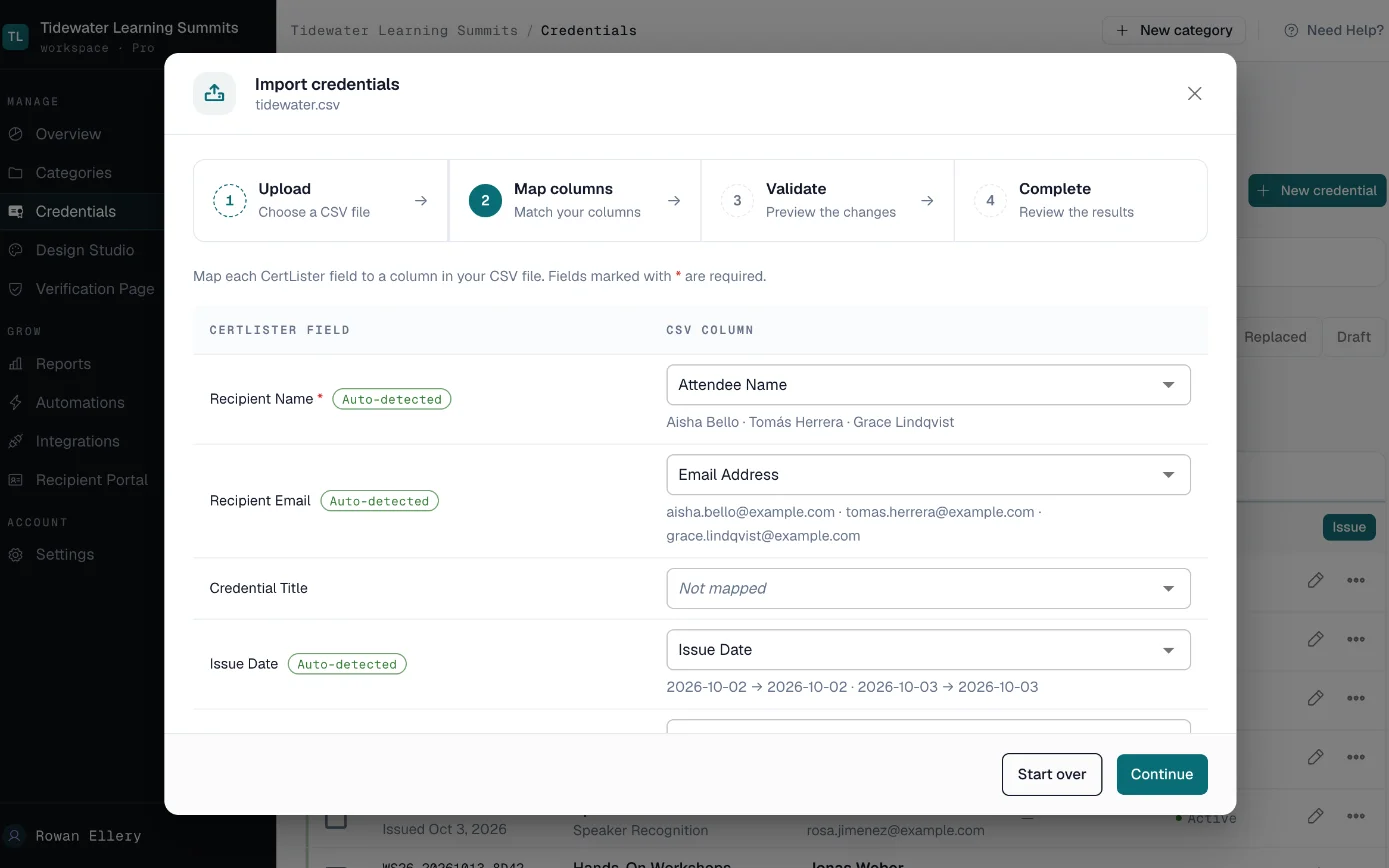
Import who attended
After the session, upload your attendance list. Add an issue-date column, then match your columns to CertLister's fields.
-
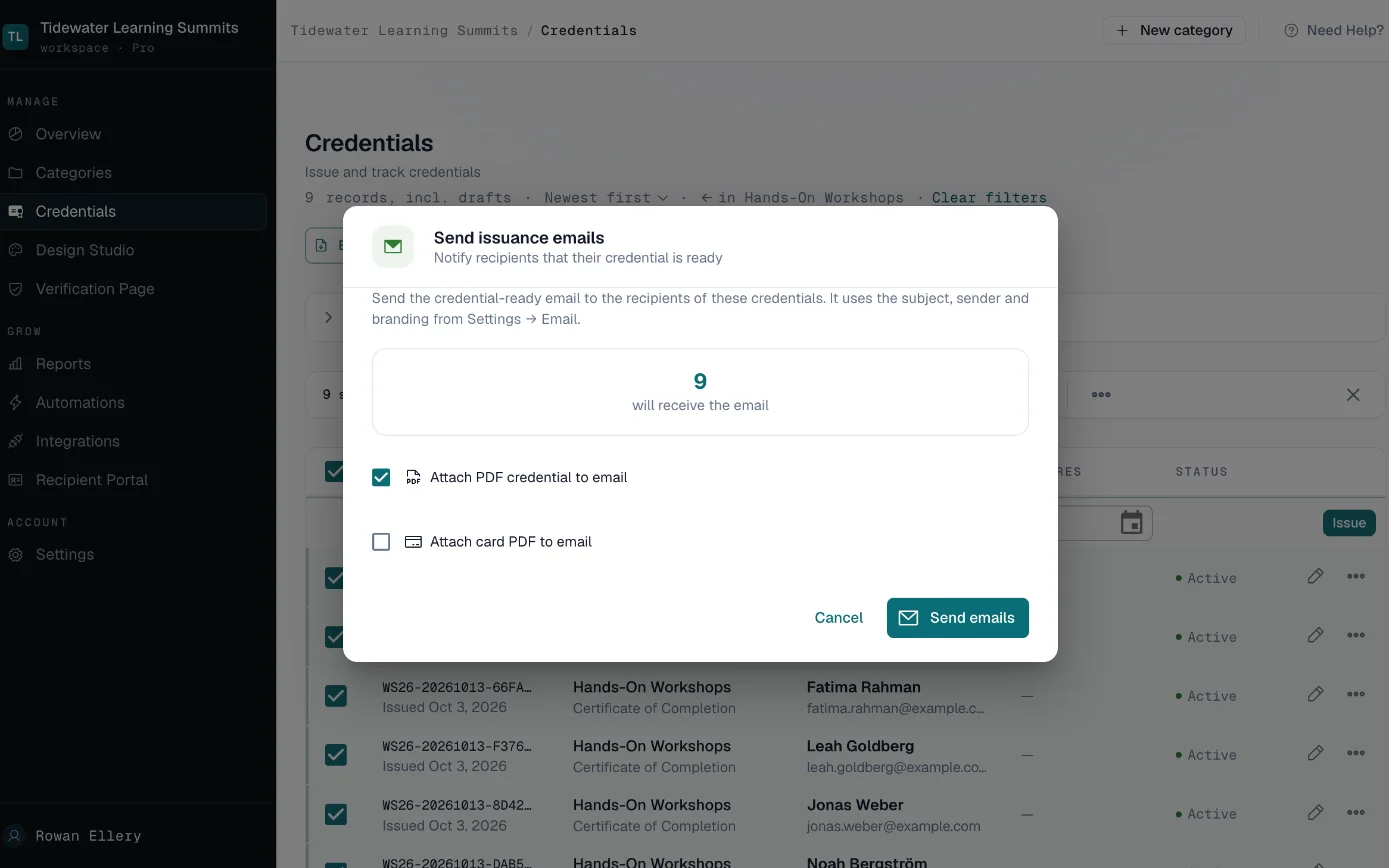
Generate and send
Generate every PDF in one batch, then email all attendees their credential and link. A list of 200 takes a few minutes of background work.
-
Fix and resend
Correct a name or a session on one record, regenerate its PDF and send it again to that attendee.
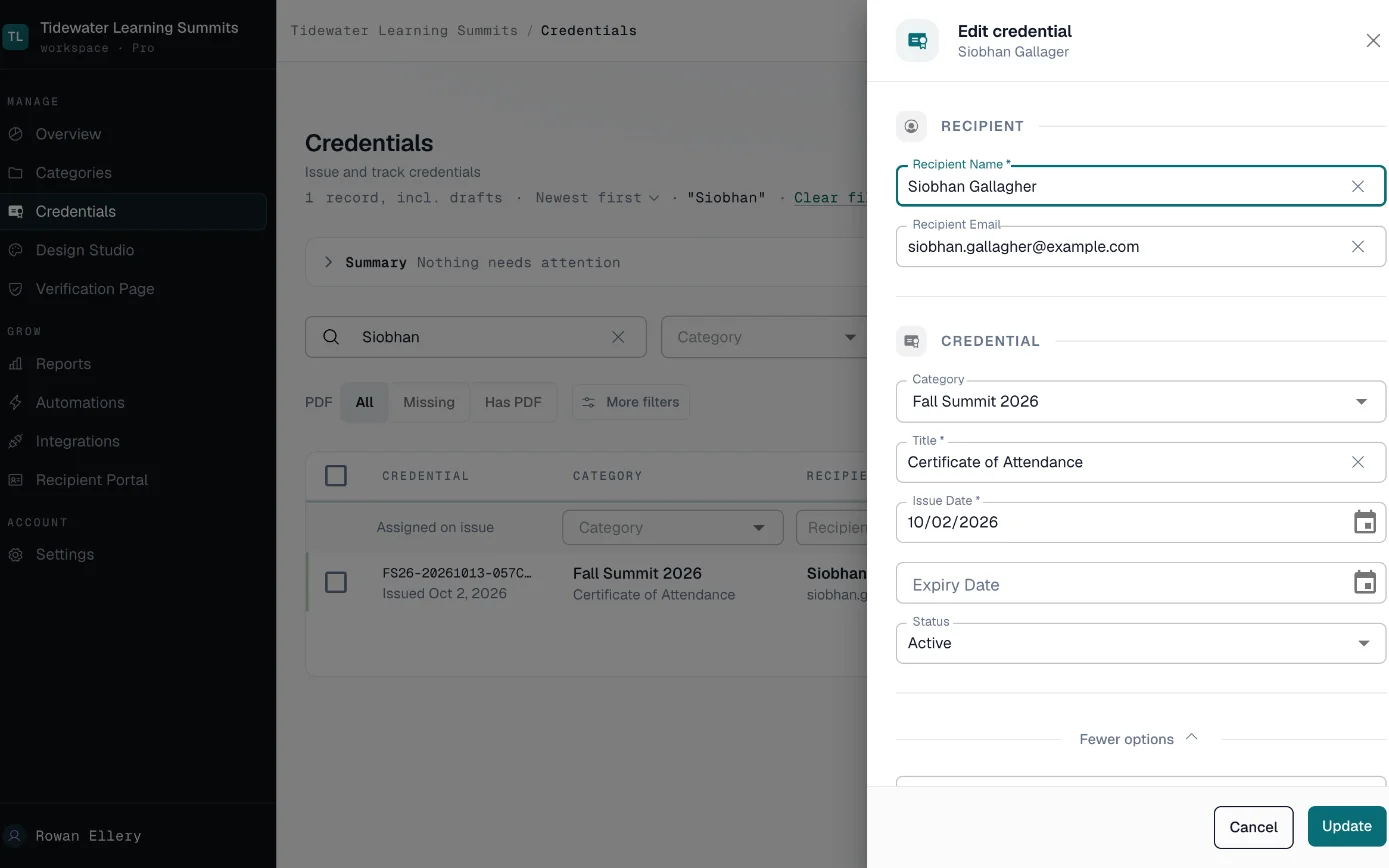
Built for Events and Workshops
- Attendance Import
- One upload for the whole attendee list.
- Import up to 2,000 rows, match your columns and fill custom fields for the session and hours. Each row needs a name and an issue date.
- Session and Hours Fields
- Each credential records what the attendee earned.
- Custom fields hold the session, the CPD or CEU hours and the accrediting body. You choose whether each one shows on the public record.
- Bulk Email
- Every attendee gets their credential in one batch.
- Each email carries the attendee's name, the credential's title and dates, and their verification link, with the PDF attached if you choose.
- Verification and LinkedIn
- Anyone can check an attendee's credential.
- Each credential has its own record on your verify page, and an Add to profile button puts it on the attendee's LinkedIn profile.
- Delivery Tracking
- See who didn't get their email.
- Each credential shows whether its email was delivered or bounced, so you can fix the address and send it again.
Issue a whole batch in one go
Import the list, generate every PDF, and email each credential with its verification link.
Set Up Your Next EventFree plan, no credit card.
What Attendees See
- Attendees
- An email with their credential and link, a PDF showing the session and hours, and a button that adds the credential to their LinkedIn profile.
- Employers and licensing bodies
- Your verify page with the attendee's name, the event, the hours you recorded and the date. Whether the hours count toward a licence is up to the licensing body.
- Your team
- Every attendee across every event, with the delivery status of each email.
Using Your Registration Platform's Export
Most registration platforms export a CSV you can import. Add the columns CertLister needs first.
- Each row needs a name and an issue date; registration exports usually have no issue-date column, so add one
- Add a title column, or set a default title on the event's category
- Import after the session, from the list of who actually attended
- Up to 2,000 rows per import
Who Can See What
Only the people you import appear in CertLister, so import the list of who attended, not everyone who registered.
Inside your account, Admins and Managers can issue, edit and delete credentials. Pay As You Go includes one team member, Basic five, and Pro has no limit.
Your public verify page shows a credential to anyone who has its number. You can hide any custom field from that page, and you can turn off search by name.
How we handle data: Privacy Policy, Security, Data Processing Addendum.
What It Would Cost
An organizer running a 1,500-person conference fits Pro: no limit on credentials. Attendees can ask for a name correction or a reissue in their portal, and you answer from one inbox. Your registration system can create credentials through the API or webhooks, and emails show your organization as the sender, not "via CertLister".
Several departments or sites, or a security review to pass? Look at Enterprise. See full pricing →
Frequently Asked Questions
Will the hours count toward an attendee's licence?
Can I import from Eventbrite or a similar platform?
Should I issue before the event?
What if an email bounces?
Can speakers and volunteers get a different credential?
Related solutions
Related features
Related Articles
How to Generate Certificates for Event Participants
How to generate certificates of attendance for event participants: start from who attended, not who registered, choose the right certificate type, and include what continuing education boards such as NASBA require.
Read moreBulk Credential Generation: How to Issue Hundreds of Credentials in Minutes
A step-by-step guide to issuing credentials in bulk using CertLister — from CSV import through PDF generation and batch delivery.
Read more