Issue Training Certificates to a Whole Cohort in Minutes
Import your roster, apply your own design and send every participant a credential with its own verification link. When renewal comes round, reminders send graduates back to you.
Course completion, first aid and safety training, workshop attendance, skills assessments, continuing education, and any credential type you set up.
Free plan · No credit card
Transcript
Thirty people just finished your first aid course.
Now someone types thirty names into a template, saves thirty files, and emails them one at a time.
Then the calls start, from employers checking that someone really took your course.
And when the certification runs out, graduates book their refresher wherever they see an ad first.
CertLister takes that whole job off your desk.
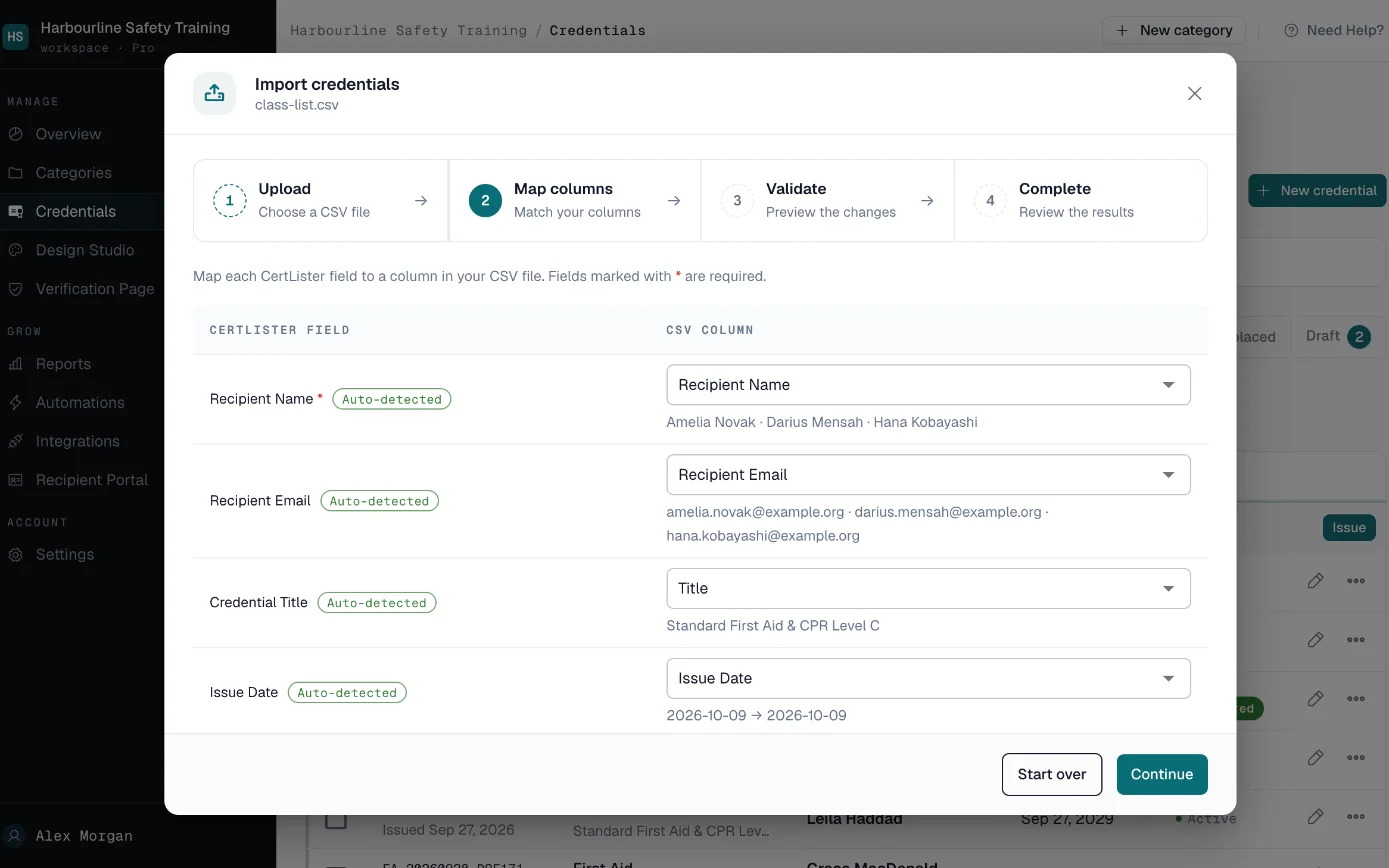
Upload your class list as a spreadsheet and match its columns to names, dates and courses.
Up to two thousand rows in a single import.
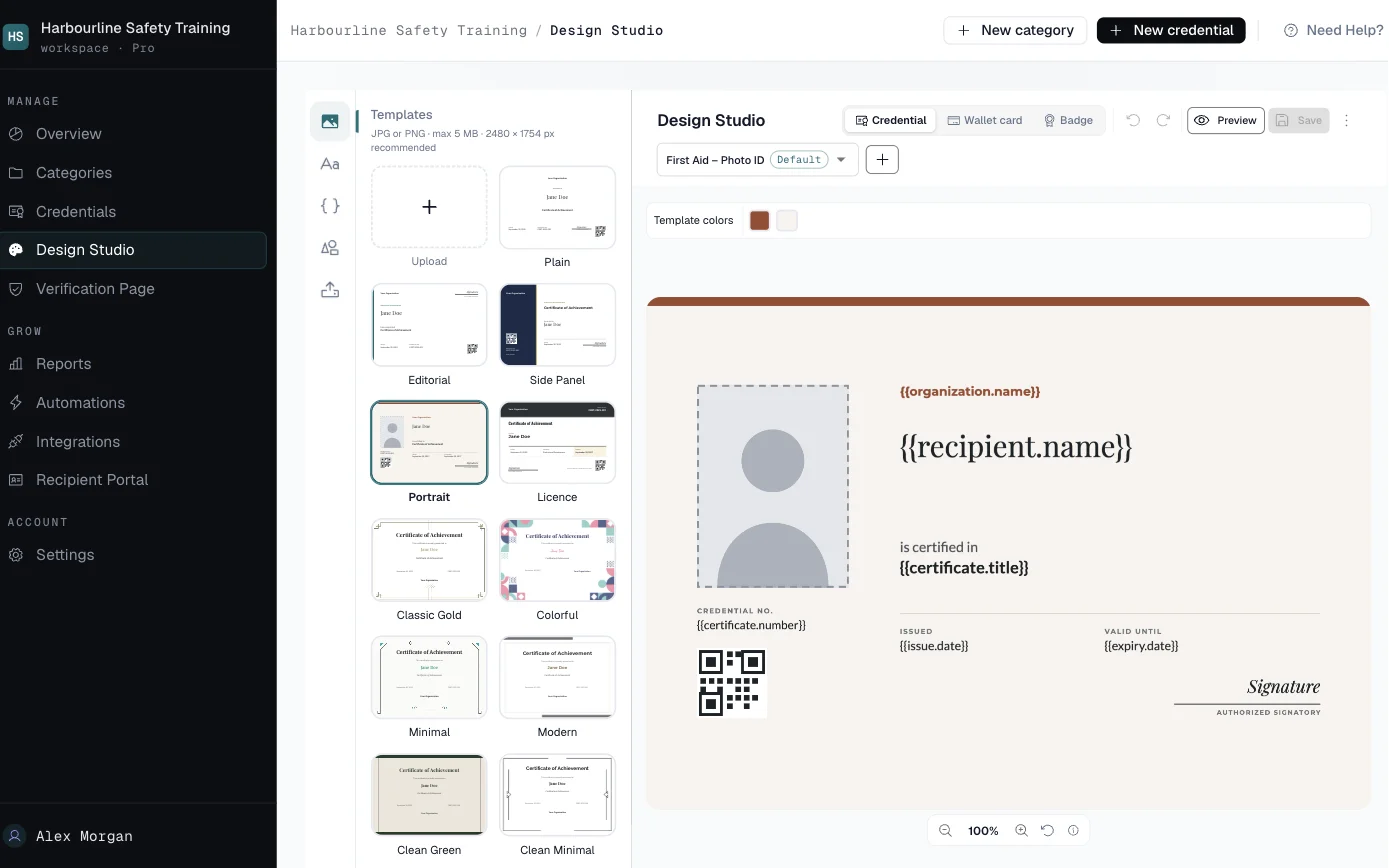
Design your credential once, with your logo and your colours.
Then create every PDF in one batch, and email each person their credential with its own verification link.
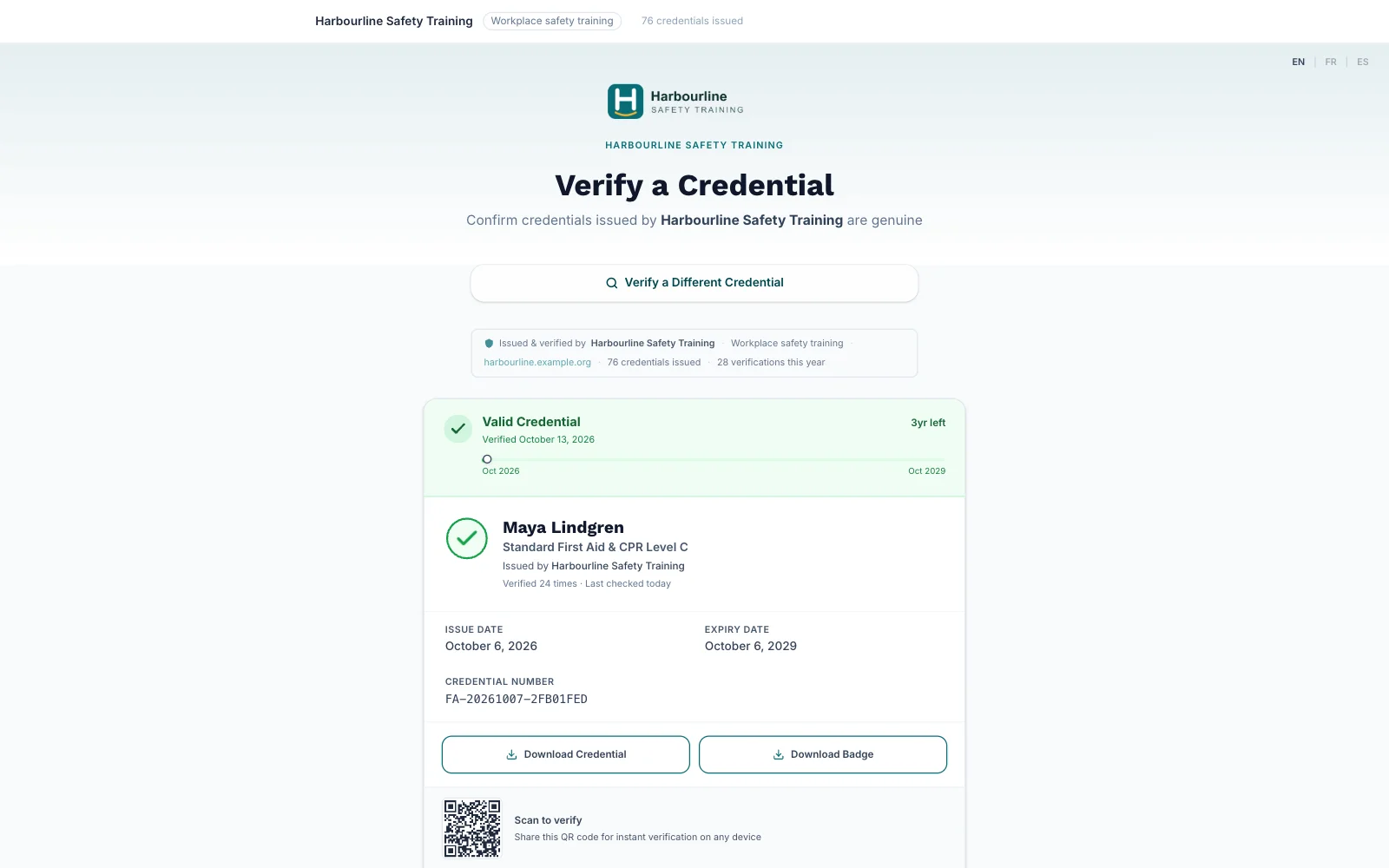
An employer scans the QR code and sees your record: the name, the course, the dates, and whether it's still valid.
No account, no phone call to your office.
Before a credential expires, the graduate gets a reminder, with a button straight to your booking page.
When they renew, the new credential replaces the old one.
And when they add it to LinkedIn, the link leads back to your page.
Start free at certlister.com.
A Cohort Shouldn't Cost You an Afternoon
One document per person, by hand
Names typed into a template, each file saved and emailed one at a time. A class of 30 takes the afternoon, and one misspelled name means doing it again.
Employers call to check
"Did this person really complete your course?" Each call or email pulls someone away from teaching, and there is no record an employer can look up without you.
Graduates lapse and don't come back
First aid and safety training runs out after a year or three. Nobody reminds the graduate, so they book their refresher somewhere else, or not at all.
From Roster to Credentials in Four Steps
-
Import your roster
Upload a CSV of up to 2,000 rows and match its columns to CertLister's fields. Each row needs a name and an issue date; the course title can come from the category.
-
Apply your design
Design your credential once in the Design Studio, starting from one of 15 built-in templates with your logo and colours. Then generate a PDF for every participant in one batch.
-
Send it, and let employers check
Email every participant their credential and link in one batch. An employer opens the link or scans the QR code on the PDF. No login, and no call to your office.
-
Bring graduates back to renew
Reminders go out on the dates you choose before a credential expires, with a button to your booking page. When a graduate renews, the new credential replaces the old one.
Everything a Training Provider Issues With
- CSV Import
- A credential for every row of your roster, in seconds.
- Match any roster's columns to names, emails, dates and your own custom fields, up to 2,000 rows per import. Then generate the PDFs and send the emails, one batch each.
- Your Own Design
- Every PDF carries your logo, colours and layout.
- Start from a built-in template in the Design Studio and make it yours. On Pro you can also upload your own background artwork.
- Verification Links
- Employers check a credential without contacting you.
- Every credential has its own record on your verify page, found by its number, by name or through the QR code on the PDF. It shows whether the credential is valid, expired or revoked.
- Email Delivery
- Every participant gets their credential in one batch.
- Each email carries the participant's name, the credential's title and dates, and their verification link, with the PDF attached if you choose.
- Renewal Reminders
- Graduates hear from you before their credential runs out.
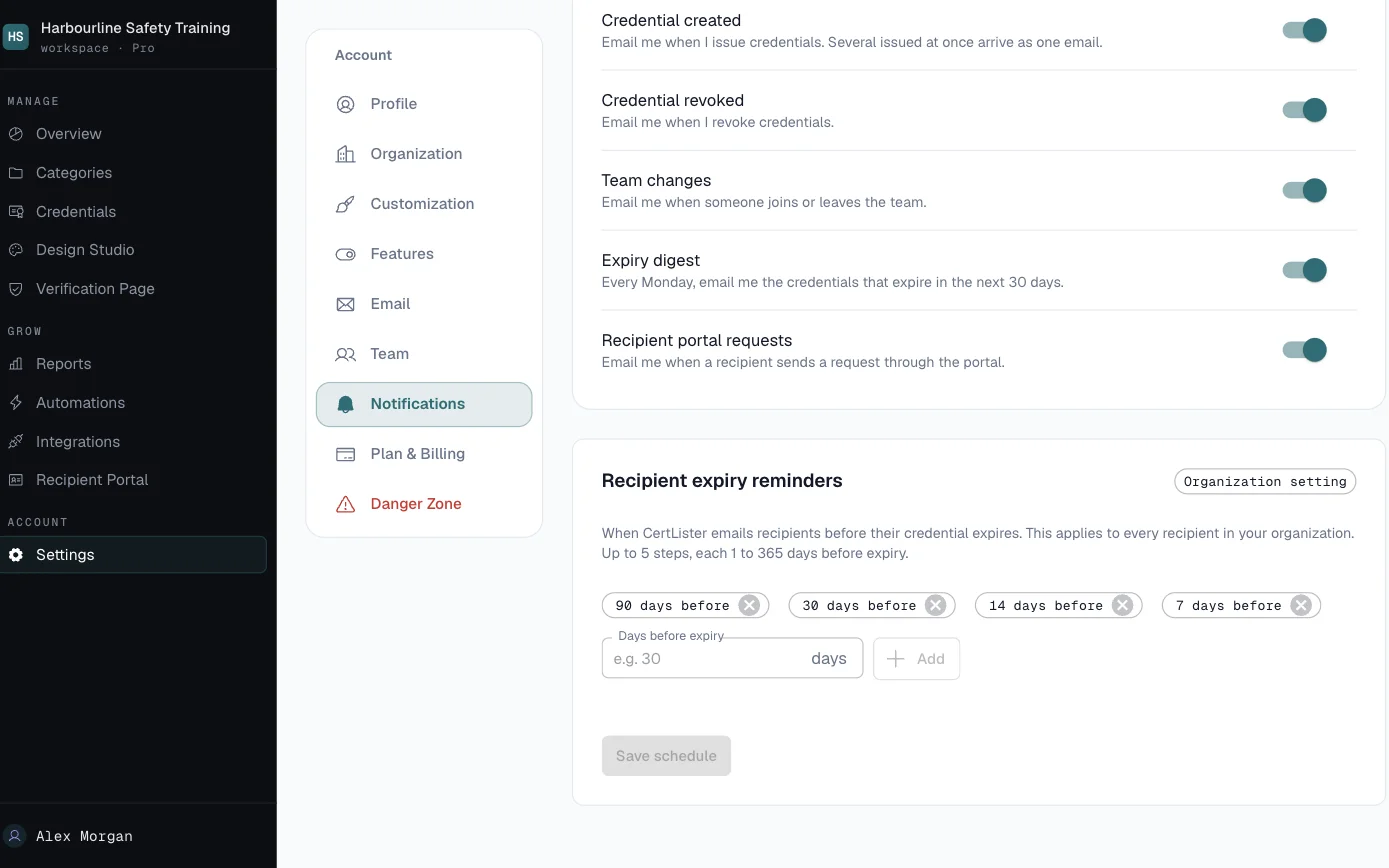
- Choose up to five reminder dates, up to a year before expiry, and add a link to your booking page. Turn reminders on for each course that expires.
What Participants and Employers See
- Participants
- An email with their credential and its link, the PDF to keep, and a button on the verify page that adds the credential to their LinkedIn profile.
- Employers
- Your verify page with the participant's name, the course, the dates and whether the credential is still valid. No account needed.
- Your team
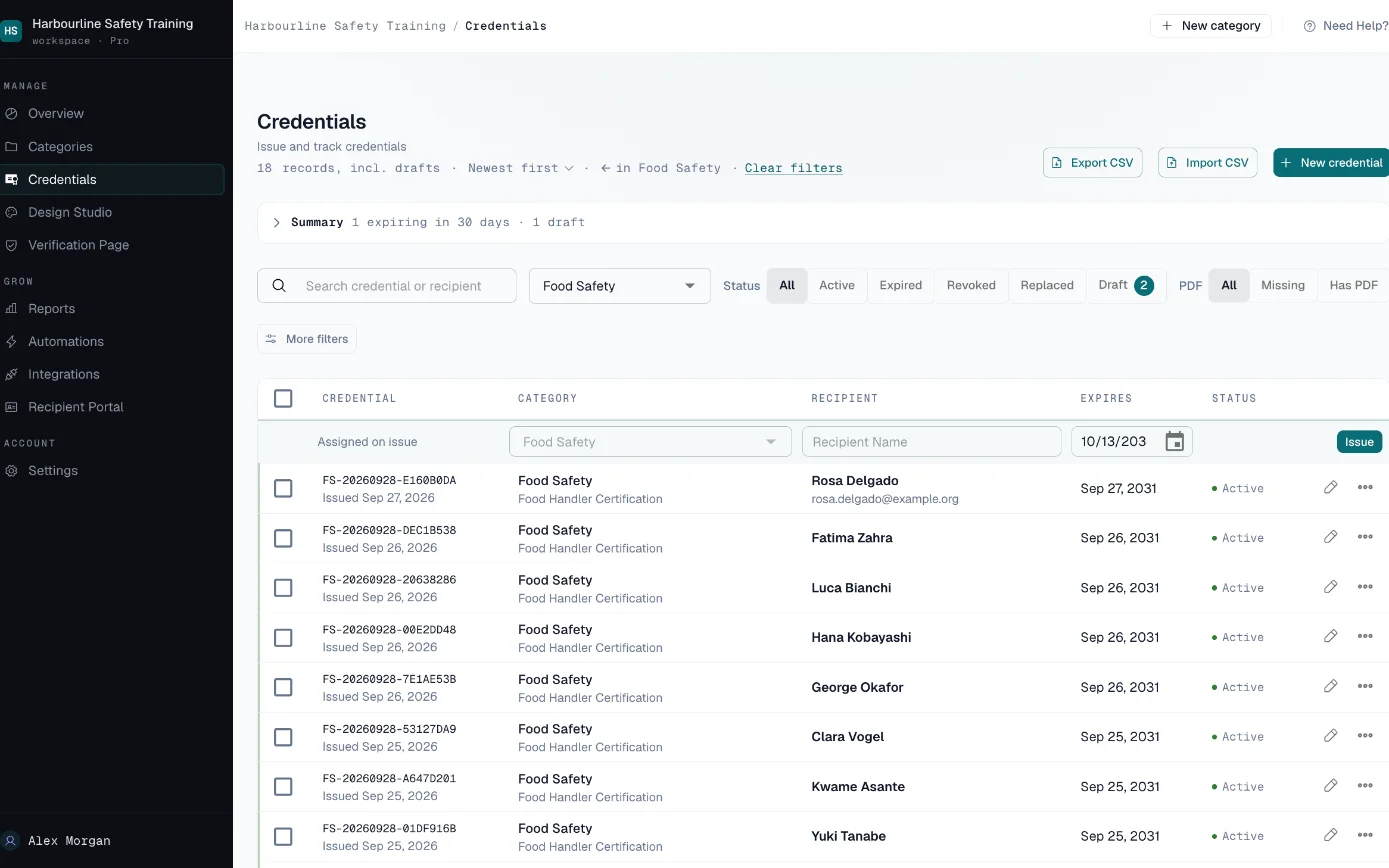
- One list of every credential you have issued, filtered by course, status or upcoming expiry.
Bring Your Past Graduates Too
Import the participants you trained before CertLister, so employers can check them and they get renewal reminders like everyone else.
- CSV import with column matching, up to 2,000 rows at a time
- Each row needs a name and an issue date, plus a title unless the course category sets one
- Re-import with credential numbers to update dates on records you already have
- Each imported credential uses one credit, the same as issuing one
Who Can See What
Keep internal details, such as assessment scores or trainer notes, in custom fields hidden from the public record.
Inside your account, Admins and Managers can issue, edit and delete credentials. Pay As You Go includes one team member, Basic five, and Pro has no limit.
Your public verify page shows a credential to anyone who has its number. You can hide any custom field from that page, and you can turn off search by name.
How we handle data: Privacy Policy, Security, Data Processing Addendum.
What It Would Cost
A provider with eight staff issuing credentials, or more than 1,000 graduates in a busy month, fits Pro: no limit on credentials or team members. Employers check credentials on your own domain with no CertLister footer, and emails show your organization as the sender, not "via CertLister". Your LMS can create credentials through the API or webhooks.
Several departments or sites, or a security review to pass? Look at Enterprise. See full pricing →