Badges Your Recipients
Actually Want to Share
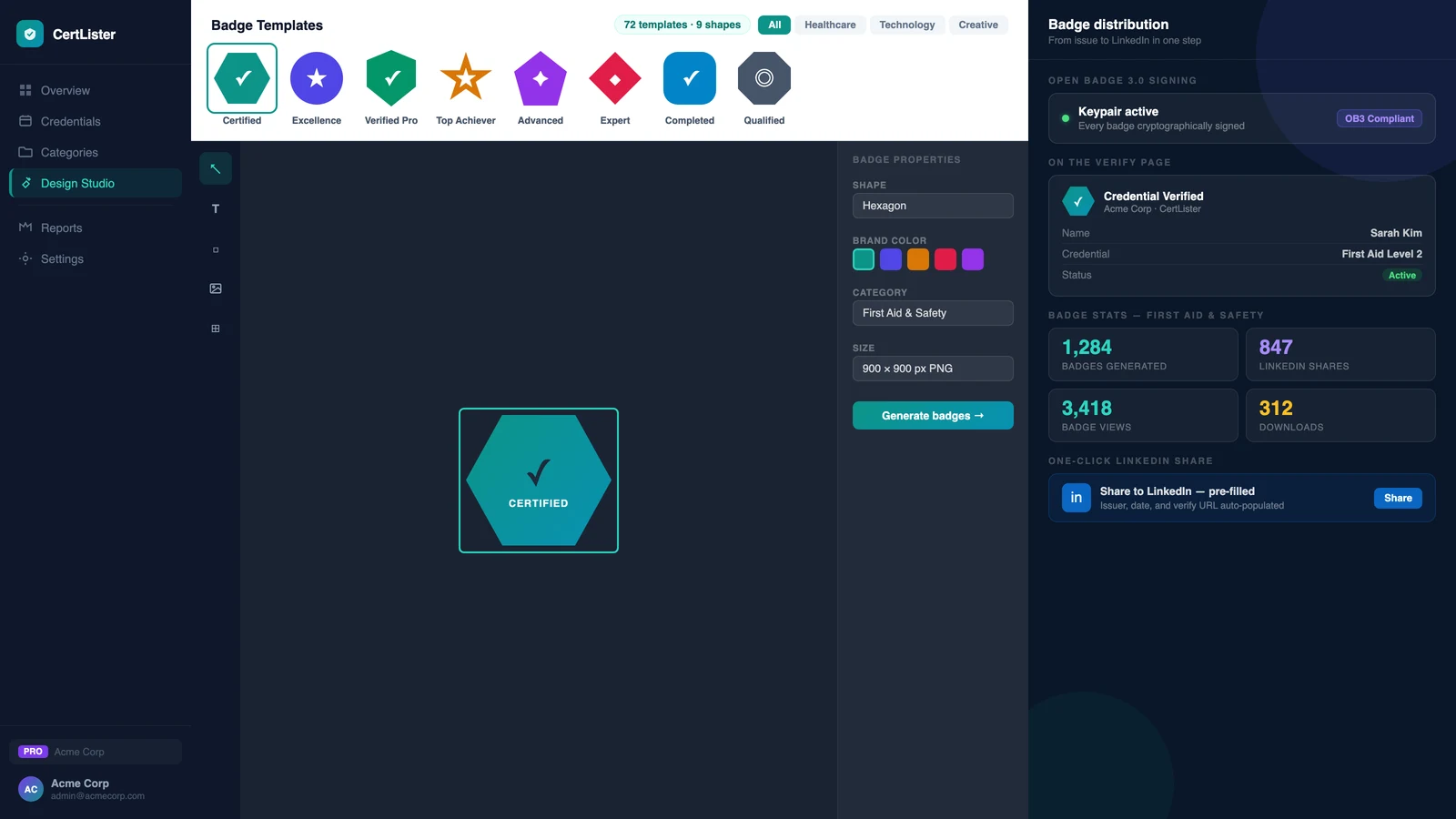
CertLister's digital credential platform lets you issue verifiable digital badges alongside your PDF credentials. 9 badge shapes, 8 one-click color palettes, Open Badge 3.0 signing, one-click LinkedIn sharing, and every badge links back to your verified record.
9 shapes, 8 palettes · OB3 signing on Pro · Auto-generate on issue
Features
Everything from Design to LinkedIn Share
9 Badge Shapes, 8 One-Click Palettes
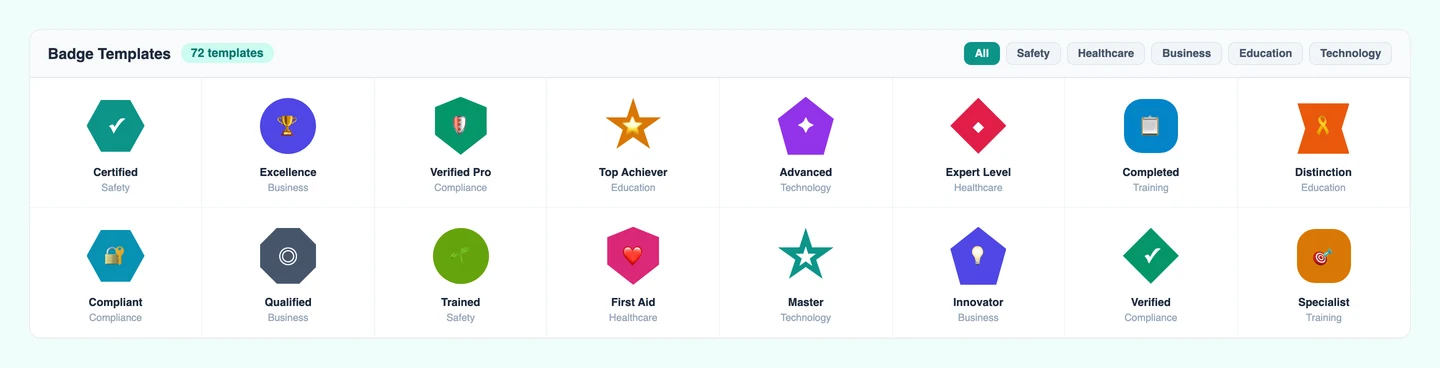
Choose from 9 badge shapes — hexagon, circle, shield, ribbon, and more — then apply one of 8 one-click color palettes, or set your own brand colors with the swatches. Switching shapes keeps the colors you picked. No design skills needed, and no Canva subscription required.
- 9 badge shapes including hexagon, shield, and ribbon
- 8 one-click color palettes, or set your own colors
- Colors stay applied when you switch shapes
- Upload a custom background for full control
Open Badge 3.0: Cryptographically Signed
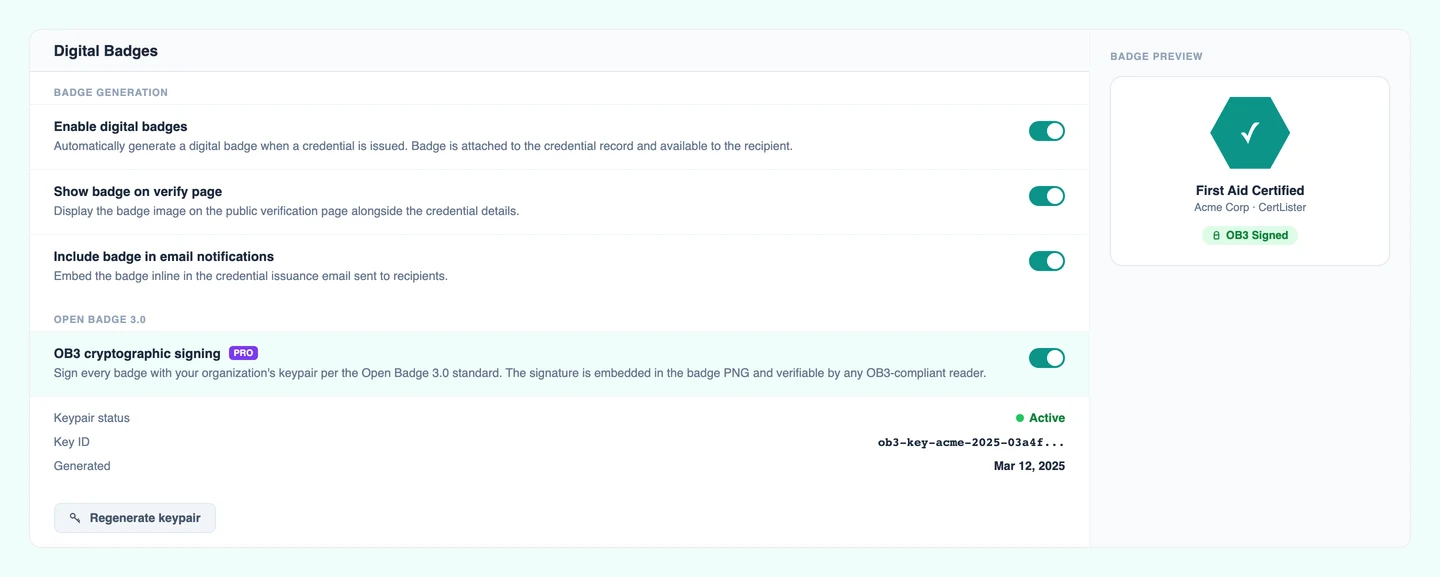
OB3 is the current international standard for verifiable digital credentials, maintained by 1EdTech. CertLister signs every badge with your organization's keypair — the signature proves the badge was issued by you and hasn't been altered. Recipients download a badge PNG that carries this proof embedded in the file.
- OB3 keypair generated per organization (Pro)
- Cryptographic signature embedded in the badge PNG
- Verifiable by any OB3-compliant reader
- Badge links back to your public verification page
Badge on the Verify Page and in Emails
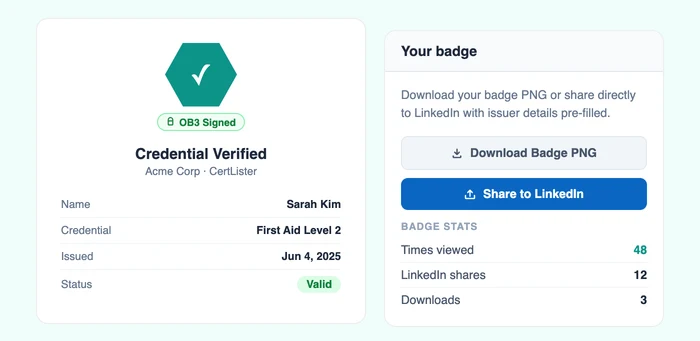
The badge appears on your public verify page alongside the credential details, giving the result a visual identity that a text-only record doesn't have. Email notifications to recipients can include the badge inline, so the moment they receive their credential they see something worth sharing.
- Badge displayed on the public verify page
- Badge shown inline in recipient email notifications
- Toggle badge visibility per category
- Badge links directly to the credential verification URL
Recipients Download and Share in One Step
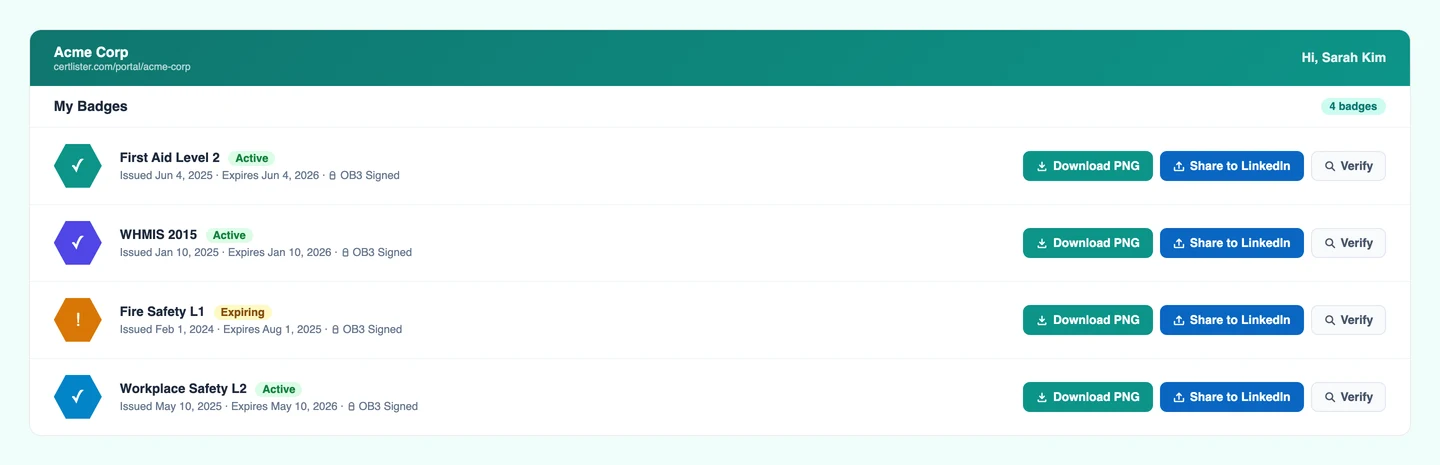
From the recipient portal, badge holders can download their badge PNG and share it directly to LinkedIn — with the issuer name, issue date, and credential URL pre-filled. No copy-pasting, no manual uploads. The share flow takes under 30 seconds from portal to LinkedIn profile.
- One-click badge download from the recipient portal
- LinkedIn share with pre-filled credential details
- Badge available from portal, email, and verify page
- Auto-generate badge on issue per category, set up via workflow automations (Pro)
Badge vs PDF
Different Formats for Different Moments
You don't have to choose. CertLister issues both from a single credential record.
Digital Badge (PNG)
- LinkedIn profiles and social media
- Email signatures
- Online portfolios and CVs
- Embeds a verification link in the file
- OB3 cryptographic signing (Pro)
PDF Credential
- Formal documentation and compliance records
- Employer or auditor requests
- Printing for physical display
- Wallet card format (credit card-sized, Pro)
- Attached to email or stored in your file system
Frequently Asked Questions
What is a digital badge?
A digital badge is a verifiable credential issued in image format, typically displayed on LinkedIn profiles, email signatures, and CVs. Unlike a PDF certificate, a badge can carry embedded metadata (issuer, recipient, date, criteria) that makes it cryptographically verifiable. CertLister issues badges as PNG files with Open Badge 3.0 signing.
What is Open Badge 3.0 (OB3)?
Open Badge 3.0 is the current international standard for digital credentials, maintained by 1EdTech. An OB3 badge contains a cryptographic signature that proves the badge was issued by a specific organization and hasn't been altered. CertLister signs every OB3 badge with your organization's keypair stored in our system.
Can recipients share their badge on LinkedIn?
Yes. Recipients can share their badge directly to their LinkedIn profile from the recipient portal or from the verify page. The LinkedIn share flow pre-fills the issuer name, issue date, and credential URL.
Do I need a designer to create a badge?
No. CertLister includes 9 badge shapes and 8 one-click color palettes, plus color swatches for your own brand colors. Choose a shape, apply a palette (or set your own colors), and the badge is generated automatically. You can also upload a custom background to design from scratch.
Can I issue both a PDF credential and a digital badge for the same recipient?
Yes. Categories can have a default PDF design and a default badge design set independently. When you issue a credential, both are generated: the PDF for formal records and the badge for sharing. Recipients can download both from the portal.
Is badge generation automatic?
Yes, on Pro. You can enable auto-generate badge on issue per category, so every new credential in that category gets a badge PNG generated without any manual step. On Basic, badges can be generated on demand.
Where does the badge appear?
The badge PNG appears on the public verify page alongside the credential details, in the recipient's portal credential list, and can be attached to or linked from email notifications. Recipients download it directly from the portal.
From the blog
Best Credly & Accredible Alternatives in 2026 (5 Compared)
Credly, Accredible, Certifier, Parchment Digital Badges (formerly Badgr) and CertLister compared on price, bulk issuing, email delivery, expiry reminders and who each one fits.
Read moreCertLister vs Accredible: An Honest Comparison
A direct comparison of CertLister and Accredible: pricing model, features, and which platform fits which type of organization.
Read moreCertLister vs Credly: Which Digital Credential Platform Is Right for You?
An honest comparison of CertLister and Credly — pricing, features, and who each platform is actually built for. No sales spin.
Read morePick a Template, Issue a Badge, Share It on LinkedIn
Badge generation is included on every plan. Create a free account and issue your first badge in minutes.