Certificate Expiration Tracking: 7 Best Practices to Stay Compliant
Certificate expiration is a compliance risk that catches organizations off guard — often at the worst possible moments. An auditor arrives and discovers 15% of your certifications have expired. An employee works on a task they're no longer qualified for. A client checks credentials and finds outdated records.
The good news: certificate expiration tracking doesn't have to be reactive. With the right system, you stay ahead of expirations instead of scrambling after them.
This guide covers best practices for employee certificate tracking and managing expiry dates across your organization.
Why Certificate Expiration Tracking Matters
Certificates expire for good reasons. First aid training becomes outdated as techniques evolve. Safety certifications need renewal to ensure knowledge is current. Professional licenses require periodic recertification.
When certifications lapse:
- Compliance risk: Regulatory violations if uncertified employees perform regulated tasks
- Safety risk: Outdated knowledge in safety-critical roles
- Liability risk: Legal exposure if something goes wrong with an expired certification
- Reputational risk: Clients and partners who check your credentials may lose confidence
Proactive expiration tracking protects against all of these.
Best Practice 1: Centralize All Certifications in One System
The first mistake organizations make is tracking certifications in multiple places — spreadsheets, email folders, physical binders, and HR systems that don't talk to each other.
Start with a single source of truth. Every certification for every person should live in one system. This makes it possible to:
- See your entire certification landscape at a glance
- Identify gaps before they become compliance issues
- Report accurately to auditors and clients
- Give team members visibility into their own certifications
If you're using spreadsheets, start by consolidating everything into a single spreadsheet. Then look at dedicated certificate management software that handles tracking automatically.
Best Practice 2: Set Expiry Dates at the Time of Issuance
Don't wait to add expiry dates. When you issue a certificate, set the expiry date immediately — even if expiry is two years away.
This seems obvious, but many organizations skip it. Then they spend hours trying to reconstruct expiry dates from paper certificates, email records, or issuing organization websites.
If you're using CertLister or similar software, set the expiry date as part of the certificate creation process. It takes five extra seconds and saves hours later.
Best Practice 3: Create Tiered Reminder Schedules
Single reminders don't work. People miss them, forget them, or intend to act on them "later."
Effective reminder schedules use multiple touchpoints:
- 90 days before expiry: First notice — low urgency, plan renewal
- 60 days before expiry: Second notice — schedule renewal training
- 30 days before expiry: Urgent notice — take action now
- 14 days before expiry: Final warning — renewal is critical
- On expiry date: Notification that certification has expired
Automate these reminders wherever possible. Certificate management software like CertLister can send automatic emails to certificate holders on each of these dates.
Best Practice 4: Build Renewal Processes Before You Need Them
Don't wait until a certification expires to figure out how to renew it. For every certification type you manage, document:
- What the renewal process involves
- How long renewal takes
- Associated costs
- Who needs to approve the process
- Lead time required
This information should be accessible to the people managing certifications, not buried in an email chain from three years ago.
Best Practice 5: Make Expiry Status Visible at a Glance
When your team needs to check certification status, it should take seconds — not minutes of searching through spreadsheets.
Effective certificate expiry dashboards show:
- Total certifications by status (current, expiring soon, expired)
- Certifications expiring this month
- Certifications by category or department
- Individual certification history
Color coding helps: green for current, amber for expiring within 60 days, red for expired.
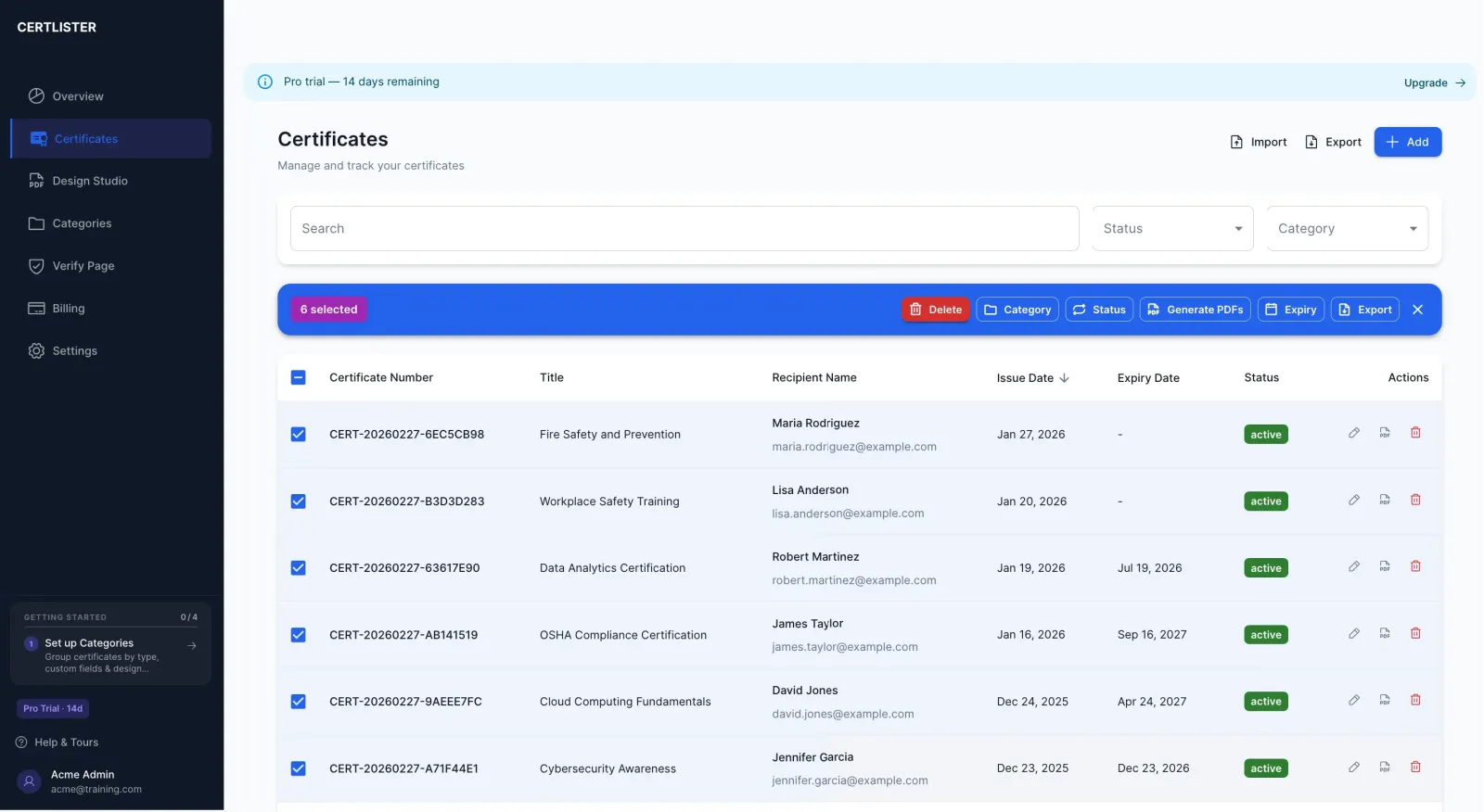
CertLister's dashboard shows this information automatically. Anyone on your team can see the full certification landscape at a glance.
Best Practice 6: Conduct Regular Certification Audits
Don't rely solely on automated reminders. Schedule quarterly reviews of your entire certification inventory.
During a certification audit:
- Review all certifications expiring in the next 6 months
- Confirm expiry dates are accurate
- Identify any certifications that were missed
- Update records for team members who have left or joined
- Document the audit for compliance records
This takes 1–2 hours per quarter but prevents expensive compliance failures.
Best Practice 7: Keep Historical Records
When a certification expires and gets renewed, don't delete the old record. Keep it.
Historical records matter for:
- Audit trails: Showing continuous certification over time
- Disputes: Proving someone was certified during a specific period
- Trend analysis: Understanding certification patterns in your organization
- Compliance documentation: Some regulations require proof of historical certifications
In CertLister, expired certificates remain in your records with their status clearly marked as expired. You never lose historical data.
Common Mistakes to Avoid
Mistake 1: Relying on certificate holders to track their own expiry
Some employees are great at self-tracking. Many aren't. Don't make compliance dependent on individual responsibility. Build tracking into your organization's systems.
Mistake 2: Single-point-of-failure tracking
If one person tracks certifications and that person leaves, institutional knowledge goes with them. Use a system, not a person.
Mistake 3: Ignoring soft expiry warnings
When your system shows certifications expiring in 90 days, act on them. Don't wait for the 14-day warning.
Mistake 4: Tracking only some certifications
Partial tracking creates a false sense of security. If some certifications are tracked and others aren't, your compliance gaps are invisible.
Technology Makes This Easier
Modern certificate management software handles most of this automatically. You enter the data once, and the system:
- Tracks all expiry dates automatically
- Sends reminder emails at your specified intervals
- Updates status as certifications expire
- Shows dashboard views of your certification landscape
- Keeps complete historical records
Most systems also create a public verification portal — so employers and clients can confirm a certification's current status instantly without calling your office. See our guide to what a certificate verification system is and how it works.
CertLister includes expiry tracking and automatic reminders starting from the free plan. If you're managing more than a handful of certifications, the time savings pay for the tool within the first month.
Summary
Certificate expiration tracking doesn't have to be stressful. With the right system and practices in place:
- You know about expirations 90+ days in advance
- Renewal processes are documented and ready
- Your team sees certification status at a glance
- Historical records are maintained for compliance
- Audits are prepared for, not surprised by
See CertLister's expiry tracking features → — or view pricing. Free plan available, no credit card required.
Ready to simplify certificate management?
Join schools, companies, and training centers using CertLister. Free plan available, no credit card required.
Get Started Free