What Is a Certificate Verification System and Do You Need One?
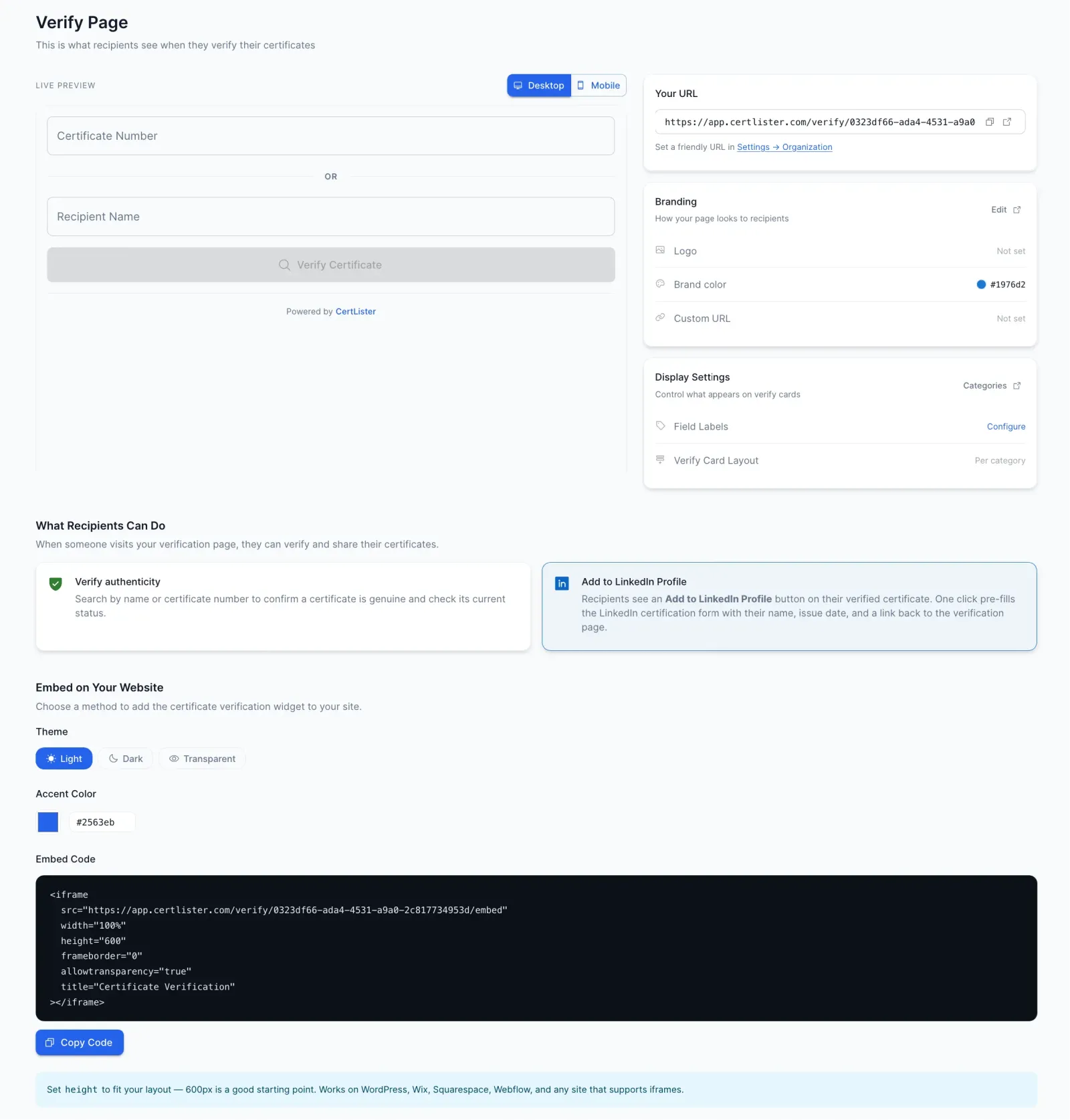
If your organization issues certificates — for courses, training programs, professional development, or compliance — you've probably dealt with the verification problem.
Employers email you asking to confirm certificates. HR departments call. Sometimes the requests come weeks or months after a certificate was issued, and finding the records takes time.
A certificate verification system solves this. Here's everything you need to know.
What Is a Certificate Verification System?
A certificate verification system is a digital platform that:
- Stores records of issued certificates
- Creates a public (or semi-public) portal where anyone can verify certificates
- Lets certificate holders share a link that anyone can check
- Shows verification results instantly — without requiring login
Instead of routing verification requests through your team, the system handles them automatically.
Simple example: A graduate of your training program applies for a job. The employer wants to verify the certificate. Instead of emailing you, they visit your verification portal, enter the certificate number, and instantly see: name, course, issue date, expiry date, and status (valid/expired). Done in 10 seconds.
How Does It Work?
For the organization issuing certificates:
- Add certificates to the system (individually or via bulk import)
- The system generates a unique certificate number for each
- Set up your verification portal (usually at a URL like
/verify) - Share the portal link on your website and certificate documents
For certificate holders:
- Receive your certificate with its number
- Share the verification link or number when employers ask
- No login needed — verification is public
For employers and verifiers:
- Visit the organization's verification portal
- Enter the certificate number or search by name
- See instant results showing whether the certificate is valid
That's it. The entire process takes seconds.
Who Needs a Certificate Verification System?
Schools and Universities
If you issue academic certificates, diplomas, or course completion records, employers will ask you to verify them. A verification system eliminates the manual work and builds trust in your credentials.
Corporate Training Programs
Employee certificate tracking is one of the most common use cases for a verification system. When employees complete compliance training, safety certifications, or professional development, HR departments need to know what's current and what's expired — and so do auditors. A verification system makes this automatic. For tips on keeping those records organized, see our guide on training records management software.
Professional Training Centers
Training centers often handle thousands of certificates across dozens of programs. Without a verification system, managing and verifying these records is a full-time job.
Online Course Platforms
If you award certificates to course completers, your learners will use those certificates for job applications and professional development. A verification portal makes your certificates credible and shareable.
Key Features to Look For
Not all certificate verification systems are equal. Here's what matters:
1. Instant public verification No login required for employers to check certificates. The simpler the process, the more it gets used.
2. Unique certificate numbers Every certificate gets a unique ID that's hard to guess or forge. This is the foundation of fraud prevention.
3. Status tracking Shows whether a certificate is active, expired, or revoked — not just whether it exists.
4. Embeddable widget A widget you can add to your own website that lets visitors verify certificates without leaving your site.
5. Bulk certificate management Issuing one certificate at a time isn't practical. You need to import and manage hundreds or thousands.
6. Expiry date tracking Essential for compliance training, safety certifications, and any credential that needs renewal.
7. Search by name or number Verifiers should be able to find certificates even if they only have the recipient's name.
Certificate Verification vs. Certificate Management
These two terms are often used together but mean different things:
| Certificate Verification | Certificate Management | |
|---|---|---|
| Focus | Confirming certificates are real | Storing, organizing, and tracking certificates |
| Users | Employers, HR, verifiers | Training coordinators, administrators |
| Output | Public verification portal | Internal records and workflows |
The best systems do both. You manage certificates internally, and the system automatically creates the public verification layer.
CertLister is a certificate management platform with built-in verification. You manage everything in one place and get the public portal automatically.
What Does a Verification Portal Look Like?
A certificate verification portal typically shows:
- Certificate holder's name
- Certificate title (e.g., "First Aid Level 2")
- Issuing organization
- Issue date
- Expiry date (if applicable)
- Current status (Valid / Expired / Revoked)
Good portals also show the issuing organization's logo and contact information, building trust in the certificate.
The Benefits of Getting This Right
For your organization:
- Eliminate verification emails and phone calls
- Build trust in your certifications
- Demonstrate professionalism to students and partners
- Prevent certificate fraud using your name
For certificate holders:
- Get jobs faster with instantly verifiable credentials
- Share a professional verification link instead of a PDF
- Never worry about employers questioning certificate authenticity
For employers and verifiers:
- Check credentials instantly without contacting anyone
- Get accurate, up-to-date information including expiry status
- Create an audit trail of verifications performed
How Much Does It Cost?
Certificate verification systems range from free to enterprise pricing:
Free options: Some platforms offer free plans for small organizations. CertLister's free plan includes 50 certificates and full verification portal functionality — enough to get started.
Paid plans: For organizations with more certificates, paid plans typically cost $15–$50/month, which is inexpensive compared to the time saved on manual verification.
Getting Started
- Choose a platform that fits your size and needs
- Import your existing certificates (most platforms accept CSV imports)
- Set up your verification portal (usually takes minutes)
- Add your verification link to your website and certificates
- Tell certificate holders how employers can verify their credentials
The setup is typically much simpler than people expect. With CertLister, most organizations have their first certificates set up and verifiable within an hour.
Common Questions
Is the verification portal public? Yes. Anyone with the link can verify certificates without logging in. This is by design — verification needs to be frictionless.
Can I customize the verification page? Most platforms let you add your organization's logo and branding. Some (like CertLister's paid plans) let you use a custom URL (e.g., /verify/your-organization).
What if a certificate is revoked? When you revoke a certificate in the system, the verification portal immediately shows it as invalid. No manual updates needed.
Can I hide some certificates from public search? Yes, most platforms let you control what's publicly searchable.
A certificate verification system is no longer a nice-to-have for organizations that issue certificates. It's a professional standard that builds trust and saves time.
Ready to simplify certificate management?
Join schools, companies, and training centers using CertLister. Free plan available, no credit card required.
Get Started Free