What Is a Digital Badge? A Plain-English Guide
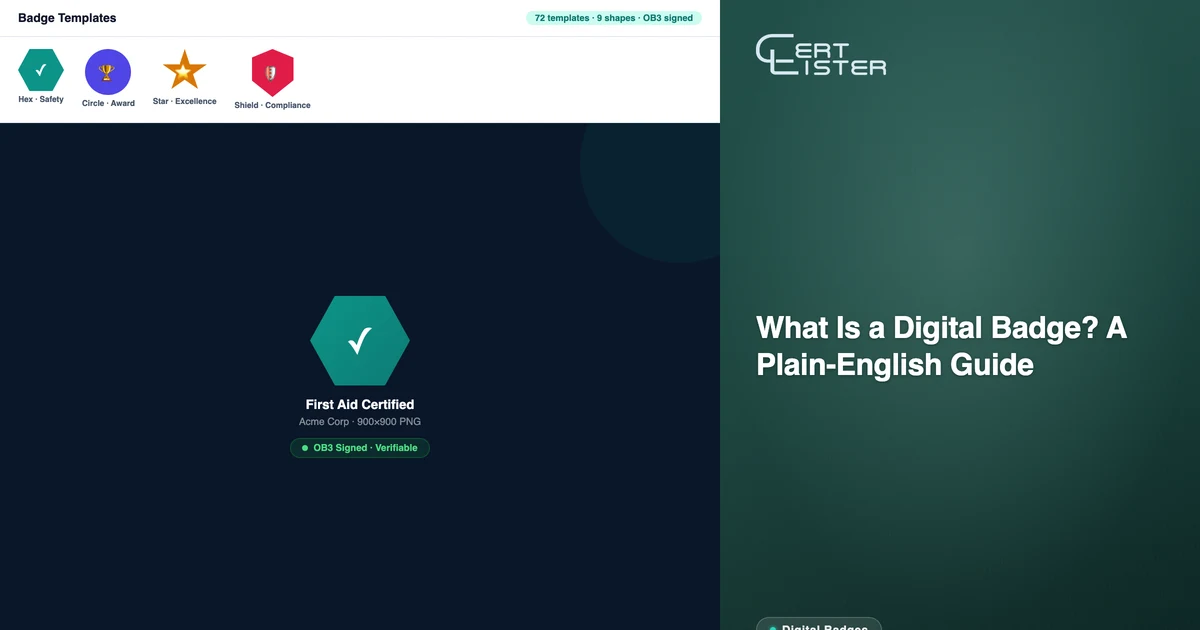
A digital badge is an image file, typically a square or shaped PNG, that represents a credential. On the surface, it looks like a small icon or logo. But embedded in the file is metadata: who issued it, who earned it, what it certifies, when it was issued, and a link to verify it.
That metadata is what makes a digital badge meaningfully different from a designed image or a PDF certificate. A PDF proves a credential was issued at a point in time. A digital badge can be verified by any third party, at any time, from the file itself — without contacting the issuing organization.
Here's what you actually need to know about digital badges, how they work, and when they're the right format to issue.
What's Inside a Digital Badge
A digital badge looks like an image, but it contains structured data. That data typically includes:
- Issuer — the organization that awarded the badge (name, URL, and in OB3, a cryptographic key)
- Earner — the recipient's name and email address
- Credential description — what the badge represents, including any criteria or evidence
- Issue date — when the badge was awarded
- Expiry date — if the credential has a defined validity period
- Verification URL — a link back to the issuer's system where the badge can be verified
The standard format for this metadata is Open Badge 3.0 (OB3), maintained by 1EdTech (formerly IMS Global). OB3 adds a layer that earlier versions didn't have: the badge is cryptographically signed. The issuer's digital key is embedded in the badge, and any OB3-compatible reader can verify that the badge is authentic and hasn't been altered, without contacting the issuer.
How Verification Works
When someone receives a digital badge and shares it on LinkedIn, in an email signature, or on a portfolio site, a third party (an employer, a licensing body, a colleague) can verify it in two ways:
Via the verification URL. The badge file contains a link to the issuer's verification page. Click the link, and you see the credential details: who earned it, what it certifies, when it was issued, and whether it's currently active or expired.
Via the file metadata (OB3). An OB3-signed badge can be dragged and dropped into any OB3-compliant validator (including the 1EdTech reference validator) and verified from the file alone. The cryptographic signature proves the badge came from the issuer and hasn't been modified. This is a stronger form of verification than a URL, because it doesn't depend on the issuer's website remaining online.
Digital Badge vs PDF Certificate
The most common question when organizations start issuing credentials is whether to use badges, PDFs, or both. The short answer is: they serve different purposes.
| Digital Badge | PDF Certificate | |
|---|---|---|
| Best for | Sharing and showcasing | Documentation and records |
| Shareable on LinkedIn | Yes, designed for this | Awkward; PDF attachments don't display well |
| Printable for audit / HR file | Not ideal | Yes |
| Cryptographically verified | Yes (OB3) | No, verified via URL/QR code |
| Embeds in email signature | Yes | No |
| Employer can verify from file alone | Yes (OB3) | No |
For most credential programs, the answer is to issue both. The PDF is the documentation record: the thing that goes in an HR file, gets printed, or gets submitted to a licensing body. The badge is the shareable version — the thing that goes on LinkedIn and lives in a digital portfolio.
CertLister generates both from a single credential record. Issue the credential once; the PDF and badge are both available to the recipient from their portal.
Where Recipients Use Digital Badges
LinkedIn. LinkedIn has built-in support for digital badges from OB3-compatible issuers. Recipients can add the badge directly to their LinkedIn profile from the recipient portal's share flow. The badge appears in the Licenses & Certifications section with the issuer name, issue date, and a link to verify it.
Email signatures. A badge image embedded in an email signature is a compact, professional way to display a certification. Recipients can embed the badge image with a hyperlink to the verification page.
Personal websites and portfolios. Course graduates, professional certification holders, and association members frequently build portfolio pages. A row of badges is a visual, scannable record of qualifications.
Digital CVs and job applications. Increasingly, hiring managers expect credentials to be verifiable. A badge with a live verification link is more compelling than a PDF attachment that can't be independently verified.
What Makes a Badge Credible
Not all digital badges are equal. The credibility of a badge comes from:
OB3 cryptographic signing. A badge that's just a PNG image with a link to a verification page can be faked. Anyone can design a similar image and point to a fake page. An OB3-signed badge makes any forgery detectable because the cryptographic signature proves it came from the specific issuer's keypair. Organizations issuing credentials in professional or regulated contexts should always sign with OB3.
A stable verification URL. The badge is only as reliable as the page it links to. If the issuer's website goes down or changes, the verification link breaks. Keeping the verification infrastructure stable, ideally on a dedicated subdomain, matters for long-term badge credibility.
A recognized issuer. A badge from a well-known certification body, professional association, or accredited training organization carries more weight than one from an unknown issuer. The badge system extends the issuer's reputation — it doesn't replace it.
How to Issue Digital Badges with CertLister
CertLister's digital badge platform handles badge generation, OB3 signing, and delivery.
The workflow:
- Create a badge design. Use the badge template gallery (72 templates across industries and styles) as a starting point, or design from scratch on the badge canvas.
- Enable OB3 signing. Under Settings → Customization, enable Open Badge 3.0 and configure your organization's OB3 keypair. CertLister handles the technical setup.
- Associate the badge with a category. Under your category settings, assign the badge design you want generated when credentials in this category are issued.
- Issue credentials. When a credential is issued (individually, via import, or via automation), CertLister automatically generates the OB3-signed badge alongside the PDF.
- Recipients access from the portal. Recipients log into the recipient portal and can download the badge file, view the verification link, and share directly to LinkedIn.
Digital Badges in Context
The rise of digital badges is driven by a practical problem: PDF credentials don't travel well in digital environments. They're hard to share, impossible to embed in a profile, and can't be verified without contacting the issuer. Digital badges solve all three problems.
For organizations issuing credentials that recipients want to share professionally (course completions, certification achievements, association membership credentials), digital badges are the format that gets used. PDFs go in a folder. Badges go on a LinkedIn profile.
If you're issuing credentials and not issuing badges alongside them, you're leaving recipients without the format they actually need for professional visibility. The setup is modest; the benefit to recipients is immediate.
See it in action. No card, no commitment
Join schools, companies, and training centers using CertLister. Free plan available, no credit card required.
Get Started Free