How to Verify an Open Badge 3.0 (OB3) Credential
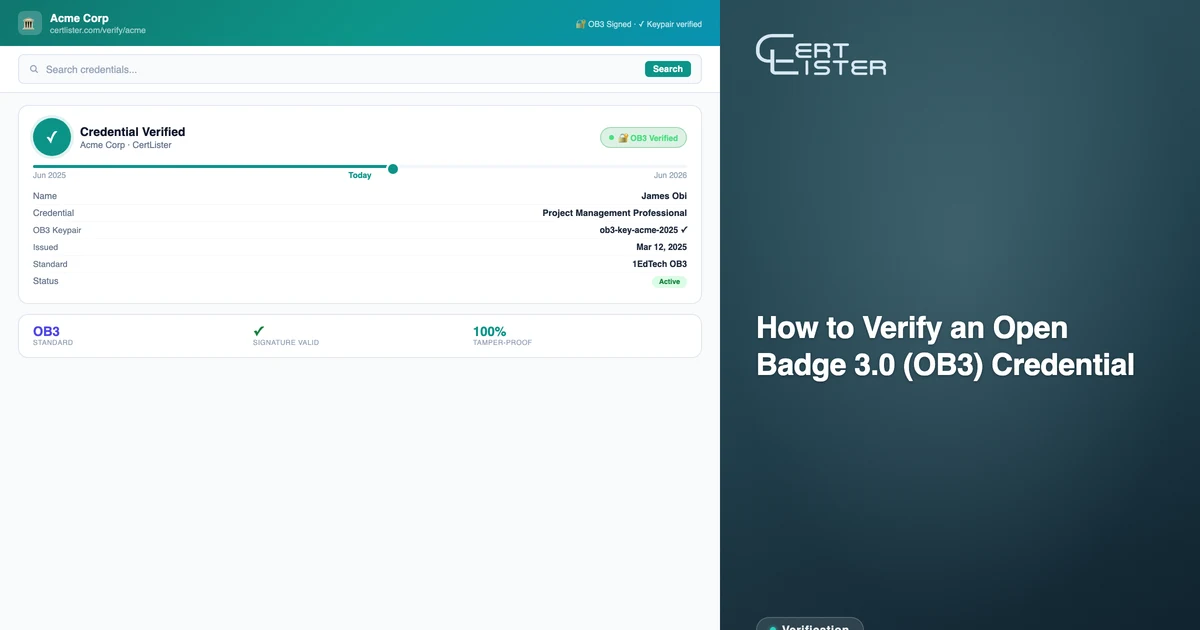
Open Badge 3.0 credentials are cryptographically signed — which means they can be verified by anyone, without contacting the issuing organization. But knowing how to verify one, and knowing what the results actually mean, isn't always obvious.
This guide covers how to submit a credential for verification, what each check means, and how to interpret results including the less obvious ones. It ends with how to check a credential that isn't an OB3 file, such as a PDF certificate.
What OB3 Verification Actually Checks
Verifying an OB3 credential isn't a single yes/no operation. There are six distinct checks, each testing something different:
1. Structure — Does the credential contain all the fields required by the OB3 specification? This includes @context, type, issuer, validFrom, and credentialSubject.achievement. A credential that fails this check wasn't issued correctly.
2. Context — Does the credential declare the right standard? OB3 credentials must reference both the W3C Verifiable Credentials context and the 1EdTech OB3 context. Without these, a verifier can't interpret the credential correctly.
3. Expiry — Is the credential still within its valid period? If an expiry date was set at issuance, this check confirms the credential hasn't passed it. Credentials with no expiry date always pass this check.
4. Issuer resolvable — Can the issuer's identity be confirmed? OB3 credentials reference the issuer via a DID (Decentralized Identifier). Verification fetches the issuer's public key from that DID endpoint. If the endpoint is unreachable, the credential's authenticity can't be confirmed — but this doesn't necessarily mean the credential is fake.
5. Signature — Is the cryptographic signature valid? Using the issuer's public key, verification confirms that the credential was signed by the stated issuer and hasn't been altered since issuance. This is the core trust guarantee of OB3.
6. Revocation status — Has the credential been revoked or suspended since it was issued? Some issuers publish a cryptographic status list — a compressed bitstring where each issued credential occupies one bit. The validator fetches this list and checks the specific bit for this credential. If the issuer hasn't published a status list, this check passes automatically (not all credentials can be revoked via this mechanism). This check only runs after a valid signature is confirmed — there's no value in checking whether a forged credential has been revoked.
How to Verify a Credential
Using the CertLister OB3 Validator
The CertLister OB3 Validator is a free tool that verifies any OB3 JWT credential from any issuer. It runs all six checks and displays results inline — no account required.
There are three ways to submit a credential:
Drop a file — If you have a .jwt file (downloaded from the issuer's verify page or from a badge platform), drag and drop it onto the validator. The file is read locally in your browser and never uploaded to a server.
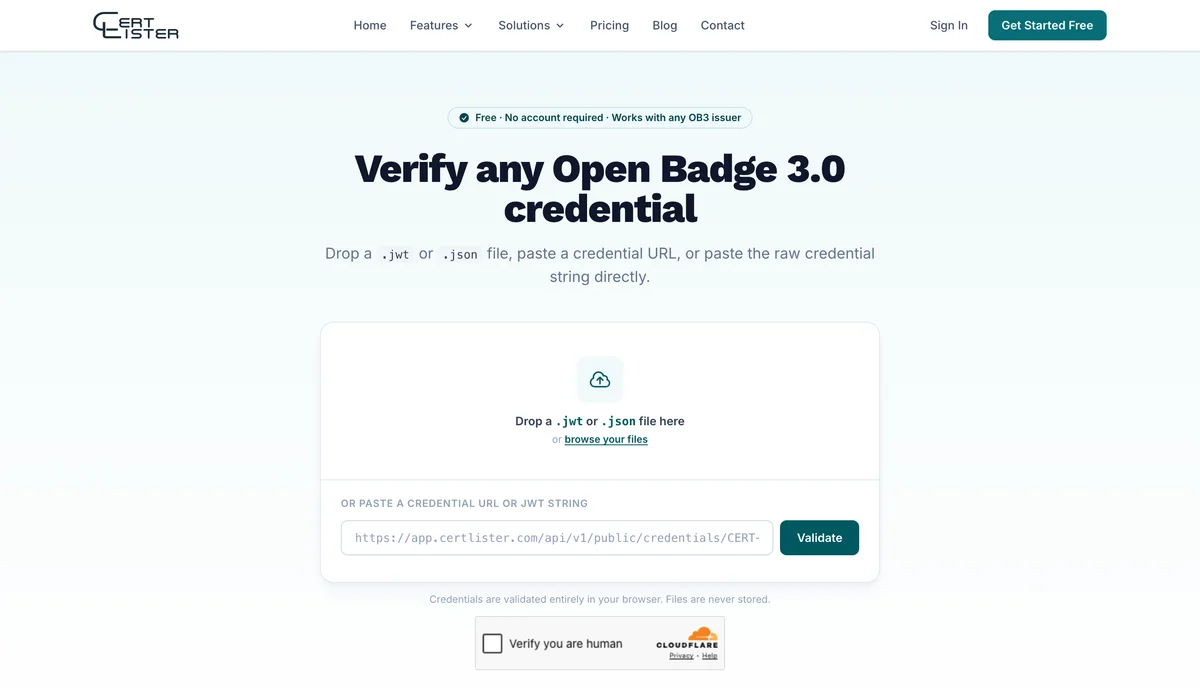
Paste a credential URL — If you have a link to the credential (such as https://app.certlister.com/api/v1/public/credentials/CERT-123/ob3), paste it into the URL field and click Validate. The validator fetches the credential server-side to avoid browser CORS restrictions.
Paste the JWT string — If you have the raw credential text (a long string of the form xxxxx.yyyyy.zzzzz), paste it directly into the input field. The validator auto-detects JWT strings.
Once submitted, validation runs immediately. The six checks appear one by one as they complete — structural checks are instant, while the issuer and signature checks take a moment to fetch the issuer's DID document.
Reading the Results
VALID
All six checks passed. The credential is structurally correct, not expired, the issuer's identity was confirmed, the cryptographic signature is intact, and the credential hasn't been revoked. This is the strongest possible confirmation of authenticity.
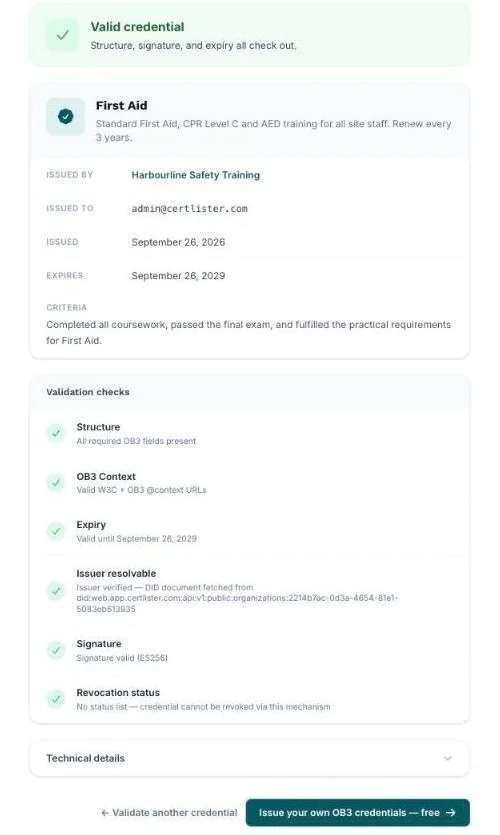
The credential card displays the achievement name, description, criteria, issuer name and logo, the recipient (when the credential names one in plain text), issue date, and expiry date (if set).
INVALID
One or more checks failed. The most common causes:
- Expired — the credential's expiry date has passed
- Tampered — the signature doesn't match the issuer's public key, meaning the credential was modified after signing
- Revoked — the issuer has marked this credential as revoked in their status list
- Structural error — required fields are missing, indicating the credential wasn't issued according to the OB3 spec
An invalid credential should not be accepted as proof of the stated achievement.
UNVERIFIED
The credential's structure, context, and expiry are all valid, but full verification couldn't be completed. This happens when:
- The issuer's server is temporarily unavailable or timing out
- The issuer has changed their domain since the credential was issued
- The issuer uses a DID method not yet supported by this validator (such as
did:ion) - The issuer has temporarily suspended the credential (suspension is reversible — the issuer can reinstate it)
- The revocation status server was unreachable, so the credential's revocation state couldn't be confirmed
UNVERIFIED does not mean the credential is fake. It means the cryptographic proof couldn't be fully confirmed right now. If you need certainty, try again later or contact the issuing organization directly.
Common Situations
The credential file won't validate at all
If you see "Not a valid OB3 credential" immediately on upload, check the file format. OB3 JWT credentials are plain text files with a .jwt extension. If you have a .json file, it may be in JSON-LD format — a different OB3 serialization that requires a different validator. Try vc.1ed.tech for JSON-LD credentials.
The issuer check shows a warning about a rotated key
This means the signing key used in the credential is no longer present in the issuer's DID document. Issuers occasionally rotate keys for security reasons. The credential may still be authentic — contact the issuing organization to confirm.
jwt.io shows a key warning
This is expected and not an error. jwt.io expects the iss field to be an HTTPS URL pointing to an OIDC discovery endpoint. OB3 credentials use a did:web DID as the issuer, which jwt.io doesn't understand. Use a purpose-built OB3 validator instead of jwt.io for OB3 credentials.
Other Verification Tools
| Tool | Best for |
|---|---|
| CertLister Validator | Any OB3 JWT credential — clean UI, all six checks including revocation, no account needed |
| 1EdTech Validator (vc.1ed.tech) | Official validator from the OB3 spec body — also supports JSON-LD format |
| Parchment Digital Badges (formerly Badgr) | Learners keeping and sharing their badges in a free Backpack |
If the Credential Isn't an OB3 File
Most credentials still arrive as a PDF, a printed certificate or a link. A PDF can be edited in minutes, so the document on its own proves little. Check it with the organization that issued it.
Find the issuer's verification page yourself. Many issuers publish one, where you enter the credential number or the holder's name. Reach it from the issuer's official website rather than from a link or QR code in the document, because a forged certificate can point to a forged page.
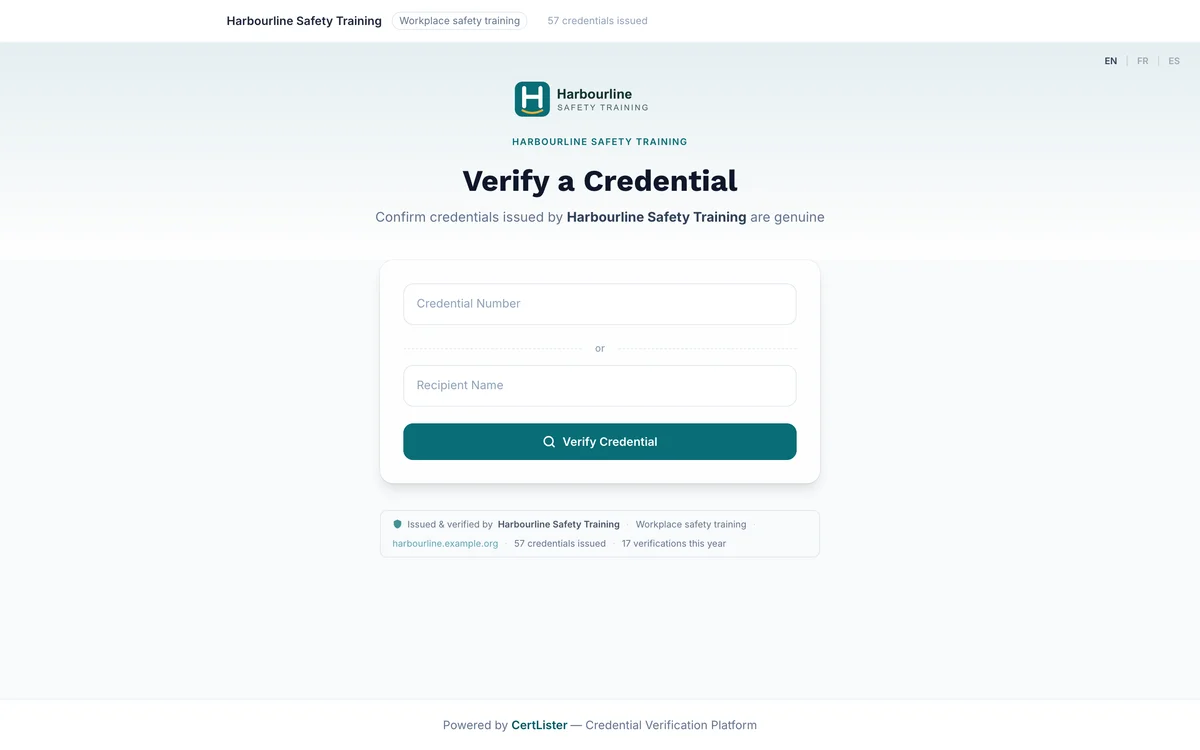
Compare the page with the document. A verification page should show the holder's name, the credential title, the issue and expiry dates, and whether the credential is active, expired or revoked. If any of these differ from the document, treat the credential as unconfirmed.
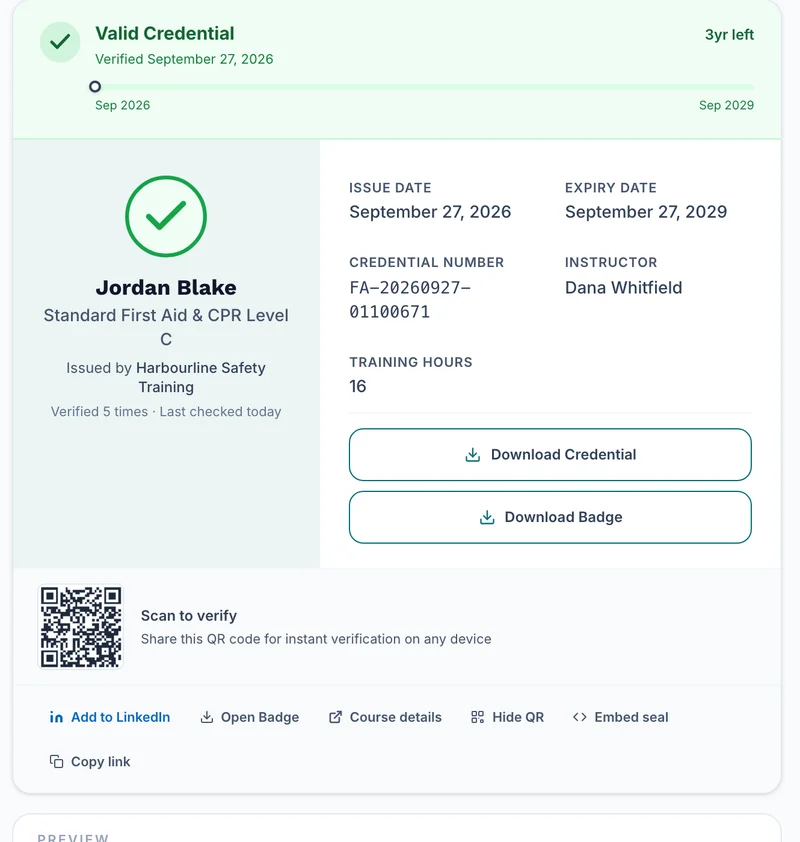
If there's no verification page, contact the issuer by phone or email, using contact details you found yourself rather than ones printed on the certificate.
Warning signs:
- The verification link in the document goes to a different domain from the issuer's own website
- Details on the verification page don't match the document
- The issuer can't be found, or its only contact is a free email address
- The candidate discourages you from checking
For Organizations Receiving Credentials
If you're an employer, institution, or training provider receiving OB3 credentials from applicants or participants, the verification process above applies directly.
A few things worth knowing:
The recipient may be identified by a hash. An OB3 credential names its recipient either by an id, often an email address, or by an identifier that can be hashed for privacy. CertLister's files carry a salted hash of the recipient's email, so the address can't be read from the file. To confirm a credential belongs to the person in front of you, look it up on the issuer's verification page, which shows the holder's name, or hash their email with the salt given in the credential and compare the result.
A change to a signed credential shows. The cryptographic signature means any modification to the credential after issuance — including changing the recipient name, achievement title, or issuer — breaks the signature and produces an INVALID result. A VALID result means the credential has not been altered since the issuer signed it.
Credentials don't expire automatically in a wallet. An expiry date in the credential is informational — it's up to the verifier to decide how to treat expired credentials. Some credentials (like safety certifications) should be treated as invalid after expiry. Others (like degree certificates) are permanently valid and simply don't have an expiry date set.
Make checking part of the process. Check credentials before hiring or assigning work, every time, through the issuer rather than the document. Record what you checked and when, and check the expiry date as well as the signature.
Issuing OB3 Credentials with CertLister
If you're looking to issue OB3 credentials rather than verify them, CertLister includes OB3 issuance on every plan. Every credential you issue can be downloaded as a signed .jwt file from the public verify page.
Recipients can verify their credential with any OB3-compatible tool — including the validator above. No extra setup required.
Whatever format you issue, make your credentials easy to check: give each one a unique number, offer a public verification page, and mark a revoked credential straight away so the page never shows a stale status. CertLister's verification pages work this way on every plan.
See it in action. No card, no commitment
Join schools, companies, and training centers using CertLister. Free plan available, no credit card required.
Get Started Free