Certification Expiry Tracking: 7 Best Practices
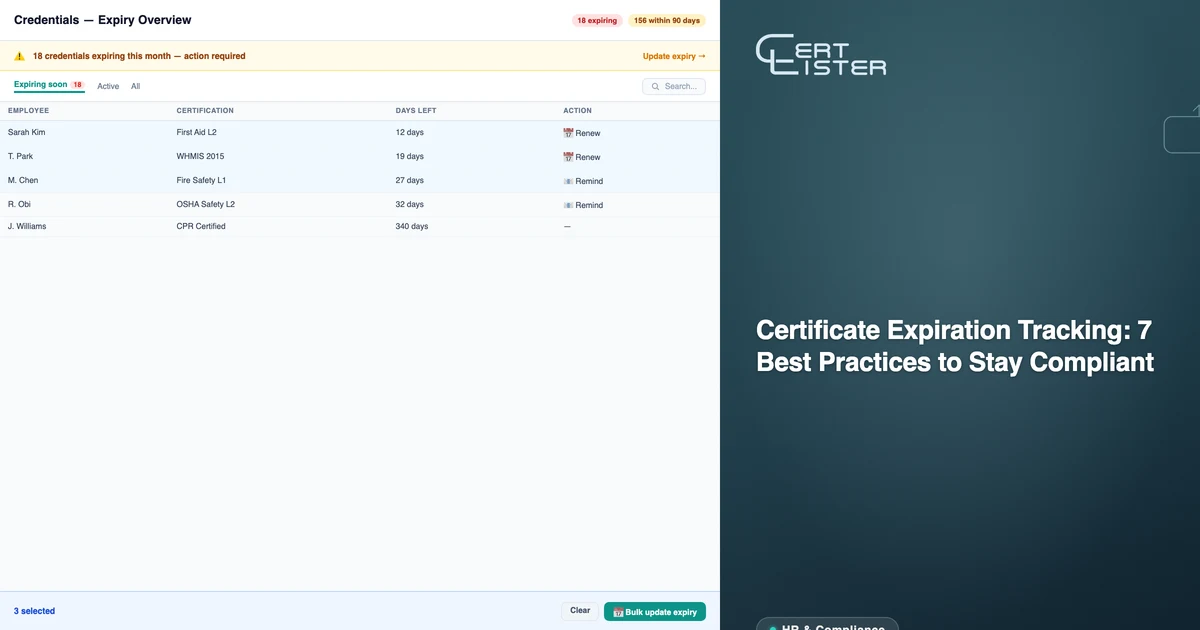
Certificate expiration is a compliance risk that catches organizations off guard — often at the worst possible moments. An auditor arrives and discovers 15% of your certifications have expired. An employee works on a task they're no longer qualified for. A client checks credentials and finds outdated records.
The good news: certificate expiration tracking doesn't have to be reactive. With the right system, you stay ahead of expirations instead of scrambling after them.
This guide covers best practices for employee certification tracking and managing expiry dates across your organization.
Why Certificate Expiration Tracking Matters
Certificates expire for good reasons. First aid training becomes outdated as techniques evolve. Safety certifications need renewal to ensure knowledge is current. Professional licenses require periodic recertification.
When certifications lapse:
- Compliance risk: Regulatory violations if uncertified employees perform regulated tasks
- Safety risk: Outdated knowledge in safety-critical roles
- Liability risk: Legal exposure if something goes wrong with an expired certification
- Reputational risk: Clients and partners who check your credentials may lose confidence
In regulated work the cost is specific. In the United States, OSHA can propose a penalty of up to $16,550 for each serious violation and up to $165,514 for each willful or repeated one, the maximums in force since January 2025 (29 CFR 1903.15). Some standards also set the renewal cycle directly. Forklift operators must have their performance evaluated at least once every three years (29 CFR 1910.178(l)(4)(iii)), so an employer who lets an operator keep driving past that point is out of compliance whether or not anything has gone wrong.
Proactive expiration tracking protects against all of these.
Best Practice 1: Centralize All Certifications in One System
The first mistake organizations make is tracking certifications in multiple places — spreadsheets, email folders, physical binders, and HR systems that don't talk to each other.
Start with a single source of truth. Every certification for every person should live in one system. This makes it possible to:
- See your entire certification landscape at a glance
- Identify gaps before they become compliance issues
- Report accurately to auditors and clients
- Give team members visibility into their own certifications
If you're using spreadsheets, start by consolidating everything into a single spreadsheet. Then look at dedicated certification expiry tracking software that handles it automatically — or consult our employee certification tracking guide for a step-by-step walkthrough.
Include Contractors and Suppliers in the Same Register
A contractor's lapsed certification can stop work on your site just as an employee's can. Collect each contractor's certifications when they are onboarded, before their first shift, and add them to the same register as your staff rather than a separate supplier file.
Record the issuing body and the certificate number so the document can be checked. At onboarding, also decide who follows up when a contractor's certification is close to expiry: the contractor, their employer, or your site lead. The same applies to suppliers whose certifications you rely on, such as a calibration lab's accreditation or a food supplier's safety certificate.
In CertLister, contractors do not need an account. You hold their records, and reminders go to whatever email address you put on each one.
Best Practice 2: Set Expiry Dates at the Time of Issuance
Don't wait to add expiry dates. When you issue a certificate, set the expiry date immediately — even if expiry is two years away.
This seems obvious, but many organizations skip it. Then they spend hours trying to reconstruct expiry dates from paper records, email archives, or issuing organization websites.
If you're using CertLister or similar software, set the expiry date as part of the credential creation process. It takes five extra seconds and saves hours later.
Best Practice 3: Create Tiered Reminder Schedules
Single reminders don't work. People miss them, forget them, or intend to act on them "later."
Effective reminder schedules use multiple touchpoints:
- 90 days before expiry: First notice — low urgency, plan renewal
- 60 days before expiry: Second notice — schedule renewal training
- 30 days before expiry: Urgent notice — take action now
- 14 days before expiry: Final warning — renewal is critical
- After it expires: Notice that the certification has lapsed, so the person is taken off work that requires it
Set up automated expiry reminders wherever possible. In CertLister you choose up to five reminder dates for your organization and turn reminders on for each certification type; each reminder goes to the holder by email. A notice once a certification has expired needs an automation rule; the free plan includes one automation.
Set the First Reminder From the Renewal Lead Time
Work backwards from how long renewal takes, not from a round number. If the refresher course runs once a quarter and needs a manager's approval, a 30-day first notice can arrive after the last course the person could attend. Add the time between courses, the approval time and a week of margin, and send the first reminder then. A certification someone can renew online in an afternoon can start at 30 days. In CertLister, the organization's reminder dates apply to every category, so a different first reminder for one certification type needs an automation rule.
Decide Who Is Told at Each Step
The holder books the course, so the early reminders go to the holder. The later steps are where a supervisor or compliance lead needs to know, because they may have to change a schedule. Write down who that person is for each certification type before you need them.
In CertLister, reminders go to the holder. Admins and managers can see what expires in the next 30 days in the weekly Expiry Digest, and an automation rule can email them once a credential has expired, if Auto-expire is on for its category.
Best Practice 4: Build Renewal Processes Before You Need Them
Don't wait until a certification expires to figure out how to renew it. For every certification type you manage, document:
- What the renewal process involves
- How long renewal takes
- Associated costs
- Who needs to approve the process
- Lead time required
This information should be accessible to the people managing certifications, not buried in an email chain from three years ago.
Best Practice 5: Make Expiry Status Visible at a Glance
When your team needs to check certification status, it should take seconds — not minutes of searching through spreadsheets.
Effective certification expiry dashboards show:
- Total certifications by status (current, expiring soon, expired)
- Certifications expiring this month
- Certifications by category or department
- Individual certification history
Color coding helps: green for current, amber for expiring within 60 days, red for expired.
CertLister's dashboard shows this information automatically. Anyone on your team can see the full certification landscape at a glance.
Best Practice 6: Conduct Regular Certification Audits
Don't rely solely on automated reminders. Schedule quarterly reviews of your entire certification inventory.
During a certification audit:
- Review all certifications expiring in the next 6 months
- Confirm expiry dates are accurate
- Identify any certifications that were missed
- Update records for team members who have left or joined
- Document the audit for compliance records
This takes 1–2 hours per quarter but prevents expensive compliance failures.
Best Practice 7: Keep Historical Records
When a certification expires and gets renewed, don't delete the old record. Keep it.
Historical records matter for:
- Audit trails: Showing continuous certification over time
- Disputes: Proving someone was certified during a specific period
- Trend analysis: Understanding certification patterns in your organization
- Compliance documentation: Some regulations require proof of historical certifications — see our guide to compliance certificate tracking for details
In CertLister, expired certifications remain in your records with their status clearly marked as expired. You never lose historical data.
When a Certification Has Already Lapsed
Good tracking makes lapses rare. When one slips through anyway, handle it in this order:
- Take the person off any task that needs the certification, starting today. If your scheduling system cannot block them, tell whoever builds the schedule.
- Record the gap: the date the certification expired, the date you found out, and what the person worked on in between. An auditor will ask, and a note written on the day holds up better than one reconstructed later.
- Book the renewal and note the booking on the record, so the next person who looks sees it is in hand.
- Keep the expired record when the new certification arrives. It shows when the person was and was not certified.
In CertLister, filter the credentials list by the Expired status to find every lapse at once. When the holder renews, issue the new credential as a renewal. It replaces the old one, and the old credential's verification page links forward to the new one.
Common Mistakes to Avoid
Mistake 1: Relying on holders to track their own expiry
Some employees are great at self-tracking. Many aren't. Don't make compliance dependent on individual responsibility. Build tracking into your organization's systems.
Mistake 2: Single-point-of-failure tracking
If one person tracks certifications and that person leaves, institutional knowledge goes with them. Use a system, not a person.
Mistake 3: Ignoring soft expiry warnings
When your system shows certifications expiring in 90 days, act on them. Don't wait for the 14-day warning.
Mistake 4: Tracking only some certifications
Partial tracking creates a false sense of security. If some certifications are tracked and others aren't, your compliance gaps are invisible.
Where Software Fits
A spreadsheet can carry these practices for a small team. Past a few dozen certifications, or as soon as contractors are involved, the reminders and status checks a spreadsheet leaves to someone's memory start to slip. If you are weighing the options, our certification expiry tracking software page sets a spreadsheet, an HR system module and a dedicated tracker side by side. For how public verification fits in, see what a digital credential platform is.
Summary
Certificate expiration tracking doesn't have to be stressful. With the right system and practices in place:
- You know about expirations 90+ days in advance
- Renewal processes are documented and ready
- Your team sees certification status at a glance
- Historical records are maintained for compliance
- Audits are prepared for, not surprised by
See CertLister's certification expiry tracking software → — or view pricing. Free plan available, no credit card required.
See it in action. No card, no commitment
Join schools, companies, and training centers using CertLister. Free plan available, no credit card required.
Get Started Free