How to Prepare for a Training Compliance Audit in Under an Hour
The auditor sends an email: "We'll need documentation of all current employee certifications for your three facilities by end of week." For some organizations, that email triggers two days of scrambling — pulling spreadsheets from different managers, reconciling conflicting records, and hoping nothing falls through the cracks.
For organizations with proper employee certification tracking in place, that same email takes about 45 minutes to respond to.
The difference isn't the size of the organization. It's whether the records are in a system that can produce filtered, current, exportable documentation on demand — or scattered across spreadsheets, email folders, and filing cabinets that require a person to interpret them.
This guide covers what auditors actually ask for, the most common ways organizations fail audits, and how to set up your records so that audit prep is a filter operation, not a project.
What Training Compliance Auditors Actually Ask For
Audit requests follow a predictable pattern regardless of the regulatory framework. Whether it's an ISO 9001:2015 recertification, an OSHA compliance check, a client contractual audit, or a provincial health and safety inspection, the documentation requests cluster around four categories.
Category 1: Current certification status for specific roles or certification types. "Show me all employees with active fall arrest training." "Which employees at Site 3 have current confined space entry certification?" This is the most common request and the one that exposes poor record-keeping fastest — because the auditor is asking for a filtered view of your data, not all of it.
Category 2: Individual employee certification histories. "Show me the certification record for [specific employee]." The auditor wants to see what certifications a person holds, when they were issued, when they expire, and whether there are any gaps.
Category 3: Proof that a specific certification is currently active. "Can you verify that this person's food handler certification is valid?" This often comes up during site visits when an inspector checks credentials on the spot.
Category 4: Evidence of systematic tracking — reminders, renewals, and gap management. Sophisticated auditors don't just want to see that certifications are current. They want to see that you have a process for keeping them current. "How do you track expiry dates? What happens when a certification is about to lapse? Show me your reminder process."
If your records can answer all four categories quickly, you pass. If any of them requires a multi-hour research project, you have a documentation gap.
Where Audit Preparation Typically Fails
The failures are predictable because the underlying causes are the same across organizations.
The spreadsheet is out of date. Someone renewed their First Aid certification three months ago and nobody updated the tracker. The spreadsheet says "Expired" when the certification is actually current. Or worse, the spreadsheet says "Active" when the certification has lapsed — and you've been operating with an uncertified employee in a regulated role.
Records are decentralized. Site A tracks certifications in a Google Sheet. Site B uses an Excel file on a shared drive. Site C relies on the manager's memory supplemented by email receipts. When the auditor asks for a consolidated view across all three sites, there's no way to produce one without manual assembly. See our guide on replacing spreadsheets for certification tracking for the migration process.
Nobody knows the complete picture. The HR generalist who maintained the certification records left six months ago. The replacement inherited a spreadsheet with unclear column headers and no documentation of what the color coding means. The institutional knowledge of who has what is gone.
Expiry management is reactive. Certifications expire quietly because no automated system surfaces them. The lapsed certifications are discovered during the audit itself — which is the worst possible time to find out. Certification expiry tracking software shows what is about to expire, so a lapse turns up before the audit instead of during it.
Historical records are missing. An auditor asks about a former employee's certification status during their tenure last year. The record was deleted when they left, or it's in an archived spreadsheet that nobody can find. In regulated industries, record retention after departure is often a legal obligation.
The 45-Minute Audit Prep Checklist
If your certification records are in a proper tracking system, audit preparation is a matter of running filters and exporting data. Here's what the process looks like.
Minutes 1–10: Confirm Your Data Is Current
Before producing any documentation, verify that your records reflect reality.
Check for stale records. Filter your credentials list by status "Expired" and review the results. Are any of these certifications actually renewed but not updated in the system? If Auto-expire is turned on for the category, credentials are marked Expired automatically once their expiry date passes, and this list should be accurate. If you're still managing status manually, this is where gaps appear.
Check for missing records. Are there employees who should have certifications but don't appear in the system? Cross-reference your active employee list with your certification categories. Any employee in a role that requires a specific certification should have a record for it.
Check for recent hires. New employees within the last 90 days are a common audit gap. Their certifications from a previous employer may not have been entered into the current system yet.
Minutes 10–25: Prepare the Specific Documentation Requested
Most audit requests can be answered with filtered exports.
For "show me all current [certification type] holders": Filter by category (e.g., "WHMIS 2015"), then filter by status ("Active"). Export to CSV. The export includes names, issue dates, expiry dates, and credential numbers. This is a 30-second operation in CertLister.
For individual employee records: Search by employee name or email. The result shows every certification that person holds across all categories, with dates and status. Share the screen or export the view.
For "verify this certification is valid": Share the credential's verification URL. The auditor can see the certification details, issuer, dates, and current status on a public page — without needing access to your system. For on-site inspections, the QR code on the printed credential resolves to the same page.
For "show me your process": Walk the auditor through your setup. Show your reminder schedule (for example, 60, 30 and 14 days before expiry), which categories have reminders and Auto-expire turned on, and any automations. If you use automations in CertLister, the automation list with run counts and last-run timestamps is your evidence of systematic tracking.
Minutes 25–40: Produce Summary Reports
Auditors often want overview-level documentation in addition to specific records.
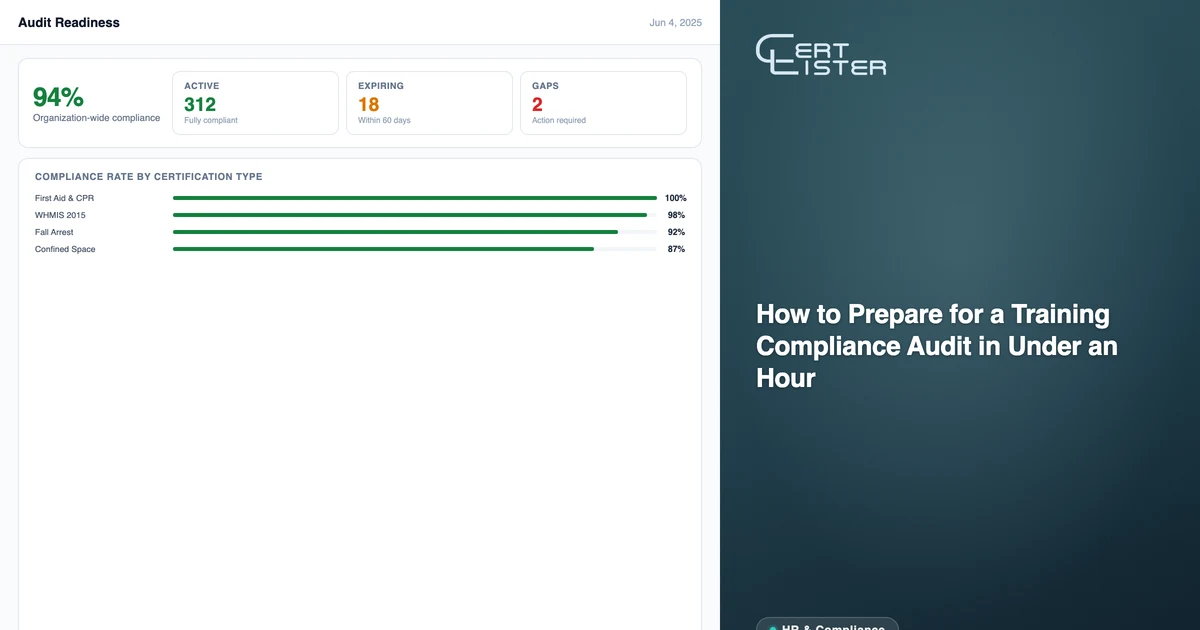
Compliance summary by certification type. For each required certification category, produce a count: how many employees hold it, how many are active, how many are expiring within 30/60/90 days, how many are expired. This is a dashboard view in CertLister, or a filtered export per category.
Gap analysis. If the audit scope includes identifying uncertified employees in regulated roles, cross-reference your role requirements with your certification data. Any employee in a role that requires a certification they don't have — or have but it's expired — is a gap.
Timeline of actions taken. If you've addressed certification gaps in the period leading up to the audit, show the evidence: renewal reminders sent, certifications renewed, new records created. Automation run logs serve as an audit trail of systematic follow-up.
Minutes 40–45: Package and Deliver
Compile the exports, verification links, and summary data into a single package for the auditor. A clean folder with clearly named CSV exports and a one-page summary cover note demonstrates organizational competence as much as the data itself.
Setting Up for Ongoing Audit Readiness
Audit prep should not be a project. If you're doing it right, you're always audit-ready — because the same system that manages your certifications day-to-day is the system that produces audit documentation.
Centralize everything in one system. All certification types, all employees, all locations. The value of a compliance certificate tracking system comes from its completeness. A system that tracks most certifications is less useful than one that tracks all of them.
Automate expiry reminders. Set a reminder schedule of up to five steps — for example, 60, 30 and 14 days before expiry — and turn reminders on for every category that needs them. Reminders email the credential holder; workflow automations can notify your admins at the same points. Once configured, these run without manual intervention. Your team's role shifts from chasing renewals to reviewing exceptions.
Use expiry dates as a real-time signal. With Auto-expire on, CertLister marks credentials Expired once their expiry date passes. When you filter by "Expiring in 30 days," you're seeing the certifications that need attention right now — not next quarter when someone remembers to check.
Keep records after employees leave. Deactivating an employee shouldn't delete their credential records. Historical records are retrievable for audits, incident investigations, or compliance reviews that cover past periods.
Run quarterly self-audits. Every quarter, spend an hour doing exactly what an auditor would do: filter each certification category by status, check for gaps, verify that automations are running, and document what you find. This practice keeps your data clean and ensures you're never surprised by an external audit. For a detailed approach, see our certificate expiration tracking best practices.
The Audit-Ready Standard
An organization that's genuinely audit-ready can answer any of the four standard audit questions — current status, individual history, active verification, and systematic tracking — in under five minutes per question.
That's not a function of having a large compliance team. It's a function of having records in a system that supports filtering, exporting, and real-time status tracking. The setup work is a few hours; the ongoing maintenance is minimal once automations are running.
The next time an auditor sends that email, the response should be a 45-minute task, not a two-day project.
CertLister is a digital credential platform that tracks employee certifications, manages expiry dates, and produces audit-ready documentation — no spreadsheet required. Start free →
See it in action. No card, no commitment
Join schools, companies, and training centers using CertLister. Free plan available, no credit card required.
Get Started Free