Can Your HR System Track Employee Certifications?
A client's safety auditor sends the request two days before a site visit: everyone who drives a forklift on the night shift, the date each person was last evaluated, and a copy of each certificate. The HR manager at the distribution center opens the company's HR system, filters to the warehouse, and has a list of 31 employees in five minutes. Then she counts the night shift again. Six of the drivers come from a staffing agency. They are not in the HR system, their certificates are in a shared inbox, and one of them was trained by a provider nobody in the building has heard of.
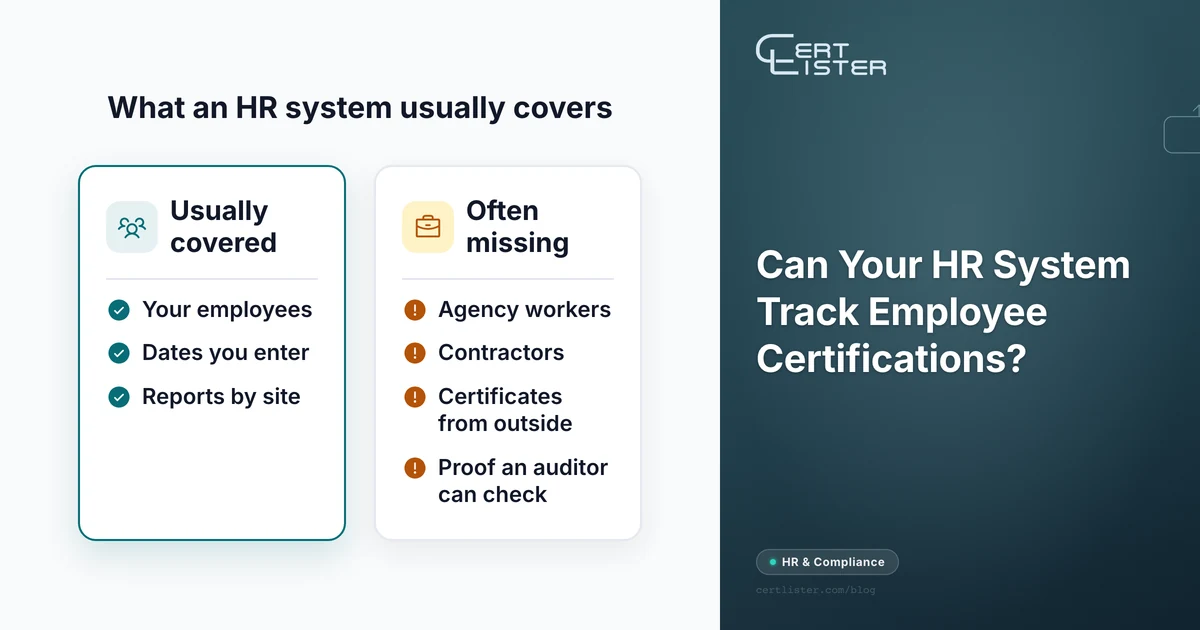
So, can an HR system track employee certifications? For employees, usually yes. An October 2026 HR Dive mailbag put it plainly: "Employers largely lean on their HR information systems to keep tabs on employee credentials." Josh Bersin told the same piece that most of those systems "have reasonably good tracking of these kinds of things." The gaps are at the edges: people who are not employees, certificates earned somewhere else, and anyone outside the company who needs to see proof. The six questions below find those edges in your own system before an auditor does.
What an HR System Already Does Well
An HR system, whether it is called an HRIS or an HCM (human capital management) suite, is the record of who works for you: name, role, site, manager, start date and, eventually, end date. Certifications attach naturally to that record. Most systems have a place for a certification or license with an issue date and an expiry date, and many let you upload a scan.
The rest follows from knowing who people are. A report can filter by department or site. A reminder can reach the employee's manager because the system knows who the manager is. When someone leaves, their certifications stay with their employee file. Bersin's point in the HR Dive piece was that the database matters "not just for reminding employers of the deadlines for license renewal, but also for knowing which employees may be assigned to specific jobs or tasks."
HR systems are strongest with training they deliver themselves. BambooHR, for example, sends email reminders for "incomplete, expired, or renewal training" in its compliance training courses, and stores the course certificates "directly in BambooHR." A certificate earned outside the system works differently. Someone types the dates in and attaches the file, and the system knows only what was typed.
If every certification you track belongs to an employee, is entered with care, and nobody outside the company needs to check one, the HR system you already pay for may be all you need.
Six Questions to Ask Your HR System
Each one takes a few minutes to test with a real record. Test them before the audit, not during it.
1. Can it hold people who are not employees?
Agency workers, contractors, a subcontractor's crew, volunteers and new hires who have not started yet often hold the certifications that matter most, and the HR system usually has no record for them. Some systems have a contractor type. In others, the only way in is as an employee, which can mean a paid seat, an onboarding checklist and a payroll record nobody wants.
For safety training, the law counts those people as yours. OSHA's Temporary Worker Initiative bulletin on forklift training says the staffing agency and its client are typically "joint employers" of temporary workers, and that "if the staffing agency supplies trained powered industrial truck operators, the host employer must still verify that training" and "conduct a workplace evaluation of each operator supplied by the staffing agency." The six drivers in the opening are the distribution center's responsibility whether or not its HR system has a record for them.
2. Can each certification type have its own validity period?
A forklift operator's performance must be evaluated "at least once every three years" under 29 CFR 1910.178(l)(4)(iii). Respirator fit tests are annual. First aid and CPR typically run on a two-year cycle, and a site orientation lasts as long as the client says. If the system cannot set a validity period for each type, every expiry date is typed by hand, and each one is a chance for a typo that nobody notices until it matters. Check too whether you can turn reminders off for certifications that never expire, so they don't fill the reports.
3. Does the reminder come early enough, and who gets it?
A reminder seven days out is useful for an online course and useless for one that takes six weeks to book. Check how many reminders the system can send before an expiry and how far ahead the first one can go. Then check who gets them. A reminder that reaches only the employee depends on the employee booking the course. One that reaches only HR depends on HR chasing the employee. What works is both: the holder hears first, with time to act, and someone responsible sees a weekly list of what is coming up.
4. Can it hold a certificate earned somewhere else?
Most certifications your staff hold were issued by someone else: a first aid provider, a forklift trainer, a licensing board. The HR system can store the dates and a scan, but someone has to enter both, and the system cannot tell whether the scan is genuine or still valid. Bersin also noted that while licenses tend to be in company databases "for compliance reasons," credentials such as a completed course or a bootcamp "may not be." Check who enters an outside certificate, how a new hire's existing certificates get in on day one, and whether an employee can send in a renewed certificate without emailing HR.
5. Can someone outside the company check one?
Auditors, clients, general contractors and insurers ask for proof. An HR system is built to keep personal data inside the company, so the usual answer is an exported report and a folder of PDFs sent by email. Time how long it takes to produce the auditor's list from the opening, certificate copies included. Then ask whether anything you send can be checked without someone phoning you to confirm it.
6. What happens to the record after someone leaves?
Training records often have to be kept for years after employment ends; our guide to how long to keep training records lists the common periods. Check whether a former employee's certifications stay searchable, and whether an agency worker who never had an HR record leaves anything behind at all.
Three Setups, and When Each One Fits
The HR system alone. It fits when every certified person is an employee, the reminders give enough notice, and outside requests are rare. Write down who enters outside certificates and how, because that step is where errors get in.
The HR system, plus a spreadsheet for everyone else. This is the most common setup, and the one in the opening. It works until the two lists disagree: an agency worker is hired and now exists twice, or the spreadsheet's owner goes on leave and nobody reads the dates. If you run this setup, give the spreadsheet one named owner and a fixed day each week to check it. Our guide to replacing a certification spreadsheet covers what to move first when it stops working.
The HR system for people, a tracker for certifications. The HR system stays the record of employment. The tracker holds every certification for anyone who needs one, employees and contractors alike, sends the reminders and produces the auditor's list. Our comparison of a spreadsheet, an HR module and a dedicated tracker sets the three side by side, and how to choose a training records management system covers what to check before you buy one.
Keeping Two Systems in Step
If you add a tracker, decide what each system owns. Otherwise you end up with two lists that disagree.
- People live in the HR system. Name, role, site and employment dates stay where payroll needs them. The tracker needs only a name, an email address and the certifications.
- Certifications live in the tracker. Stop entering expiry dates in the HR system once the tracker holds them. A date kept in two places is soon wrong in one of them.
- Start from an export. Most HR systems can export employees to a spreadsheet. Import that list into the tracker with the certifications you already know about, then add contractors from the agency's records.
- Make joining and leaving a checklist step. Add a new hire's certifications in their first week, and close out a leaver's on the day payroll does.
- Automate the hand-off only if the volume is there. If you hire every week, a connection between the two systems, through an automation tool such as Zapier or Make or the tracker's API, can create the record when someone is hired. For a team that hires a few people a month, the checklist is cheaper and easier to fix.
Where CertLister Fits
CertLister is employee certification tracking software built for the third setup. Each kind of certification gets its own category, with a default validity period, its own extra fields and a switch for reminders. A record needs only a name and an email address, so agency workers and contractors go in alongside employees, and none of them need an account. Holders get reminder emails on up to five dates you choose before an expiry, and admins and managers get a Monday digest of everything expiring in the next 30 days. The auditor's list is a filter by certification, status or what expires in the next 30, 60 or 90 days, exported to CSV. You can import up to 2,000 spreadsheet rows at a time and attach the PDF each person already has. On the Pro plan, your HR system or an automation tool can create records through the API or webhooks. There is no ready-made connector to a particular HR system.
There is one limit to know about. For a certificate someone earned elsewhere, CertLister keeps your record of it and a copy, but it does not check with the body that issued it, so its verification page confirms your record, not the original. Where you are the issuer, as with the forklift certification OSHA's rule makes the employer responsible for, that page is the proof an auditor can check without calling you.
The Short Version
Before you decide your HR system is enough, or that it isn't, check six things with a real record:
- Can it hold agency workers and contractors without making them employees?
- Can each certification type have its own validity period?
- Does the first reminder come early enough to book the course, and does someone besides the holder see what is due?
- Who enters a certificate earned elsewhere, and how does a renewed one get in?
- How long does the auditor's list take, copies included, and can anyone check it without calling you?
- Do records survive when someone leaves?
If the answers hold up, keep the HR system and write down the process. If the gaps are mostly contractors and outside requests, keep the HR system for people and track certifications somewhere built for it.
CertLister is a digital credential platform for training providers and the organizations that rely on their certificates. Keep every certification your people hold in one register, contractors included, with reminders before each expiry and a list you can hand an auditor. Start free →
See it in action. No card, no commitment
Join schools, companies, and training centers using CertLister. Free plan available, no credit card required.
Get Started Free