How to Generate Certificates for Event Participants
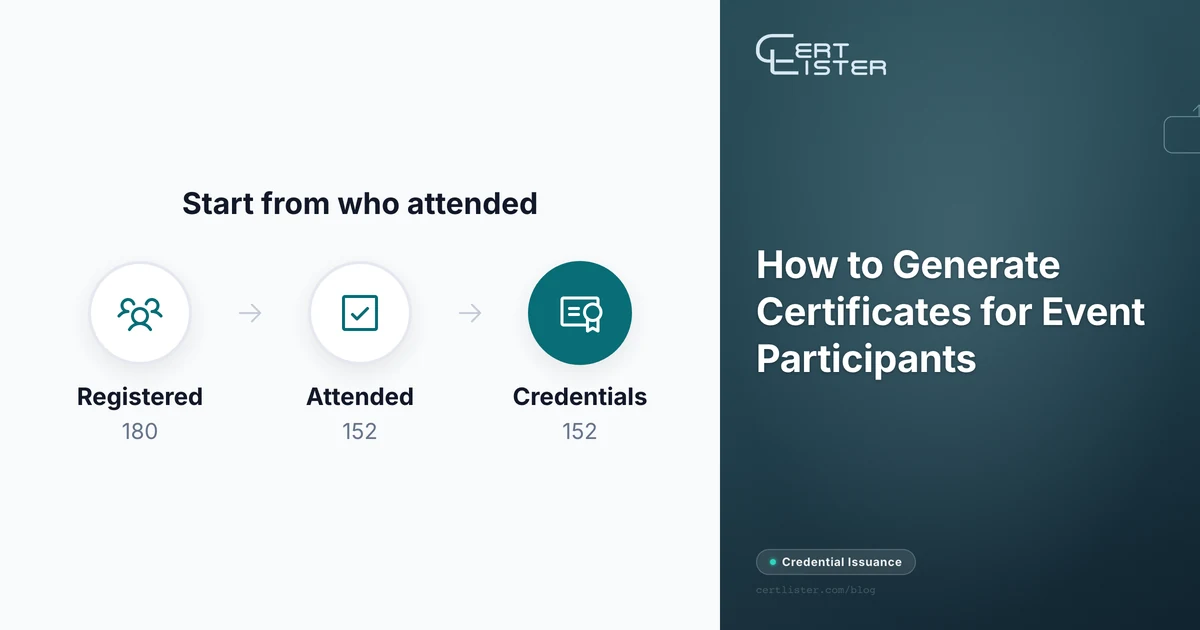
A state accounting society runs a one-day tax update. 180 people register, 152 check in, and a dozen leave at lunch to get back to clients. The next morning the events coordinator exports the registration list, mail-merges it into a certificate template that says "8 CPE credits," and sends all 180.
Within a week three things go wrong. A member who never showed up reports eight hours to their state board. A member who left at noon claims the full day. And a CPA whose board audits their hours finds the certificate has no sponsor ID and no field of study, so it can't be used as proof at all.
Every certificate looked right. The problem was the list it was made from and the fields nobody knew to include. Generating certificates for event participants is quick once the data is right, and most of the work is getting the data right.
Attendance, Participation or Completion?
Pick the certificate type before you design anything, because each one claims something different about the person holding it.
- Certificate of attendance. The person was there. It says nothing about what they learned. This fits conferences, talks and most webinars.
- Certificate of participation. The person took an active part: a workshop, a hackathon, a panel, a volunteer shift. It needs a record of what they did, not just a check-in.
- Certificate of completion. The person finished a defined program, usually with an assessment. Don't use this title for an event with no test or assignment, or the certificate claims more than you can back up.
Speakers, panelists, volunteers and sponsors each deserve their own title. A speaker who receives the same "Certificate of Attendance" as the audience has nothing to show for the talk they gave.
Start From Who Attended, Not Who Registered
The registration export is the list most people start from, and it is the wrong one. It includes no-shows, people who sent a colleague in their place, and people who registered twice. It says nothing about who left early.
Build the certificate list from attendance data instead:
- Take the check-in record: badge scans, a sign-in sheet, or the join log from your webinar platform.
- Remove anyone who registered but never checked in.
- For multi-session or multi-day events, record hours per person. At a two-day conference, someone who came only on day one earned half the hours.
- Note late arrivals and early departures if the certificate states hours or credits.
- Check names against what attendees typed at check-in, not just at registration. The name on the certificate should match the person's ID.
For events that carry continuing education credit, this isn't optional. NASBA, which sets the standards for CPE (continuing professional education) for accountants in the US, says in its 2026 Statement on Standards for CPE Programs that sponsors "must maintain a process to monitor individual attendance," and that "self-certification of attendance/completion alone is not sufficient." A registration list is exactly that kind of self-certification.
The same standard lists what counts as proof: attendance logs that note "late arrivals, early departures or elongated break times," QR codes, polling questions, and individual login records. For webinars that use on-screen prompts, those prompts "must occur at least three times per 50-minute credit hour" and must not be predictable.
If the Event Carries Continuing Education Credit
Accreditors decide what a CE certificate must show, and their lists are long. NASBA's is a good example because it is public and specific. Section 9.01 of the 2026 Standards says the certificate of completion must include:
- The CPE program sponsor's name
- The participant's name
- The course title
- The date offered or completed
- The location, if applicable
- The type of formal learning program (for example, group live or group internet based)
- The amount of CPE credit recommended, by field of study
- The NASBA sponsor identification number
- A state registration number, if a state board requires one
- The NASBA time statement, saying credits were granted on a 50-minute hour
- Any other statements boards of accountancy require
Three more rules from the same document affect how you issue:
- Credits are measured, not estimated. One credit is one 50-minute period of actual program time. Sponsors may round down, never up. An eight-hour day with a lunch break is not eight credits.
- Send certificates within 60 days. The Standards say documentation "should be provided as soon as possible and should not exceed 60 days."
- Keep the records for five years. Sponsors must retain attendance records and how credits were calculated for at least five years.
The 2026 Standards took effect on 1 August 2026. According to NASBA, programs that already existed on 31 July 2026 have until 1 November 2028 to move to them, and the 2024 edition has the same 60-day, five-year and self-certification rules.
Medical, nursing, legal and engineering accreditors each set their own requirements. If your event offers credit in any of them, get the accreditor's certificate requirements before you design the certificate.
What an Event Certificate Should Show
Whether or not you offer credit, a certificate someone can use later needs more than a name and a logo:
- The participant's full name, as it appears on their ID
- The certificate type: attendance, participation or completion
- The event name and the organizer's name
- The date or dates, and the location, or "online"
- The hours attended, and for CE events, credits by field of study
- The sessions attended, when they differ between participants
- The person's role, for speakers, panelists and volunteers
- A unique certificate number
- A link or QR code that opens the organizer's own record of the certificate
The last two matter more for events than for courses. An attendee may need the certificate years later for a license renewal or an audit, and by then the event page is gone and the coordinator may have left. A certificate number with a public record behind it still answers the question.
For a closer look at certificate fields and the regulations behind them, see what a training certificate should include.
Send Them While the Event Is Fresh
The best time to send certificates is within a few days of the event. Attendees are still talking about it and still posting about it, and a certificate that arrives two weeks later mostly gets filed away. For CE events there is also the 60-day limit above.
Two things speed this up. Have the attendance data cleaned the day the event ends, while staff still remember who left early. And agree on the certificate design before the event, so the only thing left afterward is generating and sending.
Generating the Certificates in Bulk
Once the list is right, generating certificates for event participants is mechanical. In CertLister it looks like this:
- Create a category for the event, with the certificate title as its default so every row gets it.
- Add custom fields for anything the event needs, such as hours, sessions, field of study or role. Custom fields are available on every plan and can be placed on the certificate design and shown on the verification page. See custom credential attributes.
- Import the cleaned attendance list as a CSV. Importing creates the credentials but does not email anyone.
- Select every credential in the category and generate the PDFs in one batch of up to 500.
- Send the credential emails, with the PDF attached, to the whole list at once.
Each credential gets a unique number and a verification page that shows the organizer and whether the credential is active or revoked. If a certificate went to the wrong person, revoking it updates that page for anyone who checks.
The steps above are covered in more detail in bulk credential generation, and our page on certificates for event participants covers the rest of the setup for conferences and workshops.
The Short Version
Before you send the next batch of event certificates, check five things:
- Is the list built from check-ins, not registrations?
- Does each certificate state the hours the person actually attended?
- Does the title match what you can prove: attendance, participation or completion?
- If the event offers credit, does the certificate carry every item your accreditor requires?
- Could someone confirm the certificate is real in five years, without emailing you?
This is a summary of published standards, not legal or accreditation advice. Accreditors and state boards change their rules, so check the current requirements for the credit you offer.
CertLister is a digital credential platform for training providers, associations and event organizers. Import your attendee list, generate every certificate in one batch, and give each one a verification link anyone can check. Start free →
See it in action. No card, no commitment
Join schools, companies, and training centers using CertLister. Free plan available, no credit card required.
Get Started Free